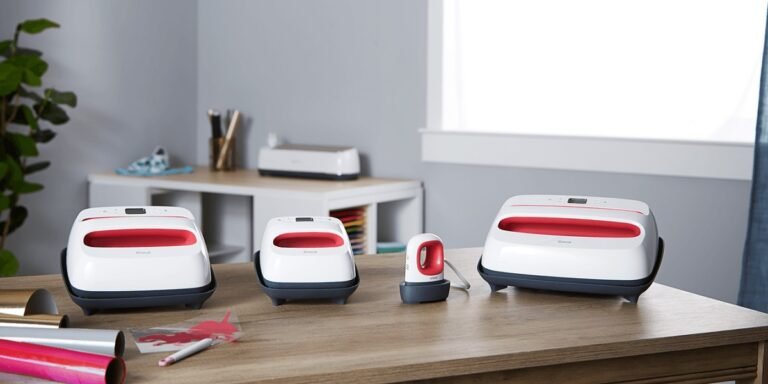
How to Apply Heat Transfer Vinyl With Heat Press
To apply heat transfer vinyl with a heat press, first choose the right vinyl for your fabric and design. Prepare your file by mirroring it, then cut and weed the vinyl. Make sure your fabric is clean and wrinkle-free, then set your heat press to the vinyl’s recommended temperature, time, and pressure. Position the vinyl and press firmly, then peel the carrier sheet hot or cold as instructed. With the basics down, you’ll be ready to master each step for perfect results.
Key Takeaways
- Prepare fabric by washing, drying, ironing, and removing lint before vinyl application.
- Mirror your design in cutting software and adjust size to fit the garment accurately.
- Set heat press temperature between 300°F and 350°F, adjusting pressure based on fabric thickness.
- Align vinyl on fabric, cover with a heat-resistant sheet, and press evenly with consistent pressure for recommended time.
- Peel the carrier sheet hot or cold as per vinyl instructions, then follow care guidelines for washing and storage.
Selecting the Right Heat Transfer Vinyl for Your Project
Choosing the right heat transfer vinyl (HTV) is key to making your project look professional and last long. You’ll want to take into account the fabric type you’re working with—some HTVs work better on cotton, while others are designed for polyester or blends. Think about the finish too: matte, glossy, or glitter can dramatically change your design’s vibe. Thickness matters as well; thinner vinyls are ideal for detailed designs, while thicker variants provide durability. Don’t forget to check the vinyl’s temperature and pressure requirements to guarantee compatibility with your heat press. Finally, take into account the intended use—everyday wear demands more durable vinyl, while decorative pieces might tolerate less robust options. Picking the right HTV upfront saves you time and ensures a crisp, vibrant result.
Preparing Your Design for Cutting
Once you’ve selected the perfect heat transfer vinyl for your project, it’s time to get your design ready for cutting. Start by creating or importing your design into your cutting software. Make certain to mirror the image horizontally, especially if it includes text, so it appears correctly once transferred. Adjust the size to fit your garment or item precisely. Check that all elements are clean and connected if necessary, avoiding any tiny details that might not cut well. Choose the appropriate cut settings based on your vinyl type—most software offers presets for heat transfer vinyl. Finally, load your vinyl into the cutter with the shiny carrier sheet facing down, guaranteeing the blade will cut only the vinyl and not the backing. This preparation guarantees a smooth cutting process.
Setting Up Your Heat Press Correctly
To get the best results, you’ll need to set your heat press to the right temperature based on your vinyl type. Don’t forget to adjust the pressure properly to guarantee even contact without damaging your fabric. Let’s go over the key temperature settings and pressure tips to get you started.
Temperature Settings Guide
Getting your heat press to the right temperature is vital for a successful vinyl transfer. Most heat transfer vinyl (HTV) requires a temperature between 300°F and 350°F, but always check the specific instructions for your vinyl brand. Too low, and the vinyl won’t adhere properly; too high, and you risk burning or melting the material. Start by setting your heat press to the recommended temperature, then allow it to fully heat up before applying your design. Use a reliable thermometer if your press doesn’t have an accurate display. Remember, consistency matters—avoid opening the press too often during transfers, as this causes temperature fluctuations. Mastering the correct temperature guarantees your vinyl sticks well and your final product looks professional every time.
Pressure Adjustment Tips
Three key pressure levels—light, medium, and firm—are essential to know when setting up your heat press for vinyl application. Light pressure works best for delicate fabrics or thin vinyl, ensuring you don’t damage the material. Medium pressure is ideal for most standard projects, providing enough force to secure the vinyl without causing distortion. Firm pressure is reserved for thicker fabrics or multiple layers, helping the vinyl adhere properly. To adjust pressure correctly, use the pressure knob or lever on your heat press and test on a scrap piece first. Make sure the platen is even and fully closed. Avoid over-tightening, as it can damage your fabric or vinyl. With proper pressure, your design will transfer smoothly and last longer.
Preparing Your Fabric for Application
Before you start applying heat transfer vinyl, make certain your fabric is clean and wrinkle-free. Any dirt, oils, or creases can affect how well the vinyl adheres and how smooth your final design looks. Wash and dry your fabric beforehand, avoiding fabric softeners since they can leave residues. Iron your fabric thoroughly to remove wrinkles, focusing especially on the area where you’ll place the vinyl. Use a lint roller or tape to pick up any dust or lint that might interfere with adhesion. If you’re using a stretchy material, lay it flat without stretching it to maintain its shape. Taking these steps guarantees a smooth surface for pressing, which is vital for a strong, lasting bond between your fabric and the vinyl.
Cutting and Weeding Your Vinyl Design
Start by setting up your design in your cutting software, making certain to mirror the image if you’re working with heat transfer vinyl. This guarantees your design will appear correctly when transferred. Next, load your vinyl into the cutting machine with the shiny carrier sheet facing down. Adjust the cut settings based on your vinyl type for a clean cut without damaging the backing. After cutting, it’s time to weed your design—carefully remove the excess vinyl surrounding your design using a weeding tool or tweezers. Pay close attention to small details and negative spaces to avoid pulling away parts of your design.
- Use a sharp weeding tool for precision
- Work in good lighting to see tiny details
- Peel slowly to avoid ripping vinyl
- Keep scraps to practice future weeding techniques
Positioning the Vinyl on Your Fabric
Once you’ve weeded your design, it’s important to position the vinyl carefully on your fabric to secure a smooth, accurate transfer. Lay your fabric flat on a heat-resistant surface, removing any wrinkles or folds. Place the vinyl design with the clear carrier sheet facing up, guaranteeing it’s centered and aligned exactly where you want the final image. Use heat-resistant tape to secure the edges if needed, preventing any shifting during pressing. Double-check your placement by folding back one edge of the carrier sheet to confirm the design’s position without fully removing it. This step helps avoid misalignment and wasted materials. Taking the time to position your vinyl correctly assures a professional-looking result once you apply heat with your press.
Adjusting Temperature, Time, and Pressure Settings
Now that your vinyl is perfectly positioned, you’ll need to adjust the temperature, time, and pressure settings for the best results. Finding the right balance guarantees the vinyl adheres properly without damaging your fabric. Let’s explore how to set these parameters for ideal heat transfer.
Optimal Temperature Levels
Finding the right combination of temperature, time, and pressure is essential for a successful heat transfer vinyl application. When focusing on ideal temperature levels, you want to avoid overheating or underheating the vinyl, which can cause peeling or damage. Most HTV materials require a temperature between 300°F and 320°F (149°C to 160°C). However, this can vary depending on the vinyl type and fabric.
Keep these points in mind:
- Check the manufacturer’s recommended temperature range.
- Use a calibrated heat press to maintain accuracy.
- Avoid exceeding the upper temperature limit to prevent vinyl melting.
- Test on a scrap piece before pressing your final design.
Time and Pressure Balance
Temperature plays a big role in heat transfer vinyl application, but it’s only one piece of the puzzle. You also need to balance time and pressure to guarantee a perfect transfer. Too little pressure or time can cause peeling, while too much can damage fabric. Adjust these settings based on vinyl type and fabric thickness.
Here’s a quick reference to find the right balance:
| Setting | Recommendation |
|---|---|
| Temperature | 305°F – 320°F (150°C – 160°C) |
| Time | 10-15 seconds |
| Pressure | Medium to Firm |
| Vinyl Type | Adjust time/pressure accordingly |
| Fabric Type | Use lower temperature for delicate fabrics |
Always test on a scrap piece to fine-tune your settings before full application.
Applying the Heat Press to Transfer the Vinyl
Before you apply the heat press, make certain your vinyl and fabric are properly aligned and free of wrinkles. Positioning is essential to avoid misprints or uneven transfers. Set your heat press to the recommended temperature and pressure settings for your specific vinyl type.
When you’re ready, lower the heat press platen evenly over the fabric and vinyl. Maintain consistent pressure throughout the timer countdown to guarantee proper adhesion. Avoid lifting or shifting the press during this time.
Keep in mind:
- Use a heat-resistant cover sheet to protect your design and press
- Preheat the fabric briefly to remove moisture for better results
- Follow the exact time recommended for your vinyl type
- Never apply too much pressure, as it can distort the fabric or vinyl
This precision will help you achieve a clean, professional transfer every time.
Peeling the Carrier Sheet: Hot or Cold Peel Methods
Although the heat press has done its job, you’ll need to decide whether to peel the carrier sheet while it’s hot or wait until it cools down. Hot peeling means removing the carrier sheet immediately after pressing, which works well for thin or stretchable vinyls, allowing for a smooth finish. Cold peeling, on the other hand, requires you to wait until the vinyl cools completely, ideal for thicker or multi-layered designs to prevent lifting or distortion. Check your vinyl’s instructions, as manufacturers often specify the best method. If unsure, test both methods on a scrap piece to see which gives you a cleaner peel without damaging your design. Taking this step carefully guarantees your vinyl adheres perfectly and looks professional.
Caring for Your Finished Heat Transfer Vinyl Project
To keep your heat transfer vinyl project looking great, you’ll want to follow specific washing instructions and handle storage carefully. Using gentle cycles and avoiding high heat can prevent damage to the design. Properly storing your garment will also help maintain its quality over time.
Washing Instructions
Following proper washing instructions helps keep your heat transfer vinyl looking fresh and vibrant for longer. To maintain your project’s quality, always turn the garment inside out before washing. Use cold water and a gentle cycle to prevent the vinyl from peeling or cracking. Avoid bleach and fabric softeners as they can damage the adhesive and vinyl surface. Finally, air drying is the safest option, but if you use a dryer, opt for a low heat setting.
Here are some key tips to remember:
- Wash inside out on a gentle cycle with cold water
- Avoid bleach and fabric softeners
- Air dry whenever possible
- If using a dryer, select a low heat setting
Following these steps will help preserve your heat transfer vinyl for many washes.
Storage Tips
When you’re not wearing your heat transfer vinyl project, proper storage is key to keeping it in great condition. Store your garment in a cool, dry place away from direct sunlight, which can fade colors and weaken the vinyl adhesive over time. Avoid folding the vinyl area sharply; instead, hang your item or fold it with care to prevent creases that might damage the design. Make sure the surface is clean and dry before storing to prevent mildew or discoloration. If you’re storing multiple items, place tissue paper between them to reduce friction. By taking these simple steps, you’ll preserve the vibrancy and durability of your heat transfer vinyl, ensuring your project looks fresh and lasts through many wears and washes.
Frequently Asked Questions
Can Heat Transfer Vinyl Be Used on Non-Fabric Surfaces?
Yes, you can use heat transfer vinyl on some non-fabric surfaces like wood, metal, or plastic, but you’ll need to check the material’s heat tolerance and guarantee proper adhesion, as results vary depending on the surface type.
How Long Does Heat Transfer Vinyl Typically Last on Clothing?
Heat transfer vinyl typically lasts through 20 to 50 washes if you care for it properly. You should wash inside out in cold water and avoid high heat drying to keep the design vibrant and intact longer.
Are There Health Risks When Using a Heat Press Machine?
Yes, there can be health risks if you’re not careful. Heat presses get very hot, so you could burn yourself. Also, fumes from some vinyl materials might irritate your lungs, so always work in a well-ventilated area.
Can I Layer Different Colors of Heat Transfer Vinyl?
Yes, you can layer different colors of heat transfer vinyl. Just make sure to press each layer separately at the right temperature and time, allowing it to cool slightly before adding the next layer to avoid warping or peeling.
What Is the Best Way to Store Unused Heat Transfer Vinyl?
Like carefully preserving a rare treasure, you’ll want to keep your unused heat transfer vinyl in a cool, dry place, away from direct sunlight. Roll it loosely or store flat to avoid creases and maintain its quality.
Conclusion
Applying heat transfer vinyl with a heat press is as satisfying as watching a perfect sunset—each step brings you closer to a vibrant, lasting design. By choosing the right vinyl, prepping your fabric, and mastering your heat press settings, you’ll create professional-quality results every time. Remember to peel carefully and care for your finished project to keep it looking fresh. With practice, your custom creations will stand out and last wash after wash.