How to Use Vevor Heat Press
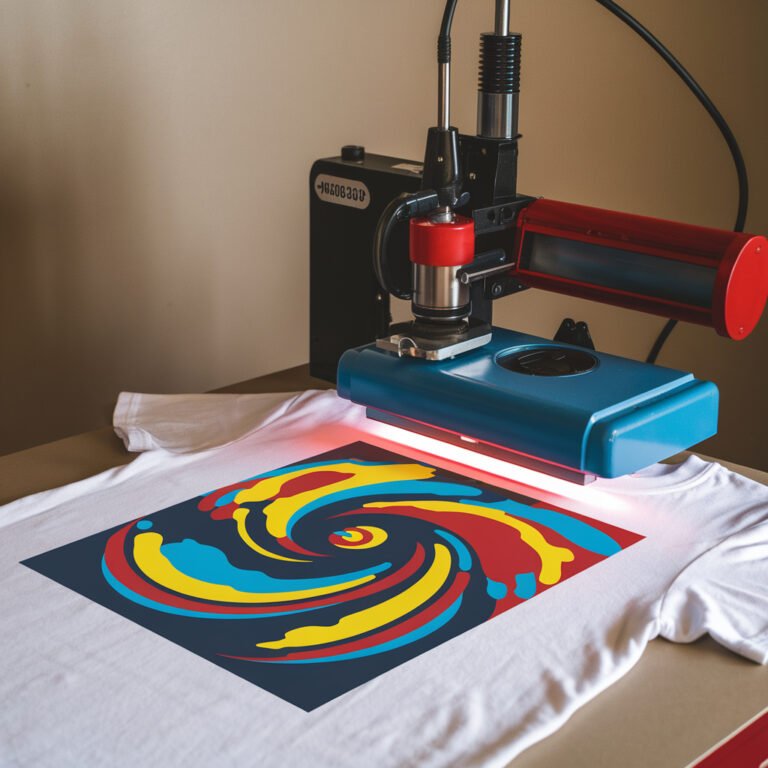
To use your Vevor Heat Press, start by placing it on a sturdy, heat-safe surface and unpack all components. Plug it in, then set the temperature, time, and pressure according to your transfer material. Prepare your fabric by pre-pressing to remove moisture and wrinkles. Position your transfer design carefully, then close the press evenly, timing the process without forcing the handle. After pressing, remove the design carefully and let it cool. Keep it clean and check settings regularly. For detailed tips on each step and troubleshooting, keep exploring further.
Key Takeaways
- Unbox the Vevor heat press, verify all parts, and place it on a stable, heat-resistant surface before plugging in but not turning it on.
- Set the control panel for temperature, time, and pressure according to your transfer material’s specifications.
- Prepare fabric by pre-pressing to remove moisture and wrinkles, then position and secure the transfer material face down on the fabric.
- Close the heat press gently, applying even pressure, and wait for the timer to complete before lifting the platen carefully.
- After use, clean the heat platen, unplug the machine, and perform routine maintenance to ensure consistent performance and longevity.
Unboxing and Initial Setup of Your Vevor Heat Press
Before you start using your Vevor heat press, you’ll want to carefully unbox and set it up to confirm everything works smoothly. Begin by placing the box on a flat surface and opening it gently to avoid damaging any components. Remove all parts, including the heat press, power cord, and any accessories. Check the package contents against the included manual to verify nothing’s missing. Next, position the heat press on a sturdy, heat-resistant table in a well-ventilated area. Attach any detachable parts as directed by the manual, typically securing the handle and platen if needed. Finally, plug in the machine but don’t turn it on yet—this initial setup confirms your Vevor heat press is ready for safe and efficient use.
Understanding the Control Panel and Settings
The control panel on your Vevor heat press is where you’ll set the temperature, time, and pressure to get the best results for your projects. You’ll typically find buttons or a touchscreen to adjust these settings. Start by selecting the desired temperature based on your transfer material’s requirements. Next, set the timer to control how long the heat is applied. Finally, adjust the pressure knob or lever to guarantee even contact between the platen and your item. Many Vevor models display current temperature and countdown time, so you can monitor progress easily. Getting familiar with these controls lets you customize each press cycle, improving transfer quality and protecting your materials from damage. Take your time to practice with different settings before moving on to actual transfers.
Preparing Your Heat Transfer Materials
When you’re ready to start your project, gathering and preparing your heat transfer materials properly is essential for a successful outcome. Begin by selecting the right transfer paper or vinyl that matches your fabric type and design. Make certain your fabric is clean, dry, and wrinkle-free to guarantee proper adhesion. Pre-press your fabric for a few seconds using your Vevor heat press to remove moisture and creases. Cut your design carefully, removing any excess material to avoid unwanted marks. Position your transfer material face down on the fabric exactly where you want the design. Use heat-resistant tape if needed to keep the transfer in place during pressing. Taking these steps will help you achieve crisp, vibrant results every time.
Adjusting Temperature and Time for Different Fabrics
Although each fabric type responds differently to heat, you’ll need to adjust the temperature and pressing time on your Vevor heat press to secure ideal results. For delicate fabrics like polyester or nylon, lower the temperature to around 300°F and shorten the pressing time to 10-15 seconds to prevent scorching. Cotton and cotton blends typically require higher heat, around 350-375°F, with pressing times between 15-20 seconds for proper adhesion. When working with thicker materials like denim or canvas, increase the temperature to 380-400°F and extend the pressing time to 20-25 seconds to guarantee the transfer bonds well. Always consult the fabric and transfer guidelines, and test on a scrap piece to avoid damaging your project while getting the settings just right.
Positioning the Design on the Substrate
Before you start pressing, make certain your design is perfectly aligned on the substrate to avoid any crooked prints. You’ll also want to secure the fabric or material firmly so it doesn’t shift during the heat press process. Taking these steps guarantees a clean, professional-looking result every time.
Aligning Design Precisely
Getting your design perfectly aligned on the substrate is essential to achieving professional-looking results with your Vevor heat press. To do this, start by measuring the substrate and marking the center point lightly with a pencil or heat-resistant tape. Use a ruler or alignment tool to position the design symmetrically. Remember, even small misalignments can affect the final look.
| Step | Tip |
|---|---|
| Measure Substrate | Find center for balance |
| Mark Guidelines | Use pencil/tape lightly |
| Position Design | Align edges and center |
| Double Check | Use ruler or level tool |
| Adjust Before Press | Verify no shifting occurs |
Taking these steps lets you press with confidence, verifying your design sits exactly where it should every time.
Securing Substrate Stability
Once you’ve aligned your design, you’ll need to secure the substrate firmly to prevent any movement during pressing. Any shift can blur or distort your design, ruining your project. To keep everything stable, follow these quick tips:
- Use heat-resistant tape along the edges to hold the substrate in place.
- Confirm the surface of the heat press is clean and flat to avoid slipping.
- If working with fabric, consider using a non-slip mat underneath.
- Double-check your alignment before applying pressure.
- Avoid overloading the press; too many layers can cause shifting.
Operating the Heat Press Safely and Effectively
Though using the Vevor heat press might seem straightforward, operating it safely and effectively necessitates attention to detail and proper technique. First, always wear heat-resistant gloves to protect your hands from burns when handling the press. Make sure the machine is on a stable, flat surface to prevent accidents. Before starting, double-check the temperature and pressure settings according to your material’s requirements. When closing the press, apply even pressure and avoid forcing the handle, which could damage the machine or substrate. Never leave the press unattended while it’s on to prevent hazards. Keep your workspace clear of flammable materials and always unplug the machine after use. Following these steps guarantees you get great results without compromising safety.
Removing Transfers and Cooling Tips
Once your design is pressed, you’ll need to remove the transfer carefully to avoid smudging or damage. Cooling your project properly is just as important to guarantee the ink sets well and the material stays intact. Let’s go over the best ways to handle transfer removal and effective cooling techniques.
Proper Transfer Removal
After you’ve completed the pressing cycle, you’ll need to remove the transfer carefully to make certain the design sets properly. Quick or rough removal can cause smudging or peeling, so patience is key. Follow these tips for proper transfer removal:
- Wait the recommended time for your specific transfer type before peeling.
- Use a slow, steady motion to lift the transfer sheet.
- If the design lifts with the transfer, press again with adjusted time or temperature.
- Always peel at a consistent angle to avoid wrinkles.
- Keep your hands clean to prevent transferring oils or dirt onto the design.
Taking these steps makes certain your design adheres well and looks professional. Proper removal is essential for lasting, vibrant results.
Effective Cooling Techniques
Even if you’ve followed the pressing and removal steps perfectly, proper cooling is essential to secure your design’s durability. After removing the transfer paper, let your item cool on a flat surface at room temperature. Avoid touching or stretching the design while it’s still hot, as this can cause distortion or cracking. If you’re in a hurry, you can use a fan or a cool, dry cloth to speed up the process, but don’t apply moisture directly to the design. For thicker materials, cooling time might be longer, so be patient. Proper cooling helps the ink or vinyl set firmly, ensuring a long-lasting finish. Remember, skipping or rushing this step often results in peeling or fading over time.
Cleaning and Maintaining Your Heat Press
To keep your Vevor heat press working smoothly, you’ll need to clean and maintain it regularly. This guarantees consistent heat distribution and prolongs the machine’s lifespan. Start by wiping down the heat platen with a soft cloth to remove any residue or adhesive buildup. Don’t forget to check moving parts and hinges for dust or debris that could affect performance.
Here are five quick tips for maintenance:
- Clean the heat platen after every use with a non-abrasive cleaner
- Inspect power cords and plugs for damage regularly
- Lubricate hinges and joints to prevent stiffness
- Tighten any loose screws or bolts
- Store your heat press in a dry, dust-free area when not in use
Following these steps keeps your Vevor heat press ready for every project.
Troubleshooting Common Issues With Vevor Heat Press
When your Vevor heat press isn’t working as expected, it can be frustrating, but many common issues have quick fixes you can try yourself. If your heat press isn’t heating up, first check the power connection and verify the temperature setting is correct. For uneven heat distribution, inspect the pressure adjustment and make sure the platen is clean and flat. If the timer isn’t counting down, reset the control panel or unplug and plug it back in. Sticky or hard-to-close platens usually mean the pressure is too high—adjust it accordingly. Finally, if you notice inconsistent transfers, double-check your temperature, pressure, and time settings to match the material’s requirements. Regular maintenance helps prevent these problems and keeps your press running smoothly.
Frequently Asked Questions
Can the Vevor Heat Press Be Used for Sublimation Printing?
Yes, you can use the Vevor heat press for sublimation printing. Just make certain you use sublimation paper and compatible inks, set the right temperature and time, and guarantee proper pressure for the best results.
What Is the Warranty Period for Vevor Heat Press Machines?
Think of the warranty as a safety net beneath your creative tightrope. Vevor heat press machines typically come with a 12-month warranty, giving you peace of mind while you immerse yourself in your printing projects without fear.
Are Replacement Parts for Vevor Heat Press Readily Available?
Yes, replacement parts for Vevor heat presses are generally easy to find. You can order them directly from Vevor’s website or through authorized sellers, ensuring your machine stays in good working condition without much hassle.
Can the Vevor Heat Press Handle Large-Format Transfers?
Yes, your Vevor heat press can handle large-format transfers if it’s designed with a spacious platen. Just double-check your model’s maximum size to guarantee it fits your project before starting your press.
Is It Safe to Use Vevor Heat Press With Vinyl Decals?
Using Vevor heat press with vinyl decals is as safe as a walk in the park when you follow proper temperature and timing. Just avoid overheating or pressing too hard, and your decals will stick perfectly every time.
Conclusion
Now that you know how to use your Vevor heat press, remember that practice makes perfect. Taking your time with setup, temperature adjustments, and positioning guarantees your designs come out just right. Always prioritize safety and maintenance to keep your machine running smoothly. With patience and care, you’ll create professional-quality transfers in no time. So, don’t rush—master your craft step by step, and enjoy the creative process!