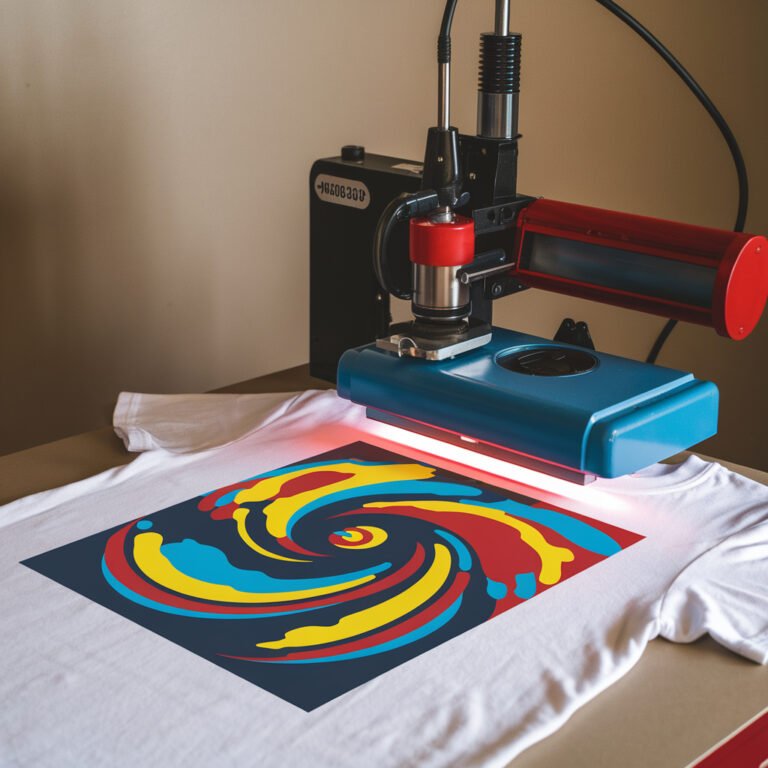
How to Set Heat Press Temperature
You set your heat press temperature based on the fabric or material you’re using—for example, 350°F to 375°F for cotton to get vibrant prints without damage. For polyester, aim lower, around 300°F to 320°F, to avoid scorching. Vinyl needs about 300°F to 320°F to prevent warping, while sublimation demands hotter temps near 375°F. Avoid guessing; follow material-specific guidelines and regularly check your press’s calibration. Keep going, and you’ll discover tips for flawless transfers every time.
Key Takeaways
- Identify the material type and consult manufacturer guidelines for recommended temperature settings before adjusting the heat press.
- Set temperature within the material-specific range, such as 350°F for cotton or 300°F for polyester, to ensure optimal bonding.
- Preheat the heat press fully to the desired temperature to guarantee even heat distribution during transfer.
- Use a reliable thermometer or built-in calibration to verify the heat press temperature accuracy before starting.
- Document temperature, pressure, and time settings for each material and design to replicate successful results consistently.
Understanding Heat Press Temperature Settings
Before you start adjusting your heat press, it’s important to understand how temperature settings affect your results. The heat press temperature controls how well the materials bond during the transfer process. Too low, and the adhesive won’t activate properly, leading to weak or incomplete transfers. Too high, and you risk scorching or warping your substrate or transfer material. Heat presses usually display temperature in Fahrenheit or Celsius, so make sure you’re clear on the units. Keep in mind that temperature alone doesn’t guarantee success; pressure and timing also play critical roles. Understanding the heat press’s temperature control allows you to make informed adjustments, ensuring your designs come out crisp, vibrant, and durable every time you press.
Temperature Guidelines for Different Materials
Different materials require specific temperature settings to achieve the best transfer results. For cotton, you’ll want to set your heat press between 350°F and 375°F, ensuring vibrant and long-lasting prints. Polyester fabrics need a lower temperature, usually around 300°F to 320°F, to avoid scorching or melting. If you’re working with nylon or delicate synthetics, keep temperatures between 270°F and 300°F to protect the fabric’s integrity. Canvas and other heavy-duty materials can handle higher heat, often up to 400°F. Always check the manufacturer’s recommendations for your specific material, as these guidelines can vary. Using the right temperature for each fabric type helps you avoid damage while ensuring your design adheres properly and stays durable.
Adjusting Temperature for Vinyl and Sublimation
While temperature settings vary widely depending on the fabric, adjusting heat press temperature for vinyl and sublimation requires a bit more attention to the material’s specific needs. For vinyl, you’ll want to keep the temperature typically between 300°F and 320°F to avoid melting or warping. Too much heat can cause vinyl to bubble or peel, so be precise. Sublimation, on the other hand, usually needs higher temperatures around 375°F to 400°F since the ink needs to turn into gas and bond with polyester fibers. Make sure your substrate is compatible—sublimation works best on polyester or polymer-coated surfaces. Always check manufacturer guidelines for exact temps and times to get a clean, durable transfer without damaging your design or fabric.
Common Temperature Mistakes to Avoid
If you don’t set the right temperature on your heat press, you risk ruining your project. One common mistake is using too high a temperature, which can scorch fabric, melt vinyl, or cause colors to fade. On the flip side, too low a temperature might result in poor adhesion, causing your design to peel or wash out quickly. Another error is not calibrating your heat press regularly; temperature gauges can drift, leading to inaccurate settings. Avoid guessing—always refer to material-specific guidelines. Also, don’t overlook the importance of preheating your press fully before use, as inconsistent heat can create uneven transfers. By steering clear of these pitfalls, you’ll guarantee your heat press projects come out crisp, vibrant, and durable every time.
Tips for Maintaining Consistent Heat Press Results
To keep your heat press results consistent, you’ll want to focus on a few key practices. First, always preheat your press and allow it to reach the set temperature before starting. Use a reliable thermometer to verify accuracy, as built-in displays can sometimes be off. Maintain even pressure across the platen to guarantee uniform heat transfer. Be sure to calibrate your press regularly, checking for temperature fluctuations and mechanical wear. Use consistent timing for each press cycle and avoid rushing. Keep your heat platen clean to prevent uneven heating or marks on your materials. Finally, document your settings for different fabrics and designs, so you can repeat successful results every time without guesswork. Following these tips will help you achieve professional, repeatable heat press outcomes.
Frequently Asked Questions
How Long Does It Take for a Heat Press to Reach the Set Temperature?
It usually takes your heat press about 10 to 15 minutes to reach the set temperature. This depends on the model and wattage, so you’ll want to check your specific machine’s instructions for exact timing.
Can Ambient Room Temperature Affect Heat Press Performance?
Absolutely, ambient room temperature can affect your heat press performance. It’s like trying to fry an egg on the Arctic tundra—colder rooms slow heating, while warmer ones can cause inconsistent temperature, messing with your results.
What Safety Precautions Should I Take When Using a Heat Press?
You should always wear heat-resistant gloves, keep your workspace clear of flammable items, never leave the press unattended while on, and guarantee proper ventilation. Also, follow the manufacturer’s instructions to avoid burns or equipment damage.
How Often Should the Heat Press Be Calibrated?
Measure twice, cut once—you should calibrate your heat press at least once a month or after every 40 hours of use. Regular calibration guarantees accurate temperature, preventing ruined designs and keeping your results consistent every time.
Are There Differences Between Digital and Analog Heat Press Temperature Controls?
Yes, you’ll notice digital controls offer precise temperature settings and easy adjustments, while analog controls rely on manual dials, which can be less accurate. Digital is usually more user-friendly and consistent for your heat press work.
Conclusion
Now that you know how to set your heat press temperature, are you ready to take your projects to the next level? Remember, getting the temperature just right is key to perfect results—too hot or too cold can ruin your work. By understanding material needs and avoiding common mistakes, you’ll create vibrant, lasting designs every time. Keep practicing, and you’ll master consistent heat press results in no time!