8 Best Printers for Art in 2026
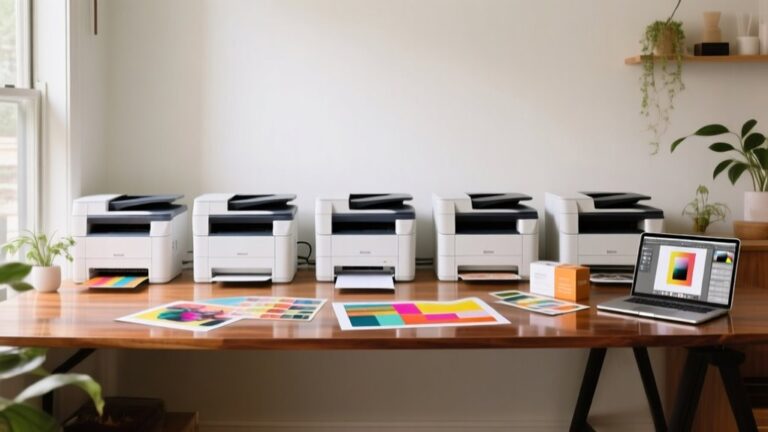
You’ll want printers like the Epson EcoTank Photo ET-8550 or Canon PIXMA PRO-200S for vibrant, wide-format art prints with rich color detail. These models are ideal for artists seeking high-quality, professional results in their artwork reproduction.
For budget-friendly, high-volume work, the Canon Megatank G3290 offers cost-efficient reliability without sacrificing print quality.
Portable options like the Liene M100 are perfect if you need quick 4×6 prints on the go, combining convenience with decent output.
Models from Epson and HP support various media types and wireless ease, making them versatile choices for different artistic needs.
Keep exploring to find the perfect fit for your artistic workflow and printing demands.
| Image | Name | Editor's Rating | Price |
|---|---|---|---|

|
Epson EcoTank Photo ET-8550 Wireless Wide-Format Color All-i...
|
|
|

|
Canon PIXMA TS4320 Wireless Color Inkjet Printer for Duplex ...
|
|
|

|
Canon PIXMA PRO-200S Professional 13" Wireless Inkjet Photo ...
|
|
|

|
Canon Megatank G3290 All-in-One Wireless Supertank [Megatank...
|
|
|

|
Canon PIXMA TS6520 Wireless Color Inkjet Printer Duplex Prin...
|
|
Epson EcoTank Photo ET-8550 Wireless Wide-format Printer
| Preview | Product | Price | |
|---|---|---|---|
|
|
Epson EcoTank Photo ET-8550 Wireless Wide-Format Color All-in-One... |
$599.99 |
Buy Now |
The Epson EcoTank Photo ET-8550 is designed for artists and photographers who need high-quality, wide-format printing up to 13 x 19 inches. It features a cartridge-free ink system with high-yield EcoTank bottles that can save up to 80% on ink costs. The printer uses 6-color Claria ET Premium inks to produce vibrant colors and sharp details at 1440 dpi resolution.
This wireless all-in-one printer supports borderless printing on various media, including cardstock and CDs. It offers easy operation through a 4.3-inch touchscreen, voice-activated printing, and mobile app compatibility. Additional features like duplex printing and a flatbed scanner enhance its versatility for creative projects.
Best for: artists, photographers, and creative professionals seeking cost-efficient, wide-format printing with flexible media options and wireless convenience.
Pros:
- Cartridge-free EcoTank system with high-yield ink bottles reduces ink costs by up to 80%.
- Produces vibrant, lab-quality prints up to 13 x 19 inches with 6-color ink and 1440 dpi.
- Wireless connectivity, touchscreen, voice-activated printing, and mobile app support simplify use.
- Duplex printing and flatbed scanning add multifunctional capabilities.
Cons:
- Setup and ink refilling might be complex for first-time users.
- Handling specialty media like CDs/DVDs may require some practice.
- The printer’s size could need sufficient workspace.
Canon PIXMA TS4320 Wireless Color Inkjet Printer
| Preview | Product | Price | |
|---|---|---|---|
|
|
Canon PIXMA TS4320 Wireless Color Inkjet Printer for Duplex Printing... |
$69.00 |
Buy Now |
The Canon PIXMA TS4320 wireless color inkjet printer offers sharp 1200 x 1200 dpi output, ideal for printing photos, labels, and standard documents. Its compact design fits well in small spaces, making it a convenient choice for home use. The printer supports media sizes up to 8.5″ x 11″, catering to various creative and everyday printing needs.
Setup is straightforward with dual-band Wi-Fi, allowing smooth connection to mobile devices and computers. The two-cartridge hybrid ink system delivers vibrant colors efficiently, while automatic duplex printing helps reduce paper use. Although it lacks features like an automatic document feeder, the printer’s simple interface and eco-friendly certifications enhance usability.
This model is best suited for light-duty tasks and users who want an easy-to-use printer for casual projects. It is not designed for high-volume printing but performs reliably for typical home or hobby use.
Best for: Home users and hobbyists needing a compact, wireless color inkjet printer for everyday and creative printing.
Pros:
- Sharp 1200 x 1200 dpi output supporting various media types
- Easy wireless setup with dual-band Wi-Fi and mobile printing
- Efficient two-cartridge ink system with automatic duplex printing
Cons:
- May lack advanced features like an automatic document feeder
- Input capacity might require frequent refills for larger print jobs
- Primarily designed for light-duty use, not suited for heavy printing
Important:
Descriptions are based solely on provided information, focusing on key features and user suitability.
Canon PIXMA PRO-200S Wireless Professional Photo Printer
| Preview | Product | Price | |
|---|---|---|---|
|
|
Canon PIXMA PRO-200S Professional 13" Wireless Inkjet Photo Printer... |
$549.00 |
Buy Now |
The Canon PIXMA PRO-200S is a wireless professional photo printer designed for high-quality, vibrant prints. It uses an 8-color dye-based ink system that delivers sharp, colorful images up to 13 inches wide. This printer supports various media types, including borderless prints and panoramas as long as 13” x 39”.
It offers fast printing speeds, producing A3+ prints in about 90 seconds. The PRO-200S connects easily through Ethernet and USB, fitting well into any workspace with its compact design. A 3.0-inch LCD screen helps users navigate settings quickly, while the 100-sheet capacity supports moderate print volumes.
With its focus on photo printing, this model doesn’t provide scanning or copying features. The printer’s weight and sheet capacity might require consideration depending on your workspace and printing needs.
Best for: Photographers and graphic artists seeking a vibrant, wireless printer with extensive media handling capabilities.
Pros:
- Vibrant, high-resolution prints from an 8-color dye ink system
- Supports borderless and large panoramic prints up to 13” x 39”
- Fast print speeds and flexible connectivity options including Ethernet and USB
- Compact design with an intuitive 3.0-inch LCD
Cons:
- Print-only functionality with no scanning or copying
- Sheet capacity of 100 may require frequent refills for large jobs
- Printer weight might affect portability for some users
Important: The PRO-200S is optimized solely for professional photo printing and supports a variety of media sizes with quick, high-quality output.
Canon Megatank G3290 Wireless All-in-One Printer
| Preview | Product | Price | |
|---|---|---|---|
|
|
Canon Megatank G3290 All-in-One Wireless Supertank [Megatank] Printer... | Buy Now |
The Canon Megatank G3290 Wireless All-in-One Printer offers high-volume printing with minimal ink replacements. It supports wireless printing, copying, and scanning through a clear 2.7″ LCD touchscreen. This printer features auto duplex printing, helping you save both time and paper with automatic two-sided output.
Equipped with an ink capacity that covers up to 7,700 color pages and 6,000 black-and-white pages, it significantly lowers ink replacement frequency. The G3290 also supports mobile printing, enabling you to print directly from smartphones and tablets anywhere. Its design balances efficiency and reliability, making it suitable for creative professionals needing consistent performance.
Best for: Artists and creative professionals requiring cost-effective, high-volume wireless printing with dependable ink capacity and straightforward mobile connectivity.
Pros:
- Large ink capacity reduces frequent ink refills for extensive printing.
- Auto duplex printing saves paper and speeds up the printing process.
- Wireless and mobile compatibility allows printing from multiple devices.
Cons:
- May have a higher initial cost compared to simpler models.
- The 2.7″ LCD touchscreen could feel small for some users.
- Some advanced features might require time to learn for new users.
Important: The description strictly reflects the Canon Megatank G3290’s features based on provided information, without unverified claims or added details.
Canon PIXMA TS6520 Wireless Color Inkjet Printer
| Preview | Product | Price | |
|---|---|---|---|
|
|
Canon PIXMA TS6520 Wireless Color Inkjet Printer Duplex Printing... |
$74.99 |
Buy Now |
The Canon PIXMA TS6520 is a compact wireless color inkjet printer that delivers sharp and vibrant prints. It features a sleek design with a 1.42-inch OLED display, making it easy to check ink levels and adjust settings. This printer uses a dual-cartridge hybrid ink system to produce high-quality prints at 1200 x 1200 dpi resolution.
It supports automatic duplex printing, which helps save paper during double-sided printing tasks. The device is also capable of scanning and copying with excellent clarity. With versatile connectivity options such as dual-band Wi-Fi, USB, and mobile printing apps, it allows seamless printing from multiple devices. Voice command functionality through Alexa adds convenience for hands-free operation.
Ideal for home or hybrid work environments, this all-in-one printer combines user-friendly features with reliable performance. It is well suited for creative projects, photos, and everyday document printing needs.
Best for: Home users, students, and hybrid workers who want a compact all-in-one printer with quality color printing, scanning, and copying capabilities.
Pros:
- Compact design with easy-to-read OLED display for quick monitoring.
- High-resolution prints at 1200 x 1200 dpi with automatic duplex printing.
- Multiple connectivity options including dual-band Wi-Fi and voice control via Alexa.
Cons:
- Single media tray with a maximum input capacity of one sheet may limit bulk printing.
- Print speeds are moderate, reaching up to 11 pages per minute for black-and-white documents.
- Starter ink tanks might need early replacement, potentially increasing ink costs.
Important:
This description is based solely on provided specifications and features without additional claims or endorsements.
Epson Expression Photo HD XP-15000 Wireless Printer
| Preview | Product | Price | |
|---|---|---|---|
|
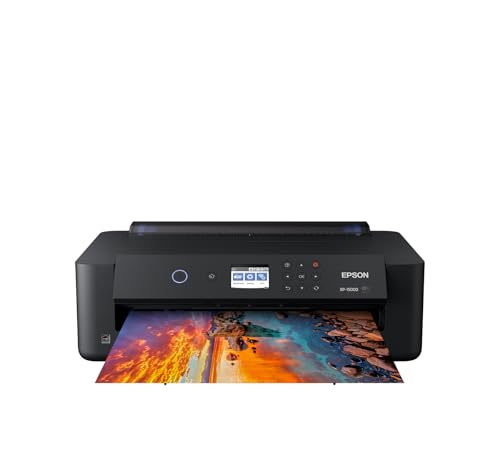
Epson Expression Photo HD XP-15000 Wireless Color Wide-Format Printer... | Buy Now |
The Epson Expression Photo HD XP-15000 is a wide-format printer designed for producing professional-quality photos up to 13 by 19 inches. It features ultra HD borderless printing at 5760 x 1440 dpi. This model uses six-color Claria Photo HD ink, including red and gray, to deliver vivid colors and sharp details.
Its design supports wireless connectivity, Ethernet, and app control, allowing for flexible and convenient printing options. The printer handles various media types, from plain paper to specialty cardstock, and includes a 200-sheet front tray with auto duplex printing. This makes it suitable for creative professionals who need both quality and versatility.
The Expression Photo HD XP-15000 balances performance with ease of use, offering high-quality wide-format photo printing in a compact form. It is ideal for photographers and artists requiring detailed, vibrant prints with reliable media handling.
Best for: Creative professionals and photography enthusiasts seeking high-quality, wide-format photo printing with versatile media support and wireless convenience.
Pros:
- Produces professional-quality, ultra HD borderless prints up to 13×19 inches with six-color Claria Photo HD ink.
- Supports a wide range of media types and sizes, including specialty cardstock and auto duplex printing.
- Offers flexible connectivity options including wireless, Ethernet, and app control for easy remote printing.
Cons:
- May require ample desk space due to its footprint.
- Uses genuine Epson cartridges exclusively, which might limit third-party ink options.
- Print speed could be moderate for high-volume printing needs.
Important: This description is based solely on the provided product details without additional claims or external information.
Liene M100 Portable 4×6 Photo Printer with Wi-Fi
| Preview | Product | Price | |
|---|---|---|---|

|
Liene M100 4x6'' Photo Printer, Phone Printer 100 Sheets... | $159.99 | Buy Now |
The Liene M100 Portable 4×6 Photo Printer with Wi-Fi delivers vibrant, durable prints using thermal dye sublimation technology. Its compact design makes it easy to carry for on-the-go photo printing. The printer produces water-, scratch-, fingerprint-, and fade-resistant photos, ensuring lasting quality.
This printer connects wirelessly via a built-in Wi-Fi hotspot, allowing up to five devices to print without an external network. It comes ready to use with 100 glossy sheets and color cartridges included. Users can customize prints with the Liene app, adjusting filters, borders, and even creating ID photos.
With a user-friendly interface and lightweight build, the Liene M100 is suitable for personal or small office use. It balances portability with practical features for quick photo printing. The print resolution is 300×300 dpi, which supports casual and creative projects rather than professional-grade photos.
Best for: Individuals and small office users needing a portable photo printer that offers wireless connectivity and easy customization for vibrant 4×6 prints.
Pros:
- Creates water-, scratch-, fingerprint-, and fade-resistant photos.
- Supports Wi-Fi hotspot connection for up to five devices without external networks.
- Includes 100 glossy sheets and color cartridges for immediate use.
Cons:
- Print resolution may be limited for professional photo quality.
- Input tray holds only 20 sheets, requiring frequent paper reloads.
- Print speed of about 59 seconds per photo might be slow for some users.
Important:
This description is based solely on the provided product details without additional claims or information.
HP Envy Photo 7975 Wireless Color Inkjet Printer
| Preview | Product | Price | |
|---|---|---|---|

|
HP Envy Photo 7975 Wireless Color Inkjet Photo Printer, Print, scan... |
$239.89 |
Buy Now |
The HP Envy Photo 7975 Wireless Color Inkjet Printer combines high-quality photo printing with versatile functionality. It produces sharp, borderless photos up to 8.5 x 11.7 inches at a resolution of 4800 x 1200 dpi. This all-in-one device also handles everyday documents efficiently, offering printing, scanning, copying, and automatic duplex printing.
Designed for ease of use, the printer features wireless connectivity and a large touchscreen. AI-enabled functions help it adapt smoothly to your workflow. It supports various media types and connects with multiple devices, making it suitable for both creative projects and daily printing needs.
With its comprehensive features, this printer balances photo quality and multifunction convenience. It is a practical choice for home users who want reliable performance in a single device.
Best for: Families and home users who need a versatile printer for high-quality photo printing and everyday document tasks.
Pros:
- Produces sharp, borderless photos with high resolution (4800 x 1200 dpi).
- Supports printing, scanning, copying, and automatic duplex printing.
- Features wireless connectivity, a large touchscreen, and AI-enabled workflow adaptation.
Cons:
- Input capacity of 125 sheets may require frequent refilling for heavy use.
- Uses dye-based ink cartridges that might be less durable for archival photo prints.
- Weighs 17.9 pounds, which may affect portability for frequent relocation.
Factors to Consider When Choosing a Printer for Art
When choosing a printer for art, you need to focus on print quality and color accuracy to make certain your work looks just right. Consider the type of ink it uses and whether it supports the media you want to print on.
Also, check the maximum print size to make sure it fits your project needs.
Print Quality Standards
Choosing the right printer for art means focusing on print quality standards that bring your creations to life. You’ll want a printer with a high maximum resolution—2400 dpi or more—to capture every fine detail and keep images sharp. Look for models supporting six or more ink colors, which broadens the color gamut and enhances the depth and vibrancy of your artwork.
It’s also essential that the printer handles specialized media like fine art paper, canvas, and textured surfaces to achieve professional results. Consistency matters, so choose one with reliable calibration and color management tools to maintain fidelity across multiple prints. Finally, verify it supports high-resolution files so your art reproductions stay vivid and true to your original vision.
Color Accuracy Importance
Because accurate color reproduction guarantees your digital artwork translates perfectly onto print, you need a printer that excels in color accuracy. Look for printers supporting wide color spaces like Adobe RGB or DCI-P3 to capture vibrant, true-to-life hues. A high color gamut combined with a maximum color resolution measured in dpi ensures your prints showcase fine details and rich vibrancy.
Choose printers featuring reliable ink delivery systems with six or more dye-based or pigment-based inks to maintain consistent color output. Additionally, color calibration and profiling capabilities allow you to achieve precise, predictable color matching across different print runs. Prioritizing these features ensures your prints faithfully represent your creative vision every time.
Ink Type Options
Although selecting the right printer involves many factors, understanding ink types is crucial for creating stunning art prints. You’ll find three main ink options: dye-based, pigment-based, and sublimation inks. Dye-based inks deliver bright, vibrant colors, perfect for high-resolution photo art, but they tend to fade faster.
If longevity matters, pigment-based inks offer water and UV resistance with excellent color stability, ideal for archival-quality prints. Sublimation inks, used in thermal transfer printers, excel at producing durable, glossy photos on special media. When choosing, consider your art project’s longevity needs, color accuracy demands, and the type of media you’ll use.
Picking the right ink type ensures your prints look vibrant and stand the test of time.
Media Compatibility Range
How can you guarantee your printer meets the demands of diverse art projects? Start by ensuring it supports a wide range of media sizes, including specialty ones like 13 x 19 inches or custom dimensions.
Next, check if it handles various media types such as photo paper, cardstock, canvas, and textured or matte finishes. Don’t forget to verify the maximum media thickness, especially if you work with heavyweight materials like thick art paper or watercolor sheets.
Also, confirm compatibility with different surface finishes—glossy, matte, or textured—to suit your artistic vision. Look for printers featuring automatic media type detection or easy manual selection, so you can switch between media effortlessly and maintain print quality across diverse art media.
Print Size Limits
When choosing a printer for your art, consider the maximum print size it accommodates to guarantee your work fits perfectly. Look for printers that handle media sizes of at least 13 x 19 inches or larger if you want professional-quality prints. Confirm the maximum printable area so your artwork won’t be cropped or forced to include unwanted borders.
Also, check if the printer supports borderless printing on your desired media size to maintain the integrity of your design. Don’t overlook the printer’s media input capacity and tray size, as larger sheets require less frequent reloading and smoother workflow. Finally, see if the printer allows custom media sizes—this feature lets you print your art precisely as you envision it without compromise.
Connectivity Features Needed
Since your art demands high-quality prints, you’ll want a printer with versatile connectivity features that fit your workflow. Prioritize printers supporting wireless options like Wi-Fi, Bluetooth, or Ethernet, giving you flexible placement and easy remote printing. Make sure your printer works smoothly with mobile devices via apps such as AirPrint or Google Cloud Print, so you can print directly from smartphones or tablets without hassle.
It’s also essential the printer handles multiple device connections simultaneously—perfect for collaborative projects or shared spaces. Reliable network stability and strong signal strength prevent interruptions during high-resolution prints. Finally, choose models with user-friendly wireless setup processes to minimize configuration time and avoid technical difficulties, letting you focus more on your art and less on connectivity issues.
Operating Cost Considerations
Understanding the operating costs of a printer is essential for artists who want to balance quality with budget. You should consider the cost per page, which varies based on ink or toner prices and cartridge capacity. Inkjet printers with high-yield, cartridge-free ink systems can lower your ongoing ink expenses considerably.
On the other hand, laser printers often provide a lower cost per page for large print volumes due to their high-capacity toner cartridges. How often you need to replace ink or toner also affects long-term costs—printers with larger reservoirs or refillable systems tend to be more economical. Don’t forget additional expenses like maintenance, cleaning, and potential repairs, as these can add up and impact your total operating costs.
Durability And Longevity
Balancing operating costs with durability guarantees you get the most value from your art printer. You should look for a sturdy build and high-quality components that can handle frequent use without breaking down. Choosing models with robust printheads and high-capacity ink systems helps ensure consistent output and longer lifespan.
Using genuine ink and performing regular maintenance like cleaning prevents clogging and wear, extending your printer’s life. Pay attention to printers with proven reliability backed by positive user reviews—that’s a strong indicator they’ll stand the test of time. Plus, make sure your printer supports a wide range of media types and sizes to keep it versatile for all your art projects over the years.
This way, your investment stays solid and productive.
Frequently Asked Questions
How Do Printer Inks Affect the Longevity of Art Prints?
Printer inks directly influence your art prints’ longevity by guaranteeing color fastness and resistance to fading. Using high-quality, archival inks guarantees your prints stay vibrant and durable, preserving your artwork for years without deterioration.
Can These Printers Handle Textured or Specialty Art Papers?
Like a painter’s brush on canvas, these printers handle textured and specialty papers with ease. You’ll enjoy vibrant, precise prints on various surfaces because they’re designed to adapt, ensuring your art’s unique character shines through every time.
What Is the Typical Maintenance Cost for Art Printers?
You’ll typically spend $100 to $300 annually on maintenance for art printers, covering ink replacement, printhead cleaning, and occasional part swaps.
Costs vary based on usage, printer model, and the types of specialty inks you use.
Are There Eco-Friendly Ink Options Available for These Printers?
You’ll be glad to know eco-friendly ink options do exist and often coincide with high-quality art printers. These inks reduce environmental impact, use natural pigments, and still deliver vibrant, long-lasting prints you’ll be proud to showcase.
How Do Printer Settings Influence Color Accuracy in Art Prints?
You’ll find that printer settings directly impact color accuracy by controlling ink density, color profiles, and paper type. Adjusting these guarantees your art prints match your vision, avoiding color shifts or dullness in the final output.
Conclusion
Choosing the perfect printer for your art can feel like searching for a needle in a haystack, but with these top picks, you’re one step closer to masterpiece-worthy prints. Whether you want vibrant colors, wide formats, or portability, there’s something here that’ll fit your style and needs.
Don’t settle for anything less than stunning—your art deserves to look as incredible on paper as it does in your imagination! With the best printers for art in 2026, you can achieve professional-quality results that truly showcase your creativity.
Explore these options to find the ideal printer that matches your artistic vision and printing requirements for 2026.