9 Best Sublimation Printers for Tumblers in 2026
You’ll want the best sublimation printers for tumblers, such as the Epson SureColor F170 series or Brother SP-1, to achieve vibrant, durable designs with sharp precision. These sublimation printers deliver excellent color accuracy and mess-free ink refills, making them ideal for producing high-quality tumbler artwork.
They support media sizes suited for various tumbler dimensions, ensuring versatility for your projects. Pair these printers with reliable heat press machines like EENOUR for seamless coverage and professional results.
While some models may lack wireless features or larger media sizes, they remain perfect choices for small businesses or hobbyists. Keep exploring to find the right fit for your tumbler projects and elevate your sublimation printing experience.
| Image | Name | Editor's Rating | Price |
|---|---|---|---|
|
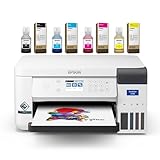
makerflo Epson SureColor F170 Sublimatio...
|
|
|

|
makerflo Epson Surecolor F170 Sublimatio...
|
|
|

|
Johnson Plastics Plus Epson SureColor F1...
|
|
|

|
Brother SP-1 Sublimation Printer Deluxe ...
|
|
|

|
BetterSub 3-in-1 Tumbler Heat Press Mach...
|
|
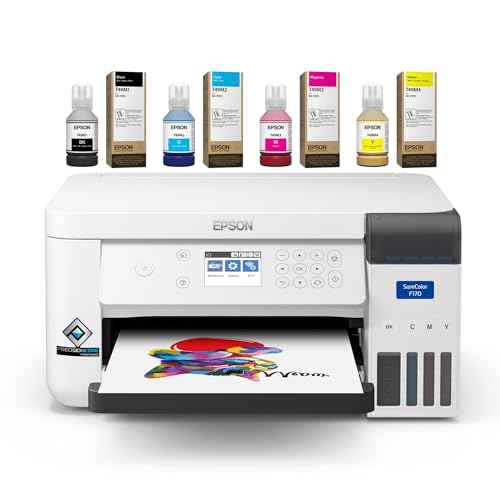
makerflo Epson SureColor F170 Sublimation Printer
| Preview | Product | Price | |
|---|---|---|---|
|
Epson SureColor F170 Sublimation Printer – Professional Dye... | Buy Now |
The makerflo Epson SureColor F170 sublimation printer offers precise and vibrant printing designed specifically for dye-sublimation projects. It produces sharp images up to 600 x 1200 dpi on media up to A4 size. Powered by Epson’s PrecisionCore printhead, it ensures excellent color accuracy for customizing items like tumblers and T-shirts.
This compact printer connects easily via USB to both Mac and Windows systems, making it suitable for small workspaces. It supports a maximum input sheet capacity of 150 sheets, which is ideal for various creative projects. The F170 is made exclusively for sublimation ink, which is sold separately to maintain optimal print quality.
Best for: hobbyists and small business owners who need reliable, high-quality dye sublimation printing for personalized merchandise.
Pros:
- Sharp, vibrant prints with precise color accuracy using Epson’s PrecisionCore technology
- Compact design fits well in limited spaces and works with Mac and Windows via USB
- Supports media up to A4 size and handles up to 150 sheets for efficient printing
Cons:
- Exclusively uses dye-sublimation ink sold separately, which may require additional purchase
- Limited to simplex (single-sided) printing, which might restrict some applications
- No wireless or mobile device compatibility, requiring a direct USB connection
Important: This printer is designed solely for dye-sublimation and requires genuine sublimation ink for best results.
Brother Sublimation Printer
No products found.
The Brother Sublimation Printer offers a compact and efficient solution for creating vibrant, long-lasting prints on polyester-coated items. It features wireless printing through the Artspira app, which provides access to over 100 designs and easy customization tools. With a high print resolution of 1440 x 1440 dpi, it delivers sharp, colorful images that resist fading.
Its compact design includes a 2.7-inch touch panel, making setup and daily operation straightforward. The printer comes ready to use with genuine ink cartridges and sublimation paper, helping you start your projects quickly. This sublimation printing system is designed specifically for polyester or polymer-coated materials like tumblers, t-shirts, and home decor.
Best for: individuals and small businesses needing a reliable, user-friendly sublimation printer for creating durable custom designs on polyester-coated products.
Pros:
- Wireless printing via the Artspira app with over 100 design options.
- High-resolution prints at 1440 x 1440 dpi that resist fading and washing.
- Compact design with a 2.7-inch touch panel for easy setup and use.
- Includes genuine ink cartridges and sublimation paper to start immediately.
Cons:
- Media size limited to 8.5 x 11 inches, which might restrict larger prints.
- Intended only for polyester or polymer-coated materials, limiting fabric options.
- Modest memory and processing power may affect complex or large print jobs.
Important: Use this printer strictly with polyester-coated items to ensure print quality and durability.
Epson Surecolor F170 Sublimation Starter Kit
| Preview | Product | Price | |
|---|---|---|---|
|
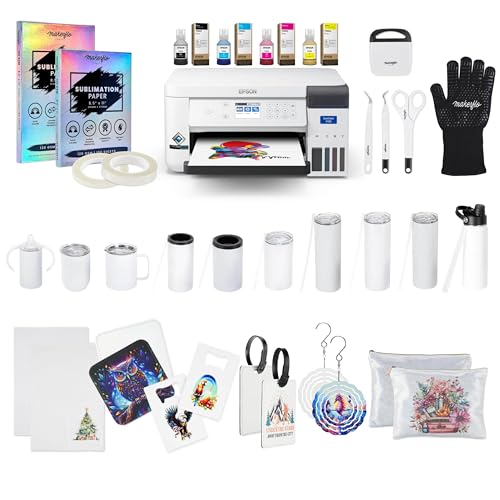
Epson Surecolor F170 Sublimation Blank Bundle – Printer with CMYK... | Buy Now |
The Epson SureColor F170 Sublimation Starter Kit is designed to help beginners and small businesses create high-quality sublimation prints with ease. It delivers sharp, vibrant images thanks to its 600 x 1200 dpi resolution and Precision Core microTFP printhead. The kit includes everything needed to start printing immediately, such as CMYK inks, sublimation paper, heat tape, and a set of tumblers in different styles.
This sublimation printer works seamlessly with both Mac and Windows computers. It is straightforward to set up and operate, making it ideal for those new to sublimation printing. Additionally, the kit comes with a premium design pack from Creative Fabrica, which expands creative options for producing custom tumblers and personalized gifts.
The compact and efficient design focuses solely on printing, without scanning or copying functions. This makes it a dedicated solution for users who want to focus on high-quality sublimation projects. The Epson SureColor F170 starter kit offers a balanced combination of performance and convenience for new users.
Best for: Beginners and small business owners seeking a complete sublimation printing solution for custom tumblers and personalized gifts.
Pros:
- High-resolution print quality with Precision Core microTFP printhead for crisp images
- Complete starter kit including inks, paper, heat tape, and tumblers
- Compatible with both Mac and Windows systems
- Includes a premium Creative Fabrica design pack for added creative flexibility
Cons:
- May be limited by print-only functionality without scanning or copying
- Might require a computer connection, as mobile device support is not available
- Ink installation makes the product non-returnable, with warranty covering manufacturer defects only
Important:
This description is based solely on provided product details. No additional claims or information have been included.
Epson SureColor F170 Compact Dye-Sublimation Printer
| Preview | Product | Price | |
|---|---|---|---|

|
Epson SureColor F170 Dye-Sublimation Printer – Compact 8.5" x 11"... | Buy Now |
The Epson SureColor F170 is a compact dye-sublimation printer designed for producing sharp, professional-quality prints on various items like tumblers and textiles. It supports media up to 8.5″ x 11″ and uses Epson’s PrecisionCore printhead to achieve a high resolution of 5760 x 1440 dpi. This printer includes genuine ECO PASSPORT certified sublimation inks, ensuring vibrant and safe printing results.
The refill system uses mess-free ink bottles, making maintenance simple and clean. Connectivity options include USB 2.0 and 3.0 ports, allowing easy integration with most computers. Weighing just 16 pounds, this reliable printer fits well in small workspaces without sacrificing performance or durability.
Best for: Hobbyists and small business owners seeking a compact, dependable dye-sublimation printer for creating high-quality prints on promotional items and textiles.
Pros:
- High-resolution printing with Epson PrecisionCore printhead (up to 5760 x 1440 dpi)
- Genuine ECO PASSPORT certified sublimation inks with mess-free refill bottles
- Compact, lightweight design with USB 2.0 and 3.0 connectivity
Cons:
- May be limited by single-sided printing only
- Print speed might be slow at approximately 1 ppm for black-and-white
- Media size could restrict larger format projects
Brother SP-1 Sublimation Printer Deluxe Starter Bundle
| Preview | Product | Price | |
|---|---|---|---|
|
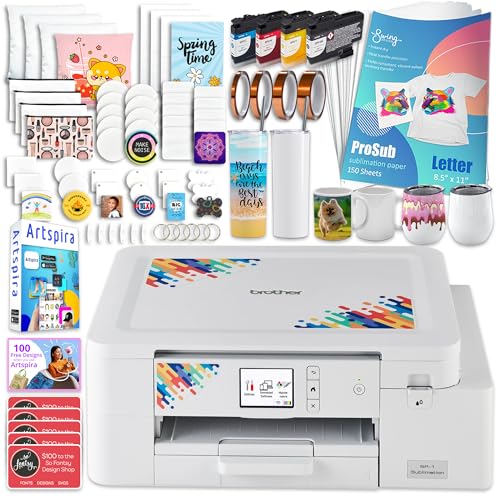
Brother SP-1 Sublimation Printer Deluxe Starter Bundle with Full Ink... | Buy Now |
The Brother SP-1 Sublimation Printer Deluxe Starter Bundle delivers vibrant, high-resolution prints on various materials. It supports media sizes up to 8.5 x 14 inches and prints at a sharp 1200 x 1200 dpi. This compact sublimation printer is designed for creative projects on items like tumblers, tote bags, and mugs.
Included in the bundle are CMYK sublimation inks, sublimation paper, blanks such as mugs and tumblers, heat-resistant tape, and the Artspira Design Software app. It offers versatile connectivity through Wi-Fi and Ethernet. The printer is compatible with Windows, Mac, and mobile devices, providing flexible control for personalized designs.
Best for: hobbyists, artists, designers, and small business owners who need a compact and versatile sublimation printer for professional-quality personalized projects.
Pros:
- Supports media sizes up to 8.5 x 14 inches with 1200 x 1200 dpi print resolution.
- Includes a complete starter bundle with inks, sublimation paper, blanks, tape, and design software.
- Offers Wi-Fi and Ethernet connectivity with cross-platform compatibility.
Cons:
- Sheet capacity of 50 may require frequent reloading for larger tasks.
- Print-only device without scanning or copying functions.
- Some users may find performance or usability to be moderate.
Important:
This description is based solely on the provided product details without additional claims or assumptions.
BetterSub 3in1 Sublimation Tumbler and Mug Heat Press
| Preview | Product | Price | |
|---|---|---|---|
|
BetterSub 3-in-1 Tumbler Heat Press Machine, Compatible 40oz 30oz 20oz... | Buy Now |
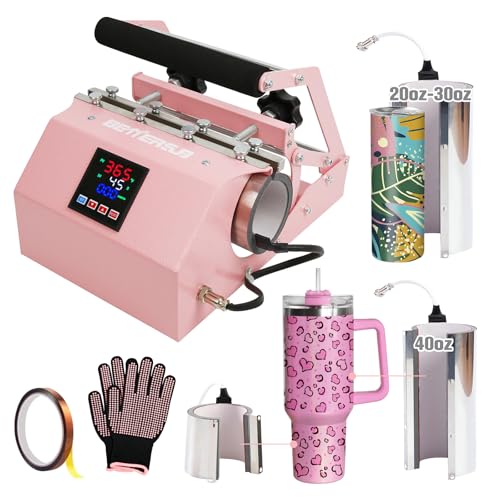
The BetterSub 3in1 Sublimation Tumbler and Mug Heat Press offers versatile functionality for various tumbler sizes. It accommodates 11 oz to 40 oz tumblers with interchangeable attachments, ensuring a secure and perfect fit. The heat press features precise temperature control up to 482°F and a timer that can be set for up to 999 seconds, all easily managed through an intuitive LCD panel.
Its durable aluminum construction provides quick and even heating, delivering consistent sublimation results. An adjustable pressure knob allows users to customize pressure settings to suit different materials. The design supports multiple tumbler sizes, making it practical for both hobbyists and small business owners who require reliable and customizable heat pressing.
The machine also integrates strong safety features to enhance user confidence during operation. However, attachments should not be heated without cups for long periods to prevent deformation. The pressure adjustment and heater replacement are manual, which might be challenging for beginners.
Best for: creators and small business owners needing a flexible and precise sublimation heat press for varied tumbler sizes.
Pros:
- Supports 11 oz to 40 oz tumblers with interchangeable attachments
- Precise temperature and timer control via an easy-to-use LCD panel
- Durable aluminum construction with quick, even heating
- Adjustable pressure for tailored sublimation results
Cons:
- Manual pressure adjustment and heater replacement may require experience
- Attachments should not be heated alone for extended times
- Could be less convenient for users needing high portability
Important:
- Only use attachments with cups to avoid damage
- Operate within specified temperature and time limits for best results
Epson SureColor F170 Dye-Sublimation Printer Kit
| Preview | Product | Price | |
|---|---|---|---|
|
Epson SureColor F170 Dye-Sublimation Printer. Includes Full Set of... | Buy Now |
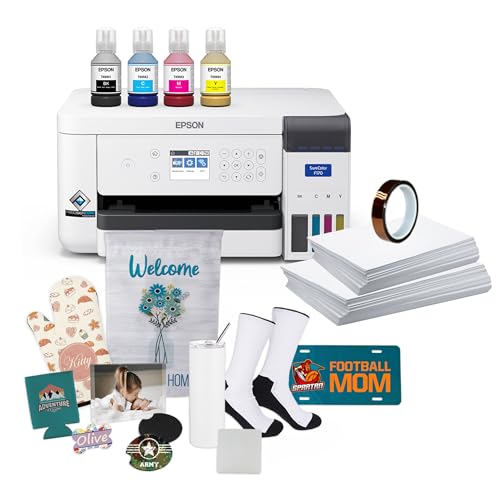
The Epson SureColor F170 Dye-Sublimation Printer Kit is designed for creators who need vibrant, high-quality prints on personalized items such as tumblers. Its PrecisionCore printhead produces detailed images at up to 1200 x 600 dpi. The printer supports media up to 8.5 inches wide, making it suitable for a variety of small to medium-sized projects.
This kit includes high-capacity ink bottles with an auto-stop feature to ensure clean, mess-free refills. It also comes with a sublimation starter kit, transfer paper, and thermal tape, providing everything needed to begin printing right away. The compact design fits easily into most workspaces and offers reliable dye-sublimation printing without complex setup.
The printer connects via USB and focuses on print-only functionality, which simplifies operation for users concentrating on dye-sublimation projects. Its straightforward design and included materials make it a practical choice for hobbyists and small business creators.
Best for: Creators and hobbyists seeking reliable dye-sublimation printing for personalized items with minimal ink maintenance.
Pros:
- High-resolution printing up to 1200 x 600 dpi for sharp, vibrant images.
- Includes a complete sublimation starter kit and transfer materials.
- Compact design with mess-free, high-capacity ink bottles.
- Easy-to-use with reliable dye-sublimation output.
Cons:
- Media size limited to 8.5 inches wide, which might restrict larger prints.
- USB-only connection, lacking wireless or network options.
- Print-only functionality without scanning or copying features.
Important:
This description reflects only the features and specifications provided for the Epson SureColor F170 Dye-Sublimation Printer Kit.
Brother SP-1 Sublimation Printer Starter Bundle
| Preview | Product | Price | |
|---|---|---|---|
|
Brother SP-1 Sublimation Printer Starter Bundle with Full Ink Set, 160... | Buy Now |
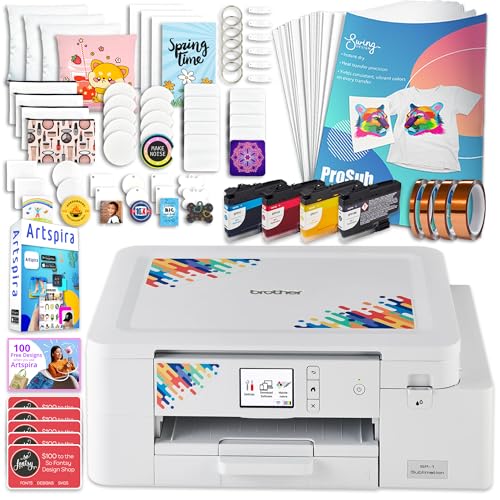
The Brother SP-1 Sublimation Printer Starter Bundle offers a compact and efficient solution for creating vibrant tumbler designs. It supports media sizes up to 8.5 x 14 inches and produces sharp prints at 600 x 600 dpi. This printer comes with a complete set of dye-based CMYK inks, sublimation paper, blanks, heat-resistant tape, and design software, making it ready for use right out of the box.
Designed for versatility, the bundle works seamlessly with Windows, Mac, and the Artspira app. It provides both Wi-Fi and Ethernet connectivity options for flexible operation. The SP-1 is reliable and consistent, ideal for producing personalized tumblers and other custom crafts with professional quality.
Best for: hobbyists, artists, and small business owners seeking an easy-to-use sublimation printer for creating professional-grade personalized products.
Pros:
- Compact design supports media sizes up to 8.5 x 14 inches.
- Includes a full starter bundle with inks, paper, blanks, tape, and software.
- Compatible with Windows, Mac, and Artspira app.
- Offers Wi-Fi and Ethernet connectivity for convenience.
Cons:
- Print-only function with no duplex printing capability.
- Maximum print resolution of 600 x 600 dpi might be lower than some higher-end models.
- Media size support limited to legal dimensions, which could restrict larger projects.
Important:
All information is based on the provided product details without additional claims or assumptions.
EENOUR Automatic Tumbler Heat Press Machine
| Preview | Product | Price | |
|---|---|---|---|

|
EENOUR Auto Tumbler Heat Press Machine, Automatic Rotating Tumbler... | Buy Now |
The EENOUR Automatic Tumbler Heat Press Machine offers hands-free sublimation printing with its 360° seamless rotation and adjustable pressure. It accommodates tumblers, mugs, and bottles with diameters from 2.55 to 3.3 inches, fitting sizes between 11 and 32 ounces. Its upgraded heating system provides faster and more uniform heat, helping to reduce ghosting during the sublimation process.
This machine features a user-friendly digital LCD panel that allows easy control of temperature and time settings. Multiple memory modes enhance operation flexibility. Safety is prioritized with an emergency stop button, while three layers of silicone protection ensure durability and heat resistance. The compact, sturdy design guarantees precise and consistent results for small batch sublimation projects.
Best for: Small business owners and hobbyists looking for efficient, automatic sublimation printing on small tumblers, mugs, and bottles.
Pros:
- 360° automatic rotation for even sublimation and ghosting reduction
- Upgraded heating system with uniform heat and silicone protection layers
- Digital LCD panel with adjustable settings and multiple memory modes
- Emergency stop button enhances user safety
Cons:
- May be limited by the 2.55 to 3.3-inch diameter range for cups
- Could require adapters for use outside 110V regions
- Optional larger heat pad sold separately for bigger sublimation projects
Important: All features and specifications are based solely on the provided information.
Factors to Consider When Choosing a Sublimation Printer for Tumblers
When choosing a sublimation printer for tumblers, you’ll want to focus on print resolution quality and whether the printer size fits your workspace. Consider the type and cost of ink, along with connectivity options that match your setup.
Don’t forget to verify the media handling capacity to guarantee it meets your production needs.
Print Resolution Quality
Although print resolution might seem like a technical detail, it directly affects the clarity and vibrancy of your tumbler designs. You want a printer that delivers at least 1440 x 1440 dpi to guarantee crisp, vibrant transfers with smooth color gradations.
Higher resolutions, like 600 x 1200 dpi or above, produce sharper, more detailed images that make your tumblers stand out. Using lower resolution settings risks pixelated or blurry prints, which can ruin the professional look you’re aiming for.
Keep in mind, the maximum resolution your printer can achieve depends on its technology and printhead capabilities. Choosing a printer that consistently produces high-resolution prints means your designs will look great and hold up well through washing and everyday use.
Printer Size Compatibility
How do you guarantee your sublimation printer fits the size requirements of your tumblers? First, verify the printer supports media sizes that match your tumblers’ dimensions, typically between 11 oz and 40 oz. Check that the printer’s maximum printable width can cover the tumbler’s circumference without issues.
Also, verify if it handles curved or irregular surfaces, which often need specialized attachments. Consider the printer’s media capacity to keep up with your production volume efficiently. Finally, confirm the design allows for seamless, full-coverage printing on cylindrical surfaces without causing distortion.
Ink Type And Cost
Because sublimation printing relies on dye-based inks that transform into gas during heat transfer, choosing the right ink type is essential for achieving vibrant, durable designs on your tumblers. You’ll want to pick high-quality sublimation inks to guarantee your colors stay bright and resist fading through washes. Keep in mind, ink costs vary—expect to pay between $15 and $40 per set depending on brand and bottle size.
Using genuine inks is important; they deliver accurate colors and prevent damage to your printer. Also, consider how often and how large you print since higher volume increases ink consumption and overall expenses. Balancing ink quality with cost helps you maintain excellent results without overspending on supplies.
Connectivity Options Available
Selecting the right ink is just one piece of the puzzle when choosing a sublimation printer for tumblers. You’ll also want to evaluate the connectivity options available, as they directly affect your workflow. Many printers offer USB, Ethernet, Wi-Fi, or combinations of these.
USB connections provide stable, fast transfers, perfect for smaller or home-based projects. If you work in a shared space, Ethernet lets multiple users connect reliably over a network. Wi-Fi adds flexibility by enabling remote printing from multiple devices, making it easier to manage jobs without being tethered to the printer.
Some models even support mobile printing through dedicated apps, so you can print directly from your smartphone or tablet. Choosing the right connectivity helps streamline your sublimation process efficiently.
Media Handling Capacity
When you handle sublimation projects for tumblers, media handling capacity plays a crucial role in maintaining productivity. Choosing a printer with a high sheet capacity, like 150 sheets, lets you run batch jobs without constant reloading, speeding up your workflow.
Look for models with auto-feed trays that support various media sizes, so you can switch between different tumbler types and accessories effortlessly. The maximum media width, often 8.5 or 11 inches, determines the size of tumblers and items you can print in one go.
Additionally, printers that accommodate multiple media types and sizes offer greater versatility, letting you handle diverse tumbler shapes without hassle. Prioritizing media handling capacity ensures you keep your sublimation process smooth and efficient.
Durability And Maintenance
Though you want a printer that delivers vibrant prints, durability and maintenance are just as essential for sublimation printers used with tumblers. You should look for printers with high-quality, heat-resistant components and a sturdy build to handle frequent use without breaking down.
Regularly cleaning the printheads and ink systems keeps print quality consistent and prevents clogs or ink buildup. Opting for models with auto-cleaning or self-maintenance features can save you time and extend the printer’s life. Always use genuine, high-quality sublimation inks to avoid damaging the printhead.
Properly storing inks and replacing consumables on schedule also helps sustain peak performance and prevents issues from dried or contaminated ink. These steps ensure your printer stays reliable for all your tumbler projects.
Frequently Asked Questions
Can Sublimation Printers Be Used on Other Materials Besides Tumblers?
Yes, you can use sublimation printers on many materials like polyester fabrics, ceramics, metal, and specially coated wood or phone cases.
Just make sure the surface accepts sublimation ink for vibrant, lasting designs.
How Long Does the Sublimation Ink Last on a Tumbler?
Sublimation ink on a tumbler usually lasts several years without fading, especially if you use high-quality ink and protect it from harsh scratches or prolonged UV exposure.
You’ll enjoy vibrant, durable designs for a long time.
Are Sublimation Printers Safe for Home Use?
Of course, sublimation printers are totally safe—unless you enjoy breathing in colorful clouds or turning your living room into a DIY paintball arena.
Just keep ventilation and precautions in mind, and you’ll be fine crafting at home!
What Maintenance Is Required for Sublimation Printers?
You’ll need to clean the print heads regularly, use high-quality sublimation ink, and run nozzle checks to prevent clogs.
Also, keep the printer covered when not in use to avoid dust buildup and prolong its lifespan.
Can I Use Third-Party Ink With Sublimation Printers?
If you try third-party ink, like Sarah did with her Epson printer, you might save money but risk clogging or color issues.
You can use it, but be ready for potential maintenance and warranty voids.
Conclusion
Choosing the right sublimation printer for tumblers can feel like finding a needle in a haystack, but with these top picks, you’re well on your way to crafting vibrant, lasting designs. Whether you’re a beginner or looking to upgrade, these printers and heat press machines deliver quality and ease.
So, jump in confidently—your perfect tumbler masterpieces are just a print away! With the best sublimation printer for tumblers, you’ll achieve stunning, durable results every time. Start creating your personalized tumblers today with the ideal sublimation printer and heat press combo.