8 Best 12×12 Printers for Scrapbooking in 2026
If you want vibrant, professional-quality 12×12 prints for scrapbooking, choosing the best 12×12 printer is essential. These printers deliver stunning results on thick, textured paper, making your scrapbook pages truly stand out.
Models like the Canon TS9521C and Epson EcoTank ET-8550 are among the top choices for 12×12 printing in 2026.
These printers handle specialty media with ease and offer wireless convenience for seamless printing. They produce sharp, detailed images with high resolution and support various ink systems for long-lasting, vibrant colors.
Whether you need fast batch printing or versatile media handling, several top options fit your creative needs.
Explore these choices to find the perfect 12×12 printer that matches your style and workflow. With the right printer, your scrapbooking projects will shine with professional-quality prints every time.
| Image | Name | Editor's Rating | Price |
|---|---|---|---|

|
Canon TS9521C All-In-One Wireless Crafti...
|
|
|

|
Canon PIXMA TS9521Ca – Wireless Home A...
|
|
|

|
Epson EcoTank Photo ET-8550 Wireless Wid...
|
|
|

|
Epson EcoTank ET-15000 Wireless Color Al...
|
|
|

|
Epson Expression Photo HD XP-15000 Wirel...
|
|
Canon TS9521C Wireless All-In-One Crafting Printer
| Preview | Product | Price | |
|---|---|---|---|

|
Canon TS9521C All-In-One Wireless Crafting Photo Printer, 12X12... | Buy Now |
The Canon TS9521C Wireless All-In-One Crafting Printer is designed for creative projects requiring large-format prints. It supports borderless 12×12-inch printing with a maximum resolution of 4800 x 1200 dpi. This printer uses five individual ink cartridges to produce vivid, detailed colors on various paper types, including glossy and matte finishes.
Its versatile design includes an auto document feeder for scanning and copying, along with duplex printing to save paper. The 100-sheet capacity accommodates both crafting needs and everyday printing tasks. Wireless connectivity options like Wi-Fi, Bluetooth, Ethernet, and voice control make it easy to integrate into different workflows.
This crafting printer balances quality and convenience for users handling diverse media sizes and types. Its combination of features supports both detailed scrapbook projects and general document printing with efficiency.
Best for: Creative crafters and scrapbookers seeking a high-quality printer that handles large 12×12-inch projects and multiple media types.
Pros:
- Supports borderless 12×12-inch printing with high resolution for vibrant, detailed output
- Multiple wireless connectivity options including Wi-Fi, Bluetooth, Ethernet, and voice control
- Duplex printing, auto document feeder, and 100-sheet capacity enhance efficiency for crafting and daily use
Cons:
- May require dedicated space due to its size
- Print speeds might be moderate for high-volume color printing
- Uses five individual ink cartridges, which could have higher replacement costs
Important: Features and specifications are based solely on the provided information.
Canon PIXMA TS9521Ca – Wireless Home All-in-One Inkjet Printer
| Preview | Product | Price | |
|---|---|---|---|

|
Canon PIXMA TS9521Ca – Wireless Home All-in-One Inkjet Printer | Buy Now |
The Canon PIXMA TS9521Ca is a versatile all-in-one inkjet printer designed for creative projects and home use. It supports a wide range of media sizes, including 12” x 12” sheets for scrapbooking and up to 11” x 17” for larger prints. With a high resolution of up to 4800 x 1200 dpi, it delivers sharp and vibrant color output.
This wireless printer features a user-friendly 4.3” touch LCD that simplifies operation. Its five-ink system ensures excellent color accuracy for professional-quality prints. Auto duplex printing and wireless connectivity via the Canon PRINT app make it easy to print from any device in your home.
The PIXMA TS9521Ca combines functionality and convenience in a sleek design. It handles diverse print jobs with ease, from crafting to business documents. Its wireless capabilities and media flexibility make it a practical choice for users who need high-quality prints at home.
Best for: creative home users and small businesses needing versatile media handling and high-quality wireless printing for projects like scrapbooking, banners, and professional documents.
Pros:
- Supports various media sizes including 12” x 12” and 11” x 17” sheets.
- High print resolution up to 4800 x 1200 dpi with vibrant colors from five inks.
- Easy navigation with a 4.3” touch LCD and wireless printing via Canon PRINT app.
- Auto duplex printing for efficient double-sided documents.
Cons:
- Printing speed may be moderate at about 10 color pages per minute.
- Could be less portable due to its weight.
- Warranty coverage might be limited to one year.
Important:
This description strictly reflects the specified features and functionality of the Canon PIXMA TS9521Ca without adding unverified details.
Epson EcoTank ET-8550 Wireless Wide-Format Printer
| Preview | Product | Price | |
|---|---|---|---|

|
Epson EcoTank Photo ET-8550 Wireless Wide-format Color All-in-One... | Buy Now |
The Epson EcoTank ET-8550 Wireless Wide-Format Printer delivers high-quality prints up to 13 x 19 inches. It uses a 6-color Claria ET Premium ink system with refillable bottles, helping reduce ink costs by up to 80%. This printer supports wireless printing and features a 4.3-inch touchscreen for user-friendly control.
With its ability to print vibrant, lab-quality photos and handle various media types, it suits creative projects like scrapbooking and photo printing. It also offers fast print speeds and includes scanning and copying functions, making it versatile for different tasks. Voice commands add an extra layer of convenience during operation.
This wide-format printer combines cost efficiency with professional-grade output and flexible connectivity options. Its design supports both home and small office environments where high-quality prints are essential.
Best for: photographers, artists, and small office users who need reliable wide-format printing with efficient ink use and versatile media support.
Pros:
- High-quality wide-format printing up to 13 x 19 inches with vibrant color output.
- Refillable 6-color Claria ET Premium ink system saves up to 80% on ink costs.
- Wireless connectivity, touchscreen, and voice command support for easy operation.
- Fast printing and versatile media handling for creative projects.
Cons:
- Setup and ink refilling might be challenging for new EcoTank users.
- Print speeds for large volumes or high-resolution documents may be slower than some competitors.
- The printer may require a dedicated workspace due to its size.
Important:
This description is based solely on the provided information and avoids unverified claims or exaggerations.
Epson EcoTank ET-15000 Wireless All-in-One Printer
| Preview | Product | Price | |
|---|---|---|---|

|
Epson EcoTank ET-15000 Wireless Color All-in-One Supertank Printer... | Buy Now |
The Epson EcoTank ET-15000 Wireless All-in-One Printer is designed for high-volume printing with cost efficiency. It handles borderless prints up to 13 x 19 inches, delivering sharp images at a resolution of 4800 x 1200 dpi. This printer includes duplex printing and a 250-sheet capacity to support large projects smoothly.
Connectivity options are versatile, featuring wireless, Ethernet, and USB connections. A 2.7-inch touchscreen and voice-activated printing enhance user convenience. The supertank system reduces ink costs by up to 90%, producing about 6,000 pages per refill set, making it practical for frequent use.
Scanning is available up to 8.5 x 14 inches, suitable for standard document sizes. The printer’s footprint is larger, so it fits best in dedicated workspaces. Initial setup and refilling may require some attention compared to cartridge models.
Best for: individuals and small businesses needing a cost-effective, high-volume printer with large-format borderless printing and flexible connectivity options.
Pros:
- Saves up to 90% on ink costs with refillable supertank system yielding approximately 6,000 pages per set.
- Supports borderless, high-resolution prints up to 13 x 19 inches with duplex printing capability.
- Offers wireless, Ethernet, USB connectivity, plus a 2.7-inch touchscreen and voice-activated printing.
- Large 250-sheet capacity supports extended printing tasks.
Cons:
- Setup and ink refilling might be more involved than cartridge-based printers.
- Scanning is limited to 8.5 x 14 inches, which may not suit larger documents.
- Larger footprint may require dedicated space in your work area.
Important:
Descriptions are based solely on the provided data without additional claims or unverifiable information.
Epson Expression Photo HD XP-15000 Printer
| Preview | Product | Price | |
|---|---|---|---|

|
Epson Expression Photo HD XP-15000 Wireless Color Wide-Format Printer,... | Buy Now |
The Epson Expression Photo HD XP-15000 delivers vibrant, borderless prints up to 13 by 19 inches. It uses a six-color Claria Photo HD ink system for sharp and rich colors. This system also enhances black-and-white photos with excellent detail and depth.
Its compact design fits neatly on a desktop and supports various media types, including specialty papers and cardstock. The printer offers automatic duplex printing and multiple connectivity options such as Ethernet and USB. It works well with both PCs and tablets, making it suitable for diverse professional photo projects.
Though this model has been discontinued, it remains a dependable choice for scrapbookers and photographers needing high-resolution, wide-format prints. The printer operates quietly, contributing to a pleasant working environment.
Best for: scrapbookers and professional photographers seeking ultra HD, wide-format, borderless prints with vibrant colors and enhanced black-and-white quality.
Pros:
- Six-color Claria Photo HD ink system for sharp, rich colors and superior photo quality
- Supports wide-format prints up to 13 x 19 inches with automatic duplex printing
- Compact desktop design with versatile media handling including cardstock and specialty papers
- Ethernet and USB connectivity compatible with PCs and tablets
Cons:
- Discontinued model, which may limit future availability and support
- Firmware updates might affect compatibility with third-party or altered ink cartridges
- Moderate user satisfaction could indicate potential reliability or usability concerns
Canon PIXMA TS9521C All-in-One Wireless Printer
| Preview | Product | Price | |
|---|---|---|---|

|
Canon PIXMA TS9521C All-in-One Wireless Crafting Photo Inkjet Printer,... | Buy Now |
The Canon PIXMA TS9521C is an all-in-one printer designed for versatile media handling and wireless convenience. It supports media sizes up to 11 x 17 inches, including envelopes and greeting cards, making it ideal for creative projects like scrapbooking. The 4.3-inch touchscreen simplifies navigation, while Wi-Fi and Bluetooth connectivity enable hassle-free printing, scanning, and copying.
This printer features a 5-color individual ink system that delivers vibrant and cost-efficient prints. An automatic document feeder speeds up batch scanning tasks, and duplex printing helps reduce paper use. Its compact design fits well in home offices or crafting spaces, combining functionality with user-friendly operation.
Best for: crafters, home users, and small businesses needing versatile media support and easy wireless printing solutions.
Pros:
- Supports a wide range of media sizes up to 11 x 17 inches, including envelopes and greeting cards.
- 5-color individual ink system for vibrant, high-quality prints.
- 4.3-inch touchscreen, automatic document feeder, and duplex printing enhance ease of use and efficiency.
Cons:
- Print speeds may be moderate for high-volume office environments.
- The printer might be less portable due to its design.
- A 1-year warranty could require earlier maintenance or service.
Important: All information is based on the Canon PIXMA TS9521C specifications provided.
Epson Expression Premium XP-7100 Wireless Photo Printer
| Preview | Product | Price | |
|---|---|---|---|
|
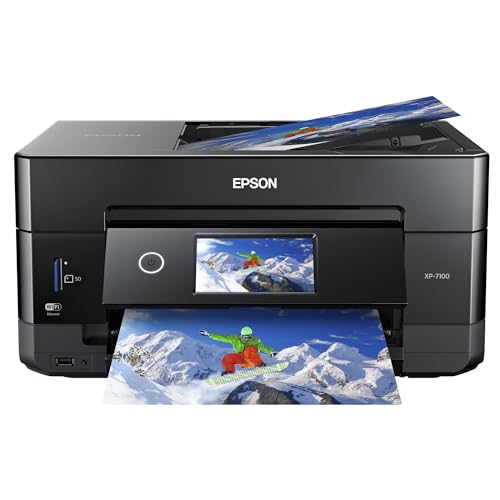
Epson Expression Premium XP-7100 Wireless Color Photo Printer with... | Buy Now |
The Epson Expression Premium XP-7100 is a versatile all-in-one printer designed for high-quality photo printing and wireless convenience. It delivers sharp prints with a resolution up to 4800 dpi. Fast printing of 4×6 photos in about 12 seconds and borderless printing up to 8×10 inches add flexibility for creative projects.
This model features a 4.3-inch touchscreen that allows easy photo editing and printing directly from USB drives or SD cards. It supports a variety of media types, including specialty paper and DVDs, making it adaptable for different tasks. Its wireless capabilities enable smooth connectivity with multiple devices.
Equipped with a 5-color Claria Premium ink system, the printer produces vibrant, detailed images. Using genuine Epson cartridges is recommended to ensure consistent performance and maintain the printer’s warranty. The compact design fits well in home offices or creative spaces.
Best for: users seeking a versatile all-in-one home printer that delivers high-quality photo prints with wireless convenience and direct media card access.
Pros:
- Produces sharp, vibrant prints with a high resolution of up to 4800 dpi
- Features a user-friendly 4.3-inch touchscreen for easy photo editing and printing
- Supports multiple media types and wireless connectivity with broad device compatibility
Cons:
- May require genuine Epson cartridges to maintain warranty and optimal performance
- Print speed for color pages might be relatively slow at about 1 page per minute
- Paper capacity could be limited with a 30-sheet input, needing frequent refills for heavy use
12×12 White Linen Textured Cardstock, 100 Pack
| Preview | Product | Price | |
|---|---|---|---|
|
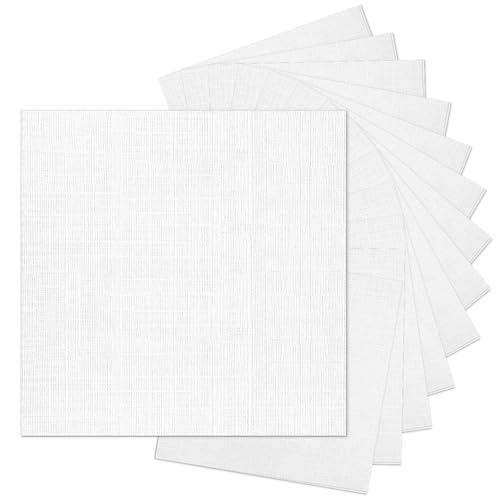
12x12 White Linen Textured Cardstock, Goefun White Card Stock Paper... | Buy Now |
You’ll find the Goefun 12×12 White Linen Textured Cardstock ideal for projects needing sturdy, high-quality sheets. This 100-pack of 80lb paper features a classic linen texture on both sides. It adds rich visual depth and a pleasing tactile feel to your creative work.
The cardstock measures 12×12 inches, making it suitable for scrapbooking, cardmaking, and various DIY crafts. It resists bending and tearing, helping your projects maintain a polished look. Compatible with both inkjet and laser printers, it produces sharp, accurate prints without jams.
This versatile textured cardstock works well with photos, watercolors, and other artistic mediums. Its durability and elegant finish provide a reliable foundation for your creative ideas.
Best for: Crafters and scrapbookers seeking durable, high-quality textured cardstock for versatile creative projects.
Pros:
- Durable 80lb weight resists bending and tearing
- Linen texture on both sides adds tactile and visual depth
- Compatible with inkjet and laser printers for sharp printing
Cons:
- Limited to white color, which may not fit all design needs
- Texture might affect very fine or detailed printing
- 12×12 size could be less convenient for smaller crafts or storage
Important:
This description uses only provided details without added claims or information.
Factors to Consider When Choosing a 12X12 Printer for Scrapbooking
When choosing a 12×12 printer for scrapbooking, you’ll want to check if it handles the full print size easily and offers high-quality ink for vibrant colors. Consider media handling options and how the printer connects to your devices for smooth workflow. Also, think about speed and efficiency to keep your projects moving without delays.
Print Size Compatibility
Choosing a printer that supports a maximum media size of at least 12×12 inches is essential for your scrapbooking projects. This guarantees you can print full-page layouts without resizing or cropping your designs. Look for printers offering borderless printing so your images cover the entire page without white margins, enhancing your scrapbook’s visual appeal.
Also, make sure the printer can handle thick or textured cardstock, since scrapbooking often involves heavier paper types. Check compatibility with various paper finishes like glossy, semi-gloss, or textured to match your creative needs. Finally, consider printers that support custom paper sizes or adjustable paper guides, giving you precise control over your 12×12 sheets and preventing jams or misprints during use.
Ink Quality And System
Although print size compatibility is essential, ink quality and the printer’s ink system play an equally important role in bringing your scrapbook designs to life. You want a printer with high-quality inks that offer a wide color gamut, producing vibrant, accurate images. Inkjet printers with individual cartridges let you replace colors precisely and cost-effectively.
Opt for pigment-based inks if you need water and fade resistance to guarantee your scrapbook lasts. The number of ink colors matters too—six or more can enhance color depth and detail, making your crafts stand out. Finally, consistent ink flow and fast dry times help you achieve sharp, smudge-free pages, so your memories stay flawless and vivid for years to come.
Media Handling Options
Since scrapbooking involves various paper types and sizes, your printer’s media handling options can make or break your creative process. You’ll want a printer that supports multiple media types, including photo paper, cardstock, and even specialty materials like CDs or banners.
Look for dual or multi-tray paper feeding options, so you can load different sizes and types simultaneously without constant reloading. A rear or manual feed slot is essential for thicker or textured media such as watercolor paper. Make sure the printer accommodates up to 12×12 inches to fit your scrapbooking projects perfectly.
Also, check the paper capacity and whether it offers dedicated trays for standard, photo, and large media to keep your workflow smooth and efficient.
Connectivity And Convenience
After ensuring your printer can handle various media types and sizes, you’ll want to focus on how easily it connects to your devices and fits into your workflow. Choose a printer that supports multiple connectivity options like Wi-Fi, Bluetooth, and USB, so you can print effortlessly from laptops, tablets, or smartphones. Features such as SD card slots and direct printing make it quick to print photos and crafts without cables.
Wireless connectivity lets you print remotely, saving time and reducing clutter. Also, check for compatibility with mobile apps and cloud services—these let you print straight from your phone or tablet. Finally, opt for printers with intuitive control panels or touchscreens to simplify managing these wireless and mobile printing features.
Speed And Efficiency
When you’re working on detailed scrapbooking projects, choosing a printer that combines speed and efficiency can make a big difference in your workflow. Faster printers complete 12×12 inch prints quickly, boosting your productivity. Look for models that offer print speeds around 10-15 pages per minute for both color and black-and-white.
Auto duplex printing saves time by handling double-sided prints automatically, while high-capacity paper feeders minimize interruptions during large sessions. Don’t sacrifice quality for speed—printers with quick resolutions up to 4800 x 1200 dpi deliver sharp, vibrant images without slowing you down.
Frequently Asked Questions
Can These Printers Handle Printing on Fabric or Canvas?
You can print on fabric or canvas if the printer supports specialized ink and media, but most 12×12 scrapbooking printers don’t.
Check compatibility carefully, or you’ll want a printer designed specifically for fabric printing instead.
What Is the Average Cost of Replacement Ink Cartridges?
You might think replacement ink cartridges cost a fortune, but on average, they run between $20 and $50 each.
You’ll find prices vary by brand and type, so it’s smart to check before buying.
Are These Printers Compatible With Mac and Windows Operating Systems?
Yes, you’ll find most 12×12 printers compatible with both Mac and Windows. They’re designed to work seamlessly across these systems, so you won’t have to worry about software issues or driver compatibility when printing your scrapbook pages.
Do These Printers Support Borderless Printing for Full-Page Designs?
Just like a painter’s canvas, yes, these printers support borderless printing so you can create full-page designs without any white edges.
You’ll love how your scrapbook pages come to life, filling every inch perfectly.
What Is the Typical Print Speed for 12X12 Photo Prints?
You’ll typically get 1 to 3 minutes per 12×12 photo print, depending on your printer’s quality settings. Faster speeds often sacrifice detail, so you’ll want to balance speed and print quality for your scrapbooking projects.
Conclusion
Choosing the perfect 12×12 printer for scrapbooking isn’t just about specs—it’s about bringing your creativity to life. While some printers offer vibrant colors and wireless convenience, others focus on wide-format versatility or budget-friendly ink options. You want a machine that keeps up with your passion without slowing you down.
Whether you prioritize speed or quality, the right printer turns your scrapbook ideas from digital dreams into tangible memories. Don’t settle—create boldly! Finding the best 12×12 printer for scrapbooking ensures your projects look stunning and last for years to come.