10 Best Cell Phone Printers for 2026
You want a portable cell phone printer that’s easy to carry and connects via Bluetooth or Wi-Fi for quick, high-quality photos and labels. The best cell phone printers for 2026 combine convenience, speed, and vibrant print quality, making them ideal for on-the-go printing.
Whether you need dye-sublimation, thermal, or inkless options, there’s a perfect match for your lifestyle and creative needs.
Options like the Liene M100 offer vivid 4×6 dye-sublimation prints, while mini printers like Canon Ivy produce vibrant sticky-back photos. Thermal printers deliver fast, inkless black-and-white prints for notes or labels.
With various sizes, speeds, and app features available, you’ll find the perfect printer to match your lifestyle and creative needs.
Explore the top choices to see which fits you best.
| Image | Name | Editor's Rating | Price |
|---|---|---|---|

|
Liene M100 4x6'' Photo Printer, Phone Pr...
|
|
|

|
NDYIN Portable Printers Wireless for Tra...
|
|
|

|
KODAK Dock Plus 4x6'' Photo Printer, 50 ...
|
|
|

|
KODAK Step Instant Smartphone Photo Prin...
|
|
|

|
Nelko Photo Printer, PP01 Color Mini Por...
|
|
Liene M100 Portable 4×6 Photo Printer with Wi-Fi
| Preview | Product | Price | |
|---|---|---|---|

|
Liene M100 4x6'' Photo Printer, Phone Printer 100 Sheets & 3... | Buy Now |
The Liene M100 Portable 4×6 Photo Printer with Wi-Fi offers a compact solution for printing photos directly from your smartphone. It creates its own Wi-Fi hotspot, allowing up to five devices to connect simultaneously without relying on external networks. This feature removes the need for cables or Bluetooth, making printing straightforward and convenient.
The printer uses thermal dye sublimation technology to produce vibrant, water-resistant, and fade-proof 4×6-inch photos. Its sleek magnetic case adds to the portability and ease of use. The Liene App enhances functionality by letting you customize prints with filters and borders, giving you creative control over your photos.
Equipped with 100 sheets of glossy photo paper and ink cartridges included, this printer is ready to capture your memories instantly. The print resolution is 300×300 dpi, which is suitable for everyday photo printing needs. While it focuses solely on printing, its dedicated design ensures reliable and quality photo output.
Best for: users looking for a portable photo printer that connects directly to smartphones and other devices via Wi-Fi without external network dependence.
Pros:
- Connects up to five devices through its own Wi-Fi hotspot, no cables or Bluetooth needed.
- Produces vibrant, water-resistant, and scratch-proof 4×6 photos with thermal dye sublimation.
- Includes 100 sheets of photo paper and ink for immediate printing.
Cons:
- Limited to 4×6-inch print size, which might not suit needs for larger photos.
- Resolution capped at 300×300 dpi, possibly less sharp than higher-resolution printers.
- Print-only functionality may limit versatility for users needing scanning or copying features.
Important: Information is based solely on the provided product details without external additions.
Portable Wireless Thermal Printer Bluetooth Inkless
| Preview | Product | Price | |
|---|---|---|---|
|
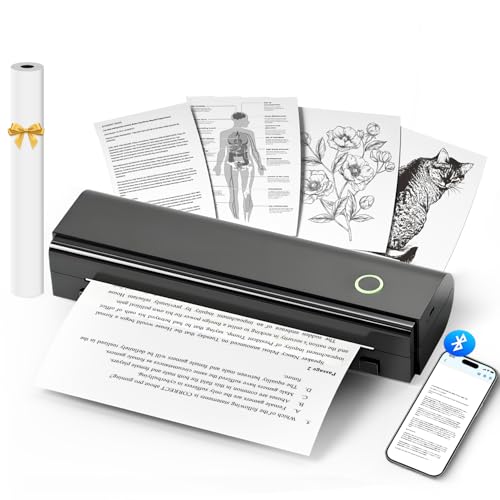
NDYIN Portable Printers Wireless for Travel, N80 Wireless Thermal... | Buy Now |
The NDYIN N80 is a portable wireless thermal printer designed for easy, inkless printing on the go. It connects seamlessly via Bluetooth using the Nada Print App on iOS or Android devices. You can also use USB-C to print directly from a laptop.
This printer produces clear, black-and-white prints on US Letter or A4 thermal paper without the need for ink. Its compact design and lightweight build make it convenient for travel, office work, or creative applications like tattoo art. The rechargeable 2600mAh battery supports up to 160 prints per charge.
Best for: users seeking a lightweight, inkless, and wireless printing solution for travel, office, school, or artistic uses.
Pros:
- Compact and lightweight for easy portability
- Inkless thermal technology reduces costs and environmental impact
- Supports wireless Bluetooth and USB-C connections across devices
- Long-lasting battery with up to 160 prints per charge
Cons:
- Requires thermal paper, which needs to be purchased separately
- Charging adapter is not included and may require an additional purchase
- Print speed maxes out at 4 pages per minute, potentially slow for large jobs
Important: This printer operates exclusively with thermal paper and depends on Bluetooth or USB-C for connectivity.
KODAK Dock Plus 4PASS Portable Photo Printer
| Preview | Product | Price | |
|---|---|---|---|
|
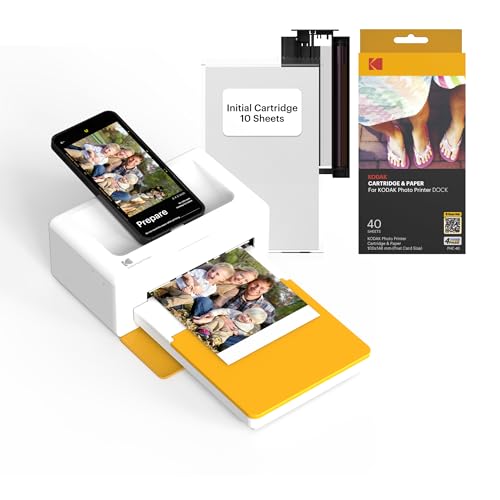
KODAK Dock Plus 4x6'' Photo Printer, 50 Sheets, Docking & Bluetooth... | Buy Now |
The KODAK Dock Plus 4PASS Portable Photo Printer delivers high-quality 4×6-inch prints quickly and conveniently. It connects via Bluetooth or docks with your iPhone, iPad, or Android device for seamless printing. Using Kodak’s 4PASS technology, it produces vibrant, fingerprint-proof, and water-resistant photos that stand the test of time.
This portable printer supports both border and borderless prints and comes with 50 sheets of glossy photo paper to get started right away. Its compact, lightweight design fits easily into any space, making it ideal for on-the-go use. App control simplifies the printing process, enhancing user convenience.
Powered by a single D battery, the printer is designed for portability but may require battery changes with heavy use. It prints one photo at a time, which might slow down bulk printing. The maximum input capacity is 20 sheets, suitable for casual or moderate photo printing needs.
Best for: Anyone looking for a portable and easy-to-use photo printer that produces durable 4×6-inch prints directly from smartphones or tablets.
Pros:
- Produces vibrant, fingerprint-proof, and water-resistant photos with Kodak 4PASS technology
- Connects easily via Bluetooth and docking for Apple and Android devices
- Compact design with app control and includes 50 sheets of glossy photo paper
Cons:
- Prints one photo at a time, which may slow down bulk printing
- Powered by a single D battery, possibly requiring frequent replacement during heavy use
- Limited to 4×6-inch photo size with a 20-sheet maximum input capacity
Important: This description is based solely on provided information without additional claims or external data.
KODAK Step Portable Instant Smartphone Photo Printer
| Preview | Product | Price | |
|---|---|---|---|
|
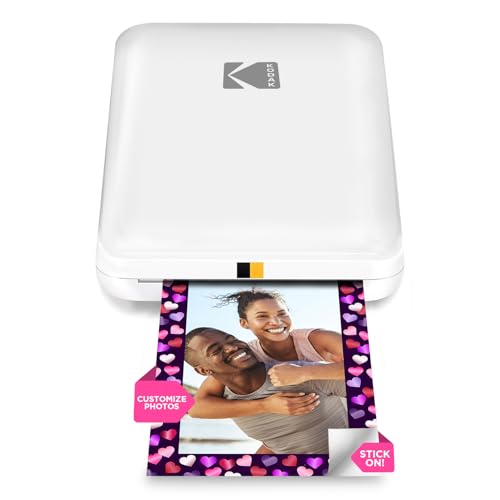
KODAK Step Instant Smartphone Photo Printer - Portable Mini Color... | Buy Now |
The KODAK Step Portable Instant Smartphone Photo Printer offers a simple way to print vibrant photos directly from your smartphone. It connects wirelessly through Bluetooth or NFC to iOS and Android devices. Using ZINK zero-ink technology, it produces 2×3-inch prints that are smudge-resistant and sticky-backed.
This portable printer features a rechargeable battery that allows for about 25 prints per charge, making it convenient for use on the go. The KODAK app enhances the experience by letting you add filters, stickers, and text before printing. Its compact design ensures easy transport and quick photo sharing.
This device is designed for users who want a quick, easy method to create small, durable photo prints without the hassle of ink cartridges or ribbons.
Best for: Anyone seeking a lightweight and portable photo printer for instant, sticky-back prints from their smartphone.
Pros:
- Compact and travel-friendly design
- Uses ink-free ZINK technology
- Customizable prints through KODAK app
- Quick, smudge-resistant photo output
Cons:
- Prints limited to 2×3-inch size
- Battery supports about 25 prints per charge, which might require recharging during heavy use
- Holds only 10 sheets at a time, needing frequent paper refills
Important:
All features and specifications are based on the provided information. No external claims have been added.
Nelko PP01 Color Mini Portable Photo Printer
| Preview | Product | Price | |
|---|---|---|---|

|
Nelko Photo Printer, PP01 Color Mini Portable Printer, Instant... | Buy Now |
The Nelko PP01 Color Mini Portable Photo Printer offers vivid, high-resolution color printing in a compact design. It uses advanced inkjet technology to produce sharp photos at 600 dpi on water-resistant, sticky photo paper. This makes it ideal for capturing and sharing memories instantly.
Connecting to iOS or Android devices is simple via Bluetooth. The included Nelko app lets you edit images with filters, stickers, and text before printing. Though prints take about 60 seconds, the result is crisp and colorful, perfect for travel or events.
This portable printer runs on a rechargeable battery but also requires an additional 9V battery. It supports single-sided photo printing on small media sizes up to 45x60mm. Its compact size and functionality suit a variety of uses.
Best for: Anyone needing a compact, high-quality portable photo printer for travel, events, DIY projects, or small business use.
Pros:
- Produces vivid, high-resolution color prints (600 dpi) on durable, water-resistant photo paper
- Easy Bluetooth connectivity with iOS and Android devices for seamless printing
- Nelko app offers extensive photo editing features including filters, stickers, and text customization
Cons:
- Requires 1 9V battery in addition to the rechargeable battery, which may be inconvenient
- Prints only single-sided photos and supports small media sizes up to 45x60mm
- Printing speed of about 60 seconds may be slower compared to some instant printers
Important: Information is based solely on provided details without added claims.
Portable Wireless Thermal Printer for Travel and Office
| Preview | Product | Price | |
|---|---|---|---|

|
Portable Printers Wireless for Travel, A285M Small Inkless Thermal... | Buy Now |
The Portable Wireless Thermal Printer A285M offers a lightweight and compact design ideal for travel and office use. It supports multiple paper sizes, including US Letter, A4, and thermal rolls up to 110mm. This printer uses advanced thermal technology to produce sharp black-and-white prints at 203 DPI, ensuring clear and professional results without the need for ink or toner.
Connectivity is versatile, with Bluetooth and USB-C options available for smartphones, tablets, and laptops. This makes mobile printing straightforward and convenient. The printer delivers speeds of up to 7 pages per minute, which helps keep workflows efficient. Its durable build is tailored for professionals who need reliable, on-the-go printing for receipts, contracts, and boarding passes.
Best for: Mobile professionals and travelers who require a versatile, inkless printer that is easy to carry and supports various document sizes.
Pros:
- Compact and lightweight, perfect for travel and diverse environments
- Supports multiple media sizes including US Letter, A4, and thermal rolls up to 110mm
- Wireless Bluetooth and USB-C connectivity compatible with many devices
Cons:
- Printing is limited to monochrome black-and-white only
- Driver installation may be required for computer use, which could complicate setup
- No duplex printing or scanning functions; dedicated solely to printing
Important: This printer operates using thermal technology and does not require ink or toner.
YOTON Portable Photo Printer with Wi-Fi and AR
| Preview | Product | Price | |
|---|---|---|---|

|
YOTON Photo Printer, Picture Printer with 54 Sheets (4"x6") & 1 Ink... | Buy Now |
The YOTON Portable Photo Printer with Wi-Fi and AR is designed for users who need a compact printing solution. Its stylish design fits easily into backpacks or small workspaces. This printer uses advanced dye-sublimation technology to produce vivid and durable 4×6 photos at 300 dpi.
It connects directly via Wi-Fi without requiring an internet connection, making printing quick and simple. The printer also supports augmented reality (AR) video printing, which adds animated effects to your photos. Compatible with iOS, Android, and computers, it comes with 54 sheets of glossy paper and ink ribbons that print 40-50 images each.
This device is perfect for on-the-go photo printing with easy app control and reliable quality. Its compact size and smart features offer convenience without sacrificing print clarity.
Best for: Individuals seeking a portable, high-quality photo printer with wireless connectivity and AR features for on-the-go printing from smartphones and laptops.
Pros:
- Compact and stylish design ideal for travel and small spaces
- Advanced dye-sublimation printing technology delivers vivid, durable 4×6 photos at 300 dpi
- Supports direct Wi-Fi connection without internet and innovative AR video printing for animated photos
Cons:
- Print speed of 15 ppm in black-white might be slow for high-volume printing
- Ink ribbons yield 40-50 photos each, requiring replacements for heavy use
- Maximum media capacity per session is 18 sheets, which could mean frequent reloads
Important:
This description is based solely on the provided product details with no additional claims or information.
HP DeskJet 2855e Wireless All-in-One Printer
| Preview | Product | Price | |
|---|---|---|---|

|
HP DeskJet 2855e Wireless All-in-One Color Inkjet Printer, Scanner,... | Buy Now |
The HP DeskJet 2855e Wireless All-in-One Printer offers a compact solution for home users needing printing, scanning, and copying in one device. Its wireless connectivity allows printing directly from smartphones or tablets using the HP app. The printer delivers sharp color prints at 4800 x 1200 dpi and supports various paper sizes.
This model includes AI features that help optimize print jobs by removing unwanted content, ensuring better results. It also comes with three months of Instant Ink, which provides automatic ink replenishment. While manual duplexing requires user involvement, it still supports two-sided printing to save paper.
The printer’s lightweight design fits well in home workspaces, maintaining a smooth and efficient workflow. It has moderate print speeds suitable for everyday tasks but may require more frequent paper refills due to its modest tray capacity.
Best for: Home users seeking a compact, affordable all-in-one printer with wireless connectivity and smart features for everyday printing, scanning, and copying tasks.
Pros:
- Wireless printing from smartphones and tablets via the HP app for easy mobile use
- AI features that improve print job accuracy by removing unwanted content
- Includes 3 months of Instant Ink with HP+ for automatic ink replenishment and savings
- Supports various media sizes with crisp color output at high resolution
Cons:
- Manual duplexing may require user attention to complete two-sided printing
- Limited input and output tray capacity could mean frequent paper refills
- Moderate print speed might be slower compared to some alternatives
Important:
Information is based solely on provided data without additional claims or details.
Cudinham Print Pods Mini Sticker Printer with Paper
| Preview | Product | Price | |
|---|---|---|---|

|
cudinham Print Pods Mini Printer, Sticker Printer with 10 Rolls... | Buy Now |
The Cudinham Print Pods Mini Sticker Printer with Paper is a compact and lightweight thermal printer designed for easy portability. It uses inkless thermal printing technology, removing the need for ink cartridges. This printer connects seamlessly via Bluetooth to iOS or Android devices through the Tiny Print app, allowing you to create photos, labels, notes, and stickers up to 2 inches wide.
With a 200 DPI resolution and a fast printing speed of 20 pages per minute, it delivers clear, quick prints. The device comes with adhesive and thermal papers, a rechargeable battery, and simple maintenance instructions. Its small size and versatile printing options make it ideal for on-the-go customization without the hassle of ink refills.
Best for: Individuals seeking a portable, inkless thermal printer for quick, customizable sticker, label, and note printing while traveling or working remotely.
Pros:
- Compact, lightweight design for easy transport and storage
- Inkless thermal printing technology with included adhesive and thermal papers
- Bluetooth connectivity and Tiny Print app compatibility on iOS and Android
- Fast print speed of 20 ppm and 200 DPI resolution
Cons:
- Prints only in black and white with limited resolution
- Printing limited to media sizes up to 2.25 x 3.5 inches and single-sided only
- May require occasional cleaning of the laser bar for optimal print quality
Important:
Descriptions are based solely on provided product details without external information.
Canon Ivy 2 Mini Photo Printer, Sticky-Back Prints
| Preview | Product | Price | |
|---|---|---|---|

|
Canon Ivy 2 Mini Photo Printer, Print from Compatible iOS & Android... | Buy Now |
The Canon Ivy 2 Mini Photo Printer offers a compact and portable solution for printing sticky-back photos directly from your smartphone. It connects quickly via Bluetooth 5.0 to iOS and Android devices using the Canon Mini Print App. Weighing just 5.1 ounces, it fits easily in your bag for photo printing on the go.
This printer uses ZINK technology, which means no ink cartridges are needed. It produces vibrant 2″x3″ photos with enhanced skin tones, contrast, and sharpness. The prints come with a peel-and-stick backing, ideal for creative projects or sharing memories instantly.
Charging is done via USB, and the device supports duplex printing. While print speed can take up to 50 seconds per photo, the overall quality and ease of use make it a convenient choice for casual photo printing.
Best for: Anyone looking for a lightweight, easy-to-use portable photo printer to create vibrant sticky-back photos from their smartphone or tablet.
Pros:
- Uses ZINK technology, so no ink cartridges are required
- Prints sharp, colorful 2″x3″ photos with peel-and-stick backing
- Lightweight and highly portable at just 5.1 ounces
- Connects via Bluetooth 5.0 with Canon Mini Print App for easy use
Cons:
- Limited to printing only 2″x3″ photo sizes
- Holds a maximum of 10 sheets, which may require frequent reloading
- Print speed of up to 50 seconds per photo might be slow for some users
Important: The printer’s features and specifications are based solely on the provided information.
Factors to Consider When Choosing a Cell Phone Printer
When choosing a cell phone printer, you’ll want to consider the printing technology and connectivity options it offers. Pay attention to print quality, media size compatibility, and how portable the device is, including its battery life.
These factors will help you find a printer that fits your needs perfectly.
Printing Technology Types
Although choosing a cell phone printer might seem straightforward, understanding the different printing technologies can help you pick the best option for your needs. Thermal printing uses heat on special paper, so you won’t need ink or toner, making it low-maintenance but limited in color. Inkjet printers spray tiny droplets of ink, delivering detailed, full-color images perfect for vibrant photos.
Dye-sublimation heats dye-based inks to create durable, vivid prints on coated paper, ideal for long-lasting photos. ZINK (Zero Ink) technology activates embedded dye crystals with heat, producing smudge-proof, waterproof photos without cartridges. Laser printers fuse powdered toner with a laser, offering fast, sharp prints in black-and-white or color, great for text-heavy documents.
Pick the technology that fits your print quality, maintenance, and photo durability needs.
Connectivity Options Available
Since seamless connectivity shapes your printing experience, understanding the options available in cell phone printers is essential. Most printers connect wirelessly via Wi-Fi, Bluetooth, or NFC, making pairing with your phone quick and hassle-free. Bluetooth offers a stable, short-range connection up to 33 feet, perfect for personal use.
If you need multiple devices to print simultaneously, Wi-Fi is your best bet, providing broader network access without direct pairing. NFC makes setup incredibly simple—just tap your phone to the printer for instant connection. In situations where wireless isn’t reliable, some models support wired connections through USB or USB-C, letting you print directly from your phone or laptop.
Knowing these connectivity options helps you pick a printer that fits your lifestyle and guarantees smooth printing every time.
Print Quality Standards
Choosing the right connectivity options guarantees your printer works smoothly, but print quality determines how your photos and documents actually look. When picking a cell phone printer, focus on resolution—higher DPI like 300×300 or more means sharper, clearer prints. Color accuracy and vibrancy depend on the quality of the color cartridges and whether the printer uses dye or pigment-based technology.
For durable prints, look for thermal dye sublimation or ZINK zero-ink systems, which produce waterproof, scratch-proof, and fade-resistant photos. Remember, print sharpness affects both black-and-white and color images, so consider the printer’s maximum resolution. Also, consistent print quality matters; it relies on proper paper choice, regular print head maintenance, and timely calibration.
Keeping these factors in mind helps you get professional-looking results every time.
Media Size Compatibility
When picking a cell phone printer, you’ll want to make certain it supports the media sizes you use most, whether that’s 2×3 inches for small snapshots or A4 for larger documents. Check if the printer handles your preferred sizes like 4×6 inches and supports borderless printing for full-bleed images. Also, verify the maximum media capacity per sheet or roll to match your printing volume.
Make sure the media handling features, including tray capacity and loading process, suit how often you plan to print. Finally, confirm the printer’s compatibility with your phone’s operating system—iOS or Android—to ensure smooth media size handling and seamless printing every time you use it.
Portability And Battery
You want a cell phone printer that’s easy to carry and won’t weigh you down—ideally under 2 pounds and compact enough to slip into your bag or pocket. Look for models with dimensions under 8 inches in length, so they fit comfortably and remain accessible when you’re on the move.
Battery life is vital; choose a printer with a built-in rechargeable battery that can handle at least 20 to 50 photo prints per charge. Quick charging capabilities add extra convenience, letting you power up fast without needing external outlets.
Also, make sure it supports wireless connections like Bluetooth or Wi-Fi to print seamlessly without cables, especially when you’re outdoors or traveling. Portability and reliable battery life make your printing experience smooth and hassle-free.
App Features And Customization
Although portability and battery life are essential, app features and customization play an equally important role in making your cell phone printer a versatile tool. You’ll want an app that offers robust editing tools, filters, and templates so you can tweak your photos before printing. Compatibility with your mobile operating system guarantees smooth integration, letting you personalize images effortlessly.
Look for apps that let you add borders, stickers, text, and other effects to make your prints truly unique. Easy-to-use controls for print sizes, layouts, and special effects simplify the process. Some advanced apps even support features like AR video printing and collage creation, expanding your creative options far beyond basic photo printing.
Choosing a printer with a powerful app ensures your prints reflect your style perfectly.
Frequently Asked Questions
Can These Printers Print Documents Besides Photos?
Yes, you can print documents with these printers, not just photos. They’re designed to handle various file types directly from your phone, making it easy to print everything from PDFs to text files quickly and conveniently.
What Is the Average Battery Life of These Printers?
You’ll get around 1 to 3 hours of printing, 20 to 50 prints per charge, and quick recharging options.
You’ll print more photos, scan more memories, and stay connected longer without constant power worries.
Are Replacement Ink Cartridges Widely Available?
Yes, you’ll find replacement ink cartridges widely available for most cell phone printers. Manufacturers guarantee you can easily buy them online or in stores, so you won’t have trouble keeping your printer ready whenever you need it.
Do These Printers Support Both Android and iOS Devices?
Yes, most cell phone printers support both Android and iOS devices, catering to over 3 billion smartphone users worldwide.
You’ll easily connect and print, no matter your phone’s operating system, making memories tangible fast.
Can These Printers Print From Multiple Devices Simultaneously?
Yes, many cell phone printers let you print from multiple devices at once. You can connect both Android and iOS gadgets via Wi-Fi or Bluetooth, making it easy for everyone to send prints without waiting in line.
Conclusion
Choosing the right cell phone printer might seem overwhelming with so many options—from sleek, inkless thermal models to all-in-one color printers. But don’t let the variety confuse you. Whether you want quick, sticky-back prints for fun or high-quality photos for keepsakes, there’s a perfect match waiting.
You’re not just picking a device; you’re deciding how your memories come to life. So, pick what fits your style and start printing instantly! With the best cell phone printers for 2026, you can easily turn your digital moments into tangible keepsakes anytime, anywhere.