7 Best Commercial Inkjet Printers for 2026
If you want a commercial inkjet printer that delivers sharp, vivid prints while slashing ink costs, consider top models like the Epson EcoTank ET-8550 and HP OfficeJet Pro 9730e. These best commercial inkjet printers for 2026 combine fast speeds, versatile media support, and smart connectivity to enhance your workflow.
Their durable ink systems and security features ensure smooth, protected operation.
Whether you need wide-format capabilities or efficient duplexing, these printers offer options perfectly suited for busy offices. Explore how each model fits your specific needs next.
| Image | Name | Editor's Rating | Price |
|---|---|---|---|

|
Epson Workforce Pro WF-7840 Wireless All...
|
|
|

|
HP OfficeJet Pro 9730e Wide Format Wirel...
|
|
|

|
Epson EcoTank Photo ET-8550 Wireless Wid...
|
|
|

|
Epson EcoTank ET-15000 Wireless Color Al...
|
|
|

|
HP OfficeJet Pro 9135e Wireless All-in-O...
|
|
Epson Workforce Pro WF-7840 Wireless Wide-Format Printer
| Preview | Product | Price | |
|---|---|---|---|

|
Epson Workforce Pro WF-7840 Wireless All-in-One Wide-Format Printer... | Buy Now |
The Epson Workforce Pro WF-7840 is a wireless all-in-one printer designed for busy offices requiring fast, high-quality wide-format printing. It supports prints up to 13 x 19 inches, using DURABrite Ultra pigment ink to deliver sharp, smudge-resistant results at 4800 x 2400 dpi. This multifunction device handles printing, scanning, copying, and faxing efficiently.
Equipped with a 50-page automatic document feeder and three paper trays that hold 500 sheets, it manages high-volume tasks with ease. Duplex printing and mobile connectivity options further streamline office workflows. The 4.3-inch color touchscreen offers intuitive navigation, making operation straightforward.
Its wide-format printing capability and reliable performance make it suitable for professional environments that demand versatility and speed. The printer’s design balances functionality with user convenience, ideal for varied office needs.
Best for: businesses and professionals needing fast, high-volume wide-format printing with multifunction features in a wireless all-in-one printer.
Pros:
- Wide-format printing up to 13 x 19 inches with sharp, smudge-free DURABrite Ultra pigment ink
- High paper capacity with three trays and a 50-page automatic document feeder
- Wireless connectivity and mobile printing support for flexible use
- Easy operation via 4.3-inch color touchscreen
Cons:
- May require considerable desk or office space due to its footprint
- Memory capacity of 128 MB might limit handling of very complex print jobs
- Operating power consumption of 20 watts could be higher than some energy-efficient models
Important:
This description is based solely on the provided specifications and features.
HP OfficeJet Pro 9730e Wireless All-in-One Printer
| Preview | Product | Price | |
|---|---|---|---|
|
HP OfficeJet Pro 9730e Wide Format Wireless All-in-One Color Inkjet... | Buy Now |
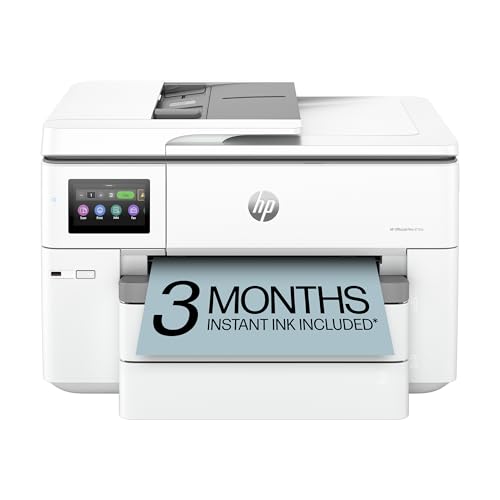
The HP OfficeJet Pro 9730e Wireless All-in-One Printer offers wide-format printing up to 11×17 inches with sharp, vibrant results using the P3 color gamut. It handles multiple tasks such as scanning, copying, and faxing efficiently. The printer’s design includes a 500-sheet capacity and automatic duplex printing to support a smooth workflow.
This model features an automatic document feeder that speeds up multi-page jobs. Connectivity is enhanced with dual-band Wi-Fi and remote management through the HP app. HP Wolf Pro Security protects sensitive data, making it a reliable choice for busy office environments.
Built with sustainability in mind, it incorporates over 30% recycled plastic. The OfficeJet Pro 9730e is suitable for offices that require multifunction capabilities, strong security, and wide-format print options in a single device.
Best for: small to medium-sized offices needing fast, high-quality wide-format printing with multifunction features and enhanced security.
Pros:
- Supports wide-format printing up to 11×17 inches with accurate P3 color gamut.
- Automatic duplex printing and 500-sheet capacity improve efficiency.
- Dual-band Wi-Fi and remote job management via HP app.
- HP Wolf Pro Security safeguards data during printing tasks.
Cons:
- Compatible only with HP-chipped cartridges, which might limit third-party ink use.
- Weighs about 43 pounds, possibly requiring dedicated office space.
- Primarily designed for office use, which may not suit casual or home environments.
Important:
– Information is based solely on provided data without added claims or assumptions.
Epson EcoTank ET-8550 Wide-Format Color Printer
| Preview | Product | Price | |
|---|---|---|---|

|
Epson EcoTank Photo ET-8550 Wireless Wide-format Color All-in-One... | Buy Now |
The Epson EcoTank ET-8550 is a wide-format color printer designed for high-quality photo and graphic printing. It handles media up to 13 x 19 inches, including cardstock and CDs, with borderless and duplex printing capabilities. This all-in-one printer offers wireless connectivity and multiple control options such as a 4.3-inch touchscreen, voice commands, and the Epson Smart Panel app.
Its cartridge-free EcoFit ink bottles deliver up to 6,200 pages per color set, helping reduce printing costs by about 80%. The printer’s efficient ink system supports commercial and advanced home use with consistent, lab-quality output. The design focuses on versatility and ease of use for various media types and print jobs.
Best for: professionals and enthusiasts who need a reliable wide-format printer for detailed photo and graphic projects with low running costs.
Pros:
- Cartridge-free EcoFit ink bottles produce up to 6,200 pages per color set.
- Supports wide-format media including specialty items like cardstock and CDs.
- Offers borderless, duplex printing and multiple control methods.
- Wireless printing and scanning via touchscreen, voice, or mobile app.
Cons:
- May require ample workspace due to its footprint.
- Initial setup might involve a learning curve for some users.
- Uses genuine Epson ink, which could limit third-party options.
Important: This description is based solely on the provided product information.
Epson EcoTank ET-15000 Wireless Color All-in-One Printer
| Preview | Product | Price | |
|---|---|---|---|

|
Epson EcoTank ET-15000 Wireless Color All-in-One Supertank Printer... | Buy Now |
The Epson EcoTank ET-15000 is a wireless color all-in-one printer designed for versatile, high-volume printing. It features a cartridge-free supertank system that helps reduce ink costs significantly. You can print large-format documents up to 13 x 19 inches with sharp 4800 x 1200 dpi color quality.
This printer offers duplex printing and borderless photo options, making it suitable for diverse office needs. It supports wireless and Ethernet connectivity, enabling remote printing from multiple devices. The 2.7-inch touchscreen simplifies navigation and operation.
With a 250-sheet capacity and ink costs as low as one cent per page, the EcoTank ET-15000 is built for reliability and efficiency. It suits small offices looking for cost-effective, wide-format printing without frequent cartridge changes.
Best for: Small businesses and home offices needing versatile, high-volume, cost-efficient printing with wide-format and wireless capabilities.
Pros:
- Cartridge-free supertank system reduces ink costs by up to 90%.
- Prints large-format documents up to 13 x 19 inches in high resolution.
- Wireless and Ethernet connectivity with an easy-to-use 2.7-inch touchscreen.
- Supports duplex and borderless photo printing for versatile use.
Cons:
- May require ample desk or office space due to its larger footprint.
- Scanning is limited to 8.5 x 14 inches, which might not fit larger documents.
- Single USB port could limit wired device options.
Important:
This description is based solely on provided product details without additional claims.
HP OfficeJet Pro 9135e Wireless All-in-One Printer
| Preview | Product | Price | |
|---|---|---|---|
|
HP OfficeJet Pro 9135e Wireless All-in-One Color Inkjet Printer,... | Buy Now |
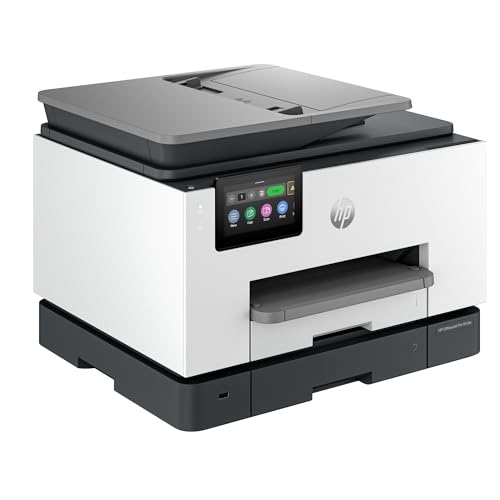
The HP OfficeJet Pro 9135e Wireless All-in-One Printer offers versatile functionality for busy offices. It combines print, scan, copy, and fax capabilities with duplex printing and a 500-sheet capacity. This model supports multiple paper sizes including letter, legal, and B5, ensuring flexible document handling.
With printing speeds of up to 25 pages per minute in black-and-white and 20 pages per minute in color, it keeps up with demanding workloads. The printer features AI-enabled technology that adapts to your workflow, enhancing efficiency. Dual-band Wi-Fi provides secure wireless connections, and the device can be managed easily through HP’s mobile app.
The printer delivers sharp color output at a resolution of 4800 x 1200 dpi, making it suitable for professional documents. Its design focuses on reliable performance and seamless connectivity, meeting the needs of a dynamic office environment.
Best for: offices requiring fast, high-quality printing with smart connectivity and multifunction capabilities.
Pros:
- Fast duplex printing at up to 25 ppm (black-and-white) and 20 ppm (color).
- AI-enabled technology improves workflow efficiency.
- Secure dual-band Wi-Fi with convenient mobile app control.
- Supports multiple paper sizes and large capacity input.
Cons:
- Initial ink cartridges may require early replacement under heavy use.
- Setup process might take extra time for some users.
- Some users may find the device’s footprint requires sufficient space.
Important:
This description reflects only the features and specifications provided without additional claims or details.
Brother Work Smart 1360 Wireless Color Inkjet Printer
| Preview | Product | Price | |
|---|---|---|---|

|
Brother Work Smart 1360 Wireless Color Inkjet All-in-One Printer with... | Buy Now |
The Brother Work Smart 1360 Wireless Color Inkjet Printer delivers reliable wireless printing with vibrant color and sharp black text. This compact all-in-one device handles printing, copying, and scanning with speeds up to 16 ppm black and 9 ppm color. It supports automatic duplex printing to save paper and features a 150-sheet tray along with a 20-sheet ADF for added convenience.
Connectivity is versatile with Wi-Fi, AirPrint, and the Brother Mobile Connect app, allowing easy printing from mobile devices or cloud services. The LC501 ink cartridges provide consistent quality, with high-yield options to reduce interruptions. A 1.8-inch color display and intuitive controls make task management simple and efficient.
Best for: Small business owners and home office users who need a compact all-in-one printer with dependable wireless features and efficient duplex printing.
Pros:
- Fast printing speeds up to 16 ppm black and 9 ppm color with duplex capability.
- Multiple wireless connectivity options including Wi-Fi and mobile app support.
- Cost-effective LC501 ink cartridges with high-yield and subscription refill choices.
- Automatic duplex printing and a 20-sheet ADF enhance productivity.
Cons:
- The compact 1.8-inch display may limit navigation ease compared to larger screens.
- The 150-sheet paper tray might require frequent refilling during heavy use.
- Basic scanning and copying features may not meet advanced office needs.
Important:
– Description reflects only provided product details without added claims.
Brother INKvestment 6560 Wireless Color Inkjet Printer
| Preview | Product | Price | |
|---|---|---|---|
|
Brother INKvestment 6560 Wireless Color Inkjet All-in-One Printer with... | Buy Now |
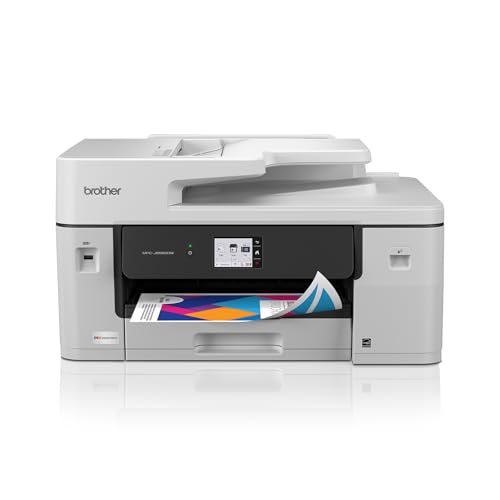
The Brother INKvestment 6560 Wireless Color Inkjet Printer delivers versatile all-in-one functionality for businesses. It prints, scans, copies, and faxes with ease, handling media up to 11”x17”. The 250-sheet tray and 50-page ADF support efficient workflows, while automatic duplex printing saves time and paper.
This printer offers fast output with speeds up to 31 ppm in black and 30 ppm in color. Wireless connectivity and cloud integration provide flexible control options. The Brother Mobile Connect app adds convenience for mobile printing and device management. Brother Genuine Ink ensures consistent, reliable results.
Designed for productivity, the INKvestment 6560 suits small businesses needing a reliable color inkjet printer with high-capacity ink. Its combination of speed, media support, and connectivity makes it a practical choice for busy offices.
Best for: Small businesses seeking a versatile, high-capacity all-in-one color inkjet printer with robust wireless and cloud connectivity.
Pros:
- High print speeds up to 31 ppm (black) and 30 ppm (color) for efficient output
- Supports media sizes up to 11”x17” with automatic duplex printing
- 250-sheet tray and 50-page ADF enhance workflow efficiency
- Wireless, cloud integration, and mobile app control for flexible operation
Cons:
- Color ink cartridges have lower page yield (750 pages) compared to black ink (1,800 pages), which might require more frequent replacements for color-heavy tasks
- 50-page single-sided ADF lacks automatic duplex scanning, limiting two-sided document handling
- Smaller 2.7” touchscreen may reduce ease of navigation for some users
Important:
– Features and specifications are based solely on provided data without added claims
Factors to Consider When Choosing a Commercial Inkjet Printer
When choosing a commercial inkjet printer, you’ll want to focus on print quality, ink efficiency, and how much ink will cost over time. Make sure the printer supports the media sizes you need and connects easily with your devices.
Speed and overall productivity are just as important to keep your business running smoothly.
Print Quality Standards
Choosing a commercial inkjet printer means prioritizing print quality standards that meet your professional needs. You’ll want a printer that supports high resolutions—4800 x 1200 dpi or more—to guarantee sharp, detailed output. Look for advanced color accuracy features, like P3 color gamut capability, so your prints show vibrant, true-to-screen colors.
It’s important to check the maximum print resolution for both color and black-and-white prints to uphold professional standards. Also, consider whether the printer handles various media types and sizes, from glossy photo paper to large-format sheets, for versatile use. Features like borderless printing and high color depth (such as 48-bit color) enhance visual fidelity, making your prints stand out with richer, more precise details.
Ink Efficiency and Cost
Ink efficiency plays a key role in controlling your printing costs, especially if you handle large volumes daily. Opt for printers with cartridge-free tanks or high-yield ink bottles, as they can cut your cost per page by up to 80% compared to traditional cartridges. Monitoring tools like page gauges and ink level alerts help you avoid unexpected downtime, keeping your workflow smooth.
High-yield ink options reduce how often you need replacements, saving time and money. Always choose printers that use genuine, compatible ink supplies to maintain consistent print quality and prevent damage or warranty issues. By focusing on ink efficiency and cost-effective refills, you’ll guarantee your commercial inkjet printer delivers reliable, affordable performance every day.
Connectivity and Compatibility
Several connectivity and compatibility features can make your commercial inkjet printer more versatile and easier to integrate into your workflow. Look for printers supporting Wi-Fi, Ethernet, and USB to guarantee flexible setup and remote access. Make sure the device works smoothly with various mobile platforms like iOS, Android, Windows, and macOS for seamless printing and scanning from your smartphone or laptop.
Cloud integration is a big plus—choose printers that connect directly to services like Google Drive and Dropbox. Also, check for wireless protocols such as Wi-Fi Direct and Mopria, so you can print directly without a network. Finally, verify compatibility with your existing network and confirm the printer receives regular firmware updates to maintain security and functionality.
Media Size Support
Beyond connectivity, the types and sizes of media your printer can handle will directly impact its usefulness for your projects. Make sure the printer supports the maximum media size you need, like 11×17 or 13×19 inches, to cover all your printing tasks. Check if it can handle specialty media such as cardstock, photo paper, or CDs/DVDs, paying attention to thickness and weight limits.
Look for features like input tray capacity, rear feeds, or multiple trays to manage different media sizes efficiently without constant reloading. Also, confirm duplex printing works for the media sizes you use most, especially for double-sided documents. Ensuring the printer matches your media requirements guarantees reliable, high-quality output every time.
Speed and Productivity
When you need to keep up with a busy workload, print speed plays a crucial role in maintaining productivity. Choosing a commercial inkjet printer with high pages-per-minute (ppm) rates guarantees you can handle large-volume print jobs without delays. Features like automatic duplex printing and high-capacity paper trays reduce how often you need to reload paper or flip pages manually, saving valuable time.
A fast automatic document feeder (ADF) streamlines multi-page copying, scanning, and faxing, improving workflow efficiency. Additionally, quick startup times and rapid first-page outputs let you tackle urgent tasks without waiting. By focusing on these speed and productivity factors, you’ll guarantee your printer keeps pace with your business demands and maximizes overall efficiency.
Maintenance and Reliability
Although commercial inkjet printers offer impressive features, maintaining them properly is key to ensuring consistent performance and avoiding costly downtime. You’ll need to regularly clean printheads and replace worn parts to prevent ink clogs and maintain print quality.
Focus on printers with durable ink delivery and paper handling systems that can handle high-volume jobs without frequent breakdowns. Also, consider the availability and cost of replacement parts and ink supplies, as these affect long-term reliability and expenses.
Keep your printer calibrated and updated with the latest firmware to reduce errors and hardware issues. Finally, choose a model known for minimal downtime and strong customer support to keep your operations running smoothly and efficiently.
Security and Software Features
Since commercial inkjet printers handle sensitive documents and data, you’ll want to prioritize robust security features to protect your information. Look for printers with secure boot, firmware validation, and user authentication to prevent unauthorized access. Confirm the device supports encryption protocols for wireless communication, safeguarding your print jobs and network data.
Also, check if it offers management software for centralized control over user permissions, access logs, and security updates. Features like secure print release, which requires authentication before printing, add an extra layer of protection. Finally, verify compatibility with enterprise security standards and confirm the availability of timely firmware updates to address emerging vulnerabilities.
Prioritizing these security and software features will keep your business data safe and give you peace of mind.
Frequently Asked Questions
How Do Commercial Inkjet Printers Compare to Laser Printers in Cost?
You’ll find commercial inkjet printers generally cost less upfront but have higher ink expenses over time, while laser printers usually require a bigger initial investment but offer lower per-page costs, making them more economical long-term.
What Types of Ink Cartridges Are Compatible With These Printers?
You’ll find these printers mostly use pigment-based and dye-based ink cartridges. Some accept refillable tanks for cost-efficiency, while others require proprietary cartridges designed for ideal print quality and durability.
Check compatibility before buying replacements.
Are There Any Environmental Benefits of Using Commercial Inkjet Printers?
Yes, you’ll reduce waste since inkjet printers use less ink and energy than laser printers. Plus, many commercial inkjet models use eco-friendly cartridges and support recycling programs, helping you minimize your environmental footprint effectively.
How Long Do Commercial Inkjet Printers Typically Last Under Heavy Use?
You can expect commercial inkjet printers to last around 3 to 5 years under heavy use. Proper maintenance and timely part replacements will help you extend their lifespan and keep performance consistent throughout.
Regular cleaning and using high-quality inks also contribute to durability. It’s important to monitor wear parts and replace them as needed. This prevents unexpected downtime and costly repairs.
Can Commercial Inkjet Printers Handle Specialty Media Like Labels or Transparencies?
Yes, commercial inkjet printers can handle specialty media like labels or transparencies. You’ll want to check your printer’s specifications and settings to guarantee compatibility, as some models are better equipped for varied media types than others.
Conclusion
Choosing the right commercial inkjet printer is like finding the perfect brush for your masterpiece—you need precision, speed, and reliability all dancing in harmony. Whether you prioritize wide-format brilliance or wireless convenience, these top contenders have you covered.
So, don’t let your business’s printing needs get lost in the noise; grab the printer that paints your vision clearly and efficiently. Turning every page into a stroke of success, your perfect print partner awaits.
Investing in the best commercial inkjet printers ensures your business stays ahead with high-quality prints, fast performance, and dependable technology. Choose wisely to boost productivity and achieve outstanding results every time.