10 Best Cutting Machines for Stickers in 2025 – Precision and Performance Reviewed
You’ll find top cutting machines like Brother ScanNCut SDX125E, Cricut Joy Xtra, and Likcut Glee S501 delivering precise, fast cuts on diverse materials from vinyl to cardstock.
These compact, user-friendly devices support wireless connectivity and versatile functions—cutting, writing, foiling, even scanning.
They’re perfect whether you’re a beginner or pro aiming for flawless stickers every time with minimal hassle.
Keep exploring to uncover which model fits your crafting style and needs best.
| Image | Name | Editor's Rating | Price |
|---|---|---|---|

|
Brother ScanNCut SDX125E Electronic DIY ...
|
|
|

|
Cricut Joy Xtra Smart Cutting Machine
|
|
|

|
Siser Juliet High-Definition Cutter - 12...
|
|
|

|
Liene PixCut S1 Color Sticker Printer & ...
|
|
|

|
Brother ScanNCut SDX125EGY Electronic DI...
|
|
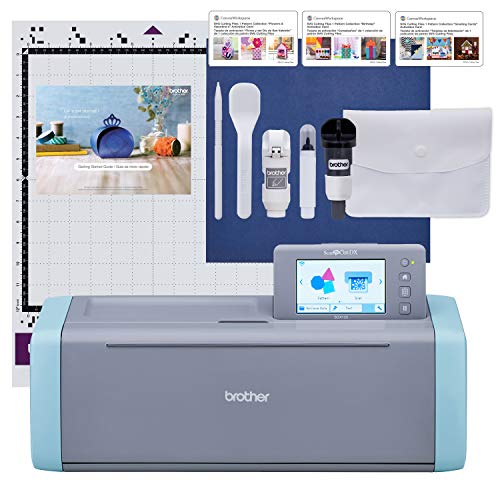
Brother ScanNCut SDX125E Electronic DIY Cutting Machine with Scanner
| Preview | Product | Price | |
|---|---|---|---|
|
Brother ScanNCut SDX125E Electronic DIY Cutting Machine with Scanner,... | Buy Now |
The Brother ScanNCut SDX125E is a versatile cutting machine designed to transform your creative ideas into precise, custom stickers and designs. Its built-in scanner lets you easily convert your hand-drawn images into cutting files. This eliminates the need for extra software, simplifying the creative process and saving time.
With an auto blade equipped with material sensor technology, the machine adjusts automatically to materials up to 3mm thick. This means you can cut vinyl, fabric, and paper without worrying about manual blade settings. The 5-inch touchscreen interface offers a user-friendly way to customize projects and add new patterns through USB or wireless connection.
Maintenance is straightforward, as the machine’s smart design reduces the need for frequent adjustments. However, it’s important to note that the cutting capacity is limited to materials no thicker than 3mm, which might not be suitable for heavier-duty projects. Also, it operates on 120 volts for US use only, so using it elsewhere could void the warranty.
This cutting machine is ideal for crafters who want an all-in-one solution that combines scanning and cutting capabilities. Its extensive library of built-in designs and ease of use help you bring your DIY projects to life with minimal hassle.
Best for: Crafters and DIY enthusiasts needing a reliable machine that scans and cuts custom designs with precision and ease.
What We Like:
- Built-in scanner converts drawings directly into cut files without extra software
- Auto blade with material sensor adjusts blade depth automatically
- Large library of 682 built-in patterns plus USB and wireless pattern import
- User-friendly 5-inch touchscreen for easy project customization
- Supports cutting vinyl, fabric, and paper up to 3mm thick
Specification:
| Feature | Details |
|---|---|
| Manufacturer | Brother |
| Dimensions (W×D×H) | Not specified |
| Weight | Not specified |
| Color Options | White |
| Material Cutting Limit | Up to 3mm thickness |
| Voltage | 120 V (US only) |
| Touchscreen Size | 5 inches |
Cricut Joy Xtra Cutting Machine
| Preview | Product | Price | |
|---|---|---|---|

|
Cricut Joy Xtra Smart Cutting Machine | Buy Now |
The Cricut Joy Xtra Cutting Machine is a compact tool designed to bring precision and creativity to your crafting projects. It solves the common challenge of handling detailed cuts on a variety of materials, making it easier to create professional-looking designs at home. Its small size fits neatly into any workspace without sacrificing performance.
This versatile cutter works with over 50 materials, including vinyl and cardstock, allowing you to tackle diverse projects. Beyond cutting, it can write, draw, foil, and score, adding multiple creative options in one device. The machine’s compatibility with home inkjet printers allows seamless print-then-cut full-color designs, expanding your crafting possibilities.
Maintenance is straightforward, with easy-to-replace blades and simple cleaning routines that keep the machine running smoothly. The Cricut Design Space app simplifies design creation, whether you want to start from scratch or use pre-made templates. This user-friendly interface helps both beginners and seasoned crafters produce intricate projects without frustration.
While ideal for small to medium-sized crafts, its compact design limits large-scale or heavy-duty use. However, for hobbyists aiming for precision and flexibility in a portable format, this machine offers a balanced blend of functionality and ease of use.
Best for: Hobbyists and crafters seeking a compact, versatile cutting machine that delivers precise results on various materials.
What We Like:
- Precise cutting on over 50 materials including vinyl and cardstock
- Multiple functions: writing, drawing, foiling, and scoring
- Compatible with home inkjet printers for print-then-cut projects
- Easy maintenance with replaceable blades and simple cleaning
- User-friendly design app for effortless creativity
Specification:
| Feature | Details |
|---|---|
| Manufacturer | Cricut |
| Dimensions | Compact size (exact size not provided) |
| Weight | Lightweight (exact weight not provided) |
| Material | Durable plastic housing |
| Color Options | Not specified |
Siser Juliet High-Definition Cutter 12″ Professional Cutting Machine with Software
| Preview | Product | Price | |
|---|---|---|---|

|
Siser Juliet High-Definition Cutter - 12" Professional Cutting Machine... | Buy Now |
The Siser Juliet High-Definition Cutter transforms how you create by delivering fast, precise cuts on a wide range of materials. Whether you’re working with vinyl, cardstock, or stickers, this 12-inch cutter speeds through projects with up to 60% faster cutting than traditional machines. Its quiet operation and easy-to-use touch-screen make setup straightforward for all skill levels.
Designed for versatility, the Juliet allows cutting with or without a mat, saving time and boosting efficiency. You can also expand creative possibilities by drawing or writing using the Marker Adapter, which adds functionality beyond cutting. Wireless connectivity pairs seamlessly with Leonardo Design Studio software, freeing you from cables and enabling use on both Windows and Mac platforms.
Maintenance is simple thanks to its robust build and intuitive design. Regular blade checks and cleaning keep the machine performing optimally. This cutter fits well into busy workflows, handling multiple materials while maintaining precision, making it ideal for hobbyists and professionals alike.
While the cutting width is limited to 12 inches, this size suits most standard projects. Users new to digital cutters may need some time to adjust despite the user-friendly interface. Additional markers are necessary for drawing features, but this expands creative potential.
Best for: Creators needing a fast, flexible, and precise cutting machine for vinyl, cardstock, and sticker projects.
What We Like:
- Cuts up to 60% faster than traditional machines
- Supports both mat and matless cutting
- Quiet operation with intuitive touch-screen
- Wireless connection with Leonardo Design Studio software
- Marker Adapter enables drawing and writing features
Specification:
| Feature | Details |
|---|---|
| Manufacturer | Siser |
| Cutting Width | 12 inches (30.5 cm) |
| Materials Supported | Vinyl, cardstock, stickers |
| Connectivity | Wireless (Windows and Mac) |
| Interface | Touch-screen |
| Additional Features | Marker Adapter for drawing |
Liene PixCut S1 Color Sticker Printer & Cutting Machine for DIY Crafts and Custom Labels
| Preview | Product | Price | |
|---|---|---|---|

|
Liene PixCut S1 Color Sticker Printer & Cutting Machine - All-in-One... | Buy Now |
Bring your creative ideas to life with the Liene PixCut S1 Color Sticker Printer & Cutting Machine. This compact device combines high-resolution printing and precise cutting, making it perfect for crafting vibrant, waterproof stickers quickly. It solves the common problem of needing multiple tools by offering an all-in-one solution for DIY projects and custom labels.
Designed for ease of use, the PixCut S1 connects via Bluetooth to your smartphone. Its intuitive app includes AI-powered image extraction, enabling you to cut perfect edges without any design skills. This seamless workflow saves time and effort, allowing you to focus on your creativity rather than technical details.
Maintenance is simple with durable materials built to withstand frequent use. The 300 dpi thermal dye-sublimation prints produce lasting, vivid colors that resist water damage. While the sheet capacity is limited to 18 sheets and printing is single-sided, these features suit most small to medium craft projects and personalized gifts.
Though it weighs 6.2 pounds, the PixCut S1 remains portable enough for home or small business use. Its lightweight design and user-friendly operation make it accessible for both hobbyists and professionals looking to produce custom stickers and labels efficiently.
Best for: Craft enthusiasts and small business owners seeking a reliable, all-in-one sticker printing and cutting machine for vibrant, waterproof designs created from a smartphone.
What We Like:
- High-resolution, waterproof stickers with thermal dye-sublimation printing
- AI-powered image extraction for precise, professional cuts
- Bluetooth connectivity with a simple, user-friendly mobile app
- Compact, durable design ideal for frequent use
- Streamlined workflow combining printing and cutting
Specification:
| Feature | Details |
|---|---|
| Manufacturer | Liene |
| Dimensions | Compact (exact size not specified) |
| Weight | 6.2 lb (2.81 kg) |
| Printing Resolution | 300 dpi |
| Printing Technology | Thermal dye-sublimation |
| Connectivity | Bluetooth |
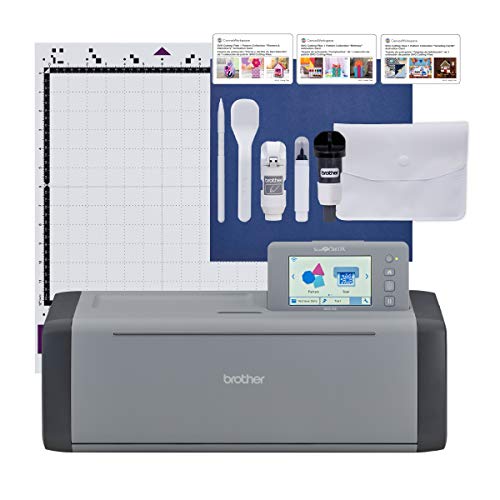
Brother ScanNCut SDX125EGY Electronic DIY Cutting Machine with Scanner, 682 Patterns, Grey
| Preview | Product | Price | |
|---|---|---|---|
|
Brother ScanNCut SDX125EGY Electronic DIY Cutting Machine with... | Buy Now |
The Brother ScanNCut SDX125EGY is designed to make cutting and crafting easier and more precise. Its built-in scanner lets you scan your own drawings or printed designs directly, so you can create custom cuts without extra steps. This feature is perfect for users who want to bring personal creativity into their projects with minimal hassle.
This cutting machine handles various materials, including vinyl and balsa wood, up to 3mm thick. The auto blade and material sensor technology adjust cutting depth automatically, reducing mistakes and saving time. The 5-inch touchscreen offers an intuitive interface, helping you select from 682 built-in patterns or upload your own wireless or USB designs quickly.
Maintenance is straightforward, with easy access to the blade and sensor components for cleaning or replacement. The compact design fits well in home studios or small workshops. Whether you’re a hobbyist or a creative entrepreneur, this machine supports a wide range of DIY projects, from scrapbooking to personalized decorations.
While it’s versatile, the SDX125EGY is best suited for materials within its thickness limit. Some users may need time to become familiar with the touchscreen and scanning functions. Overall, it provides a smooth, integrated crafting experience that simplifies complex cutting tasks.
Best for: Hobbyists and small business owners seeking a versatile cutting machine with integrated scanning and extensive design options.
What We Like:
- Built-in scanner for direct design digitization.
- Auto blade with material sensor for precise cutting.
- Large library of 682 patterns plus wireless/USB connectivity.
- User-friendly 5-inch touchscreen interface.
- Compact and easy to maintain design.
Specification:
| Feature | Details |
|---|---|
| Manufacturer | Brother |
| Model | ScanNCut SDX125EGY |
| Dimensions | Not specified |
| Cutting Thickness | Up to 3 mm |
| Patterns Included | 682 built-in |
| Connectivity | Wireless, USB |
| Color | Grey |
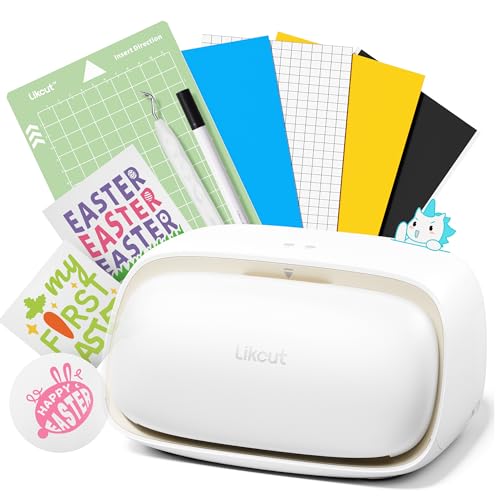
Likcut Vinyl Cutter Machine S501 for Vinyl & Paper Crafts
| Preview | Product | Price | |
|---|---|---|---|
|
Likcut Vinyl Cutter Machine S501 - Smart Compact Sticker Maker for... | Buy Now |
The Likcut Vinyl Cutter Machine S501 offers a seamless blend of speed and precision, making it an essential tool for creative projects. It quickly connects via Bluetooth 5.0 or USB 2.0, reducing setup time and allowing you to focus on your design work. Its fast cutting speed of up to 3.2 inches per second helps you finish tasks efficiently, whether you’re working on small crafts or large batches.
Designed to handle over 50 material types, this vinyl cutter adapts easily to various projects like stickers, paper crafts, or event decorations. Its blade is built to last, capable of cutting more than 4,610 meters before needing replacement, which minimizes downtime and maintenance efforts. The compact design features built-in storage, keeping tools organized and accessible.
Users gain access to a vast library of over 1 million designs and 1,200 fonts, expanding creative possibilities. Dual cutting and drawing modes add versatility, enabling detailed and complex designs with ease. While the compact size enhances portability, it may require additional accessories to work with larger materials. Some users might also need time to explore the extensive features fully.
This machine supports a smooth workflow for teachers, DIY enthusiasts, and event decorators who need a reliable and flexible vinyl cutter that balances speed with creative control.
Best for: DIY enthusiasts, teachers, and event decorators seeking a versatile, fast, and portable vinyl cutter for creative projects and batch production.
What We Like:
- Fast Bluetooth 5.0 and USB 2.0 connectivity for quick setup
- Extensive design library with over 1 million designs and 1,200 fonts
- Durable blade lasting over 4,610 meters, reducing maintenance needs
- Compatible with 50+ materials for diverse crafting applications
- Compact design with integrated storage for convenience
Specification:
| Feature | Details |
|---|---|
| Manufacturer | Likcut |
| Dimensions | Compact (exact size not specified) |
| Connectivity | Bluetooth 5.0, USB 2.0 |
| Cutting Speed | Up to 3.2 inches/second |
| Blade Life | Over 4,610 meters |
| Material Support | 50+ types |
| Design Library | Over 1 million designs, 1,200 fonts |
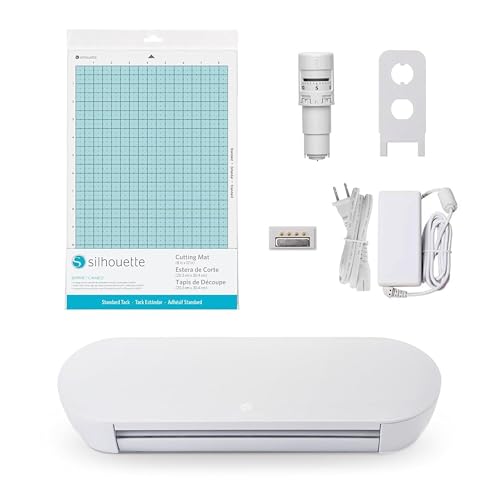
Silhouette Portrait 4-9 inch Vinyl Cutting Machine with Studio Software and PixScan
| Preview | Product | Price | |
|---|---|---|---|
|
Silhouette Portrait 4-9 inch Vinyl Cutting Machine with Studio... | Buy Now |
Experience precision and quiet performance with the Silhouette Portrait 4-9 inch vinyl cutting machine. This compact cutter is designed to handle intricate sticker designs and multi-layered projects with ease. Its 9-inch cutting width and belt-driven chassis deliver clean, accurate cuts every time, making your creative process more efficient and enjoyable.
The machine’s advanced IPT and SNA technology optimize cut orders and maintain tension-free operation. This means you can trust it to produce sharp angles and detailed cuts without the hassle of frequent adjustments. The inclusion of versatile electric tools and the ES Mat expands your crafting possibilities, allowing for more complex and creative projects.
Maintenance is straightforward, with durable components that ensure consistent performance over time. The user-friendly Studio Software paired with the PixScan feature simplifies your design workflow. You can easily translate physical designs into digital cuts, saving time and reducing errors.
This vinyl cutting machine is ideal for hobbyists and small business owners who need a reliable, quiet tool that supports detailed and layered vinyl projects. Its compact size and advanced features make it a valuable addition to any creative workspace.
Best for: hobbyists and small business owners who need a quiet, precise vinyl cutting machine capable of handling intricate and multi-layered designs with ease.
What We Like:
- Quiet operation at 50 db, suitable for home or office use.
- IPT and SNA technology for tension-free, precise cuts.
- Compatibility with electric tools and ES Mat enhances versatility.
- Studio Software and PixScan streamline design and cutting processes.
Specification:
| Feature | Details |
|---|---|
| Manufacturer | Silhouette |
| Cutting Width | 9 inches (22.86 cm) |
| Dimensions | Compact, fits small workspaces |
| Weight | Lightweight for portability |
| Material | Durable, high-quality chassis |
| Color Options | Standard neutral finish |
Cricut Joy Xtra Machine Sticker and Vinyl Sampler Bundle for Beginners
| Preview | Product | Price | |
|---|---|---|---|

|
Cricut Joy Xtra Machine with Printable Sticker Paper and Vinyl Sampler... | Buy Now |
Discover a crafting companion that fits perfectly in your creative space. The Cricut Joy Xtra Machine Sticker and Vinyl Sampler Bundle offers a compact design that tackles diverse projects without overwhelming your workspace. Its size and versatility make it ideal for small studios or crafting on the go.
This machine simplifies customization by supporting over 50 materials, including vinyl and cardstock. It allows you to cut, write, draw, and foil, while also enabling full-color Print-then-Cut stickers using your home inkjet printer. This versatility helps transform ideas into personalized creations quickly and easily.
Maintenance is straightforward, but switching between materials and blades may take some practice to master. The included tools and a detailed 30+ page ebook provide clear guidance, making setup and ongoing use accessible for beginners and hobbyists alike.
Bluetooth connectivity ensures smooth wireless operation, integrating seamlessly with your devices for efficient project management. The bundled Smart Vinyl, transfer tape, and cutting mat supply everything needed to start crafting immediately.
Best for: Beginners and hobbyists seeking a space-saving, multifunctional machine for creating custom stickers, vinyl decals, and cards with ease.
What We Like:
- Compact and portable design fits small spaces.
- Supports a wide variety of materials and Print-then-Cut functionality.
- Comprehensive starter bundle with tools and detailed instructional ebook.
- Easy wireless connectivity via Bluetooth.
Specification:
| Feature | Details |
|---|---|
| Manufacturer | Cricut |
| Dimensions | 12.5 x 6 x 5.5 inches |
| Weight | Not specified |
| Material Support | Over 50 materials |
| Connectivity | Bluetooth |
Likcut Vinyl Cutter Machine Glee S501 for DIY Crafting and Home Projects
| Preview | Product | Price | |
|---|---|---|---|
|
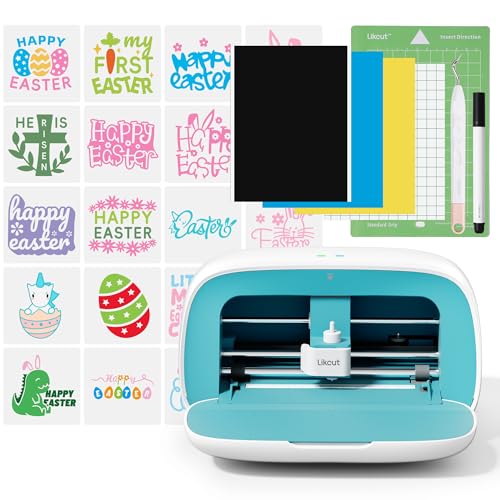
Likcut Vinyl Cutter Machine, Smart Sticker Maker Glee S501 for DIY... | Buy Now |
Unlock your creativity effortlessly with the Likcut Vinyl Cutter Machine Glee S501. This machine is designed to help beginners and DIY enthusiasts dive into crafting projects without hassle. Its intuitive software and clear tutorials make it simple to start cutting vinyl designs right away.
Connectivity issues won’t slow you down thanks to Bluetooth 5.0 and USB 2.0 options, ensuring stable and quick connections. The compact and portable design fits neatly in small spaces, making it easy to move your crafting setup anywhere you want. A built-in cover keeps your cutting tools organized and protected.
This vinyl cutter gives you access to a vast library of over 500,000 designs and 1,000 fonts, providing endless creative possibilities. Regular maintenance is straightforward, mostly requiring cleaning of the cutting blade and workspace to ensure smooth operation. This machine is best suited for vinyl projects and does not support cutting multiple materials, so it fits specific crafting needs.
While USB 2.0 is not the fastest standard, it reliably transfers your files without interruptions. Keep in mind, an internet connection is needed to access the full design library, which may limit offline use. Overall, the Likcut Glee S501 offers a balanced blend of ease, portability, and creative options.
Best for: Beginners and DIY enthusiasts seeking a portable, user-friendly vinyl cutter with extensive design resources.
What We Like:
- Easy-to-use software with helpful tutorials
- Stable Bluetooth 5.0 and USB 2.0 connectivity
- Compact design with built-in tool storage
- Large design and font library for inspiration
- Simple maintenance for consistent performance
Specification:
| Feature | Details |
|---|---|
| Manufacturer | Likcut |
| Dimensions | Compact (exact size not specified) |
| Weight | Portable (exact weight not specified) |
| Connectivity | Bluetooth 5.0, USB 2.0 |
| Design Library | 500,000+ designs, 1,000 fonts |
| Intended Use | Vinyl cutting only |
Cricut Explore 4 Smart Cutting Machine Engagement Bundle (Seashell)
| Preview | Product | Price | |
|---|---|---|---|

|
Cricut Explore 4 - Smart Cutting Machine (Seashell) | Engagement... | Buy Now |
Unlock your creativity with the Cricut Explore 4 Smart Cutting Machine Engagement Bundle (Seashell). This versatile device goes beyond cutting to draw, foil, and score over 100 different materials. It handles vinyl, iron-on HTV, cardstock, and stickers with ease, making your crafting projects smoother and more precise.
Designed for convenience, this bundle comes with essential tools and mats, plus a rich digital library featuring 25 images and 50 free project templates. Use the intuitive Design Space app to customize your designs on any device, helping you bring your ideas to life quickly and efficiently.
Maintenance is straightforward thanks to its user-friendly design. Keep the blades and tools clean for optimal performance, and enjoy seamless integration with Cricut Access, which unlocks thousands of additional images and fonts. This makes it easy to expand your creative options without hassle.
Ideal for hobbyists and crafters who want professional-quality, personalized projects, this machine offers a balance of power and ease of use. Just note, there is a learning curve if you’re new to digital design software, and an internet connection is required to access the full features.
Best for: DIY enthusiasts and crafters seeking an all-in-one smart cutting machine with extensive starter tools and a vast digital content library.
What We Like:
- Cuts, draws, foils, and scores a wide range of materials with precision
- Includes essential tools, mats, and a rich digital image library
- Easy project customization via the Design Space app on multiple devices
- Expands creative options through Cricut Access subscription
- User-friendly maintenance keeps the machine running smoothly
Specification:
| Feature | Details |
|---|---|
| Manufacturer | Cricut |
| Dimensions | Approx. 22.5 x 7.25 x 6.75 in (57.2 x 18.4 x 17.1 cm) |
| Weight | Approx. 7.5 lbs (3.4 kg) |
| Material | Durable plastic and metal components |
| Color Options | Seashell (soft pink hue) |
Factors to Consider When Choosing a Cutting Machine for Stickers
When choosing a cutting machine for stickers, you’ll want to contemplate how many materials it can handle and how precise the cuts are. Make sure the software is user-friendly and connects easily to your devices.
Also, check what accessories come with it and how simple the machine is to operate.
Material Compatibility Range
Although many cutting machines boast impressive features, you’ll want to focus on their material compatibility to guarantee they handle the types and thicknesses of sticker media you plan to use. Make sure the machine can cut materials up to 3 millimeters thick, especially if you work with chipboard or foam. Check if it supports various media like vinyl, cardstock, paper, fabric, and printable sticker sheets.
Confirm it handles both adhesive-backed and non-adhesive materials to suit different sticker styles. Also, see if it can cut printable media directly or requires extra modules for print-then-cut tasks. Finally, consider compatibility with specialty materials such as heat transfer vinyl, holographic vinyl, and laminated sheets to expand your creative possibilities.
Cutting Precision Levels
Material compatibility sets the stage for what your cutting machine can handle, but cutting precision determines how well it executes each design. High precision ensures clean edges and detailed cuts, giving your stickers a professional finish. Your machine’s blade quality, motor stability, and calibration accuracy directly affect this precision.
With a precise cutter, you can confidently create intricate patterns and tiny details without worrying about tearing or smudging. Plus, consistent cutting accuracy means less wasted material and fewer retries. Look for machines featuring digital calibration tools and adjustable blade settings—they help you fine-tune performance for different sticker materials and designs.
Prioritizing cutting precision will save you time, reduce frustration, and elevate the overall quality of your sticker projects.
Software and Connectivity
A cutting machine’s software and connectivity features play a crucial role in how easily you can create, transfer, and manage your sticker designs. You’ll want a machine that offers compatible software for straightforward design creation, editing, and importing custom files. Machines supporting popular platforms like Cricut Design Space or Silhouette Studio give you broad creative flexibility.
Wireless connectivity options such as Bluetooth or Wi-Fi make transferring your designs from computers or mobile devices seamless. If wireless isn’t an option, ensure the machine has USB ports or SD card slots for manual file transfers. Additionally, look for real-time connectivity status, software updates, and cloud-based storage or design library support to streamline your workflow and keep your creative process efficient and uninterrupted.
Included Accessories Kit
What tools do you need to get started with sticker making? A cutting machine’s included accessories kit typically provides essential items like spatulas, weeding tools, blades, and mats that make creating and handling stickers easier. Having a thorough kit means you won’t have to buy extra supplies for different materials or projects.
Plus, accessories such as extra blades and pens boost your machine’s versatility by allowing various cutting and detailing effects. A well-equipped kit also saves you time by keeping prepping, trimming, and finishing tools within reach. Some kits go further, including transfer tapes or cleaning brushes to help you achieve professional-quality stickers without hunting down additional items.
Choosing a machine with a robust accessories kit sets you up for smooth, efficient sticker crafting right from the start.
Ease of Use
While having the right accessories can make sticker making smoother, how easy the cutting machine is to use plays a big role in your overall experience. Look for machines with user-friendly interfaces like touchscreens or simple controls that let you operate them without hassle. Clear setup instructions and accessible tutorials help you get started quickly, especially if you’re new.
Automated features such as automatic material detection and blade adjustment take the guesswork out of cutting, saving you time and effort. Plus, compatibility with intuitive design software or mobile apps streamlines creating and customizing your projects. Machines that require minimal manual input and offer reliable connectivity ensure your crafting sessions stay smooth and enjoyable, no matter your skill level.
Machine Size Portability
Since your workspace and how often you move your equipment matter, you’ll want to think about the size and portability of your cutting machine carefully. Check the overall dimensions to verify it fits comfortably in your workspace or storage area.
If you plan to transport your machine frequently, opt for portable models weighing less than 10 pounds. Compact designs with carrying handles or lightweight frames make moving and storing easier, saving you valuable space.
Keep in mind, smaller machines are perfect if you’re a hobbyist or working on small projects, while larger models offer more cutting versatility but can be less portable. By balancing size with your workspace and mobility needs, you’ll find a cutting machine that fits smoothly into your routine without compromising functionality.
Speed and Efficiency
When you need to produce stickers quickly without sacrificing quality, choosing a cutting machine with high speed and efficiency is essential. Higher cutting speeds let you finish bulk projects faster, boosting your overall productivity. Look for machines with adjustable speed settings so you can tailor cutting power to different materials and designs, ensuring precision every time.
Advanced motors enable some cutters to handle over 4,610 meters of material, perfect for tight deadlines. Efficient machines minimize waiting time between cuts, keeping your workflow smooth whether you’re a hobbyist or professional. Plus, maintaining consistent speed and smooth operation reduces errors and material waste, helping you get the most out of every roll while delivering high-quality sticker output.
Maintenance and Support
Choosing a cutting machine for stickers means thinking beyond just performance—you’ll want to prioritize maintenance and support to keep your device running smoothly. First, check if the manufacturer offers accessible customer support and troubleshooting resources. Regular firmware and software updates are essential to fix bugs and enhance functionality.
Make sure replacement parts like blades, mats, and scanner components are readily available to avoid downtime. Also, review the warranty details carefully—knowing what repairs or technical assistance are covered can save you hassle later. Don’t overlook community forums and online tutorials; they provide valuable tips and quick solutions from experienced users.
Prioritizing these factors ensures your cutting machine stays reliable and efficient for the long haul.
Frequently Asked Questions
How Do Cutting Machines Connect to Different Design Software?
You connect cutting machines to design software via USB, Bluetooth, or Wi-Fi. Most machines support popular design apps, letting you send files directly.
Just install drivers and software, then you’re ready to create and cut effortlessly.
What Maintenance Is Required to Keep Cutting Machines in Top Condition?
You’ll need to regularly clean blades and mats, lubricate moving parts, update software, and store the machine properly.
Also, check for blade sharpness and replace parts as needed to keep your cutting machine running smoothly.
Can These Machines Cut Materials Other Than Vinyl and Paper?
Over 70% of users cut fabric, leather, and thin plastics with these machines.
You can easily handle materials beyond vinyl and paper, expanding your creative projects without switching tools or sacrificing precision.
Are There Safety Precautions for Using Cutting Machines at Home?
Yes, you should always keep blades covered, work in a well-lit area, and avoid loose clothing.
Also, unplug the machine when not in use and supervise kids closely to guarantee safe cutting at home.
How Do Cutting Machines Handle Intricate or Detailed Sticker Designs?
You’ll find cutting machines handle intricate sticker designs with up to 0.1mm precision by using advanced sensors and fine blades.
This means you can create detailed, professional-looking stickers without worrying about errors or jagged edges.
Conclusion
When choosing your perfect cutting machine for stickers, remember that “measure twice, cut once” applies here too. You want precision, ease of use, and the right features that match your creative needs.
Whether you’re a beginner or a pro, picking the right tool will make all the difference in your projects. Take your time to compare options, and you’ll enjoy crafting stickers that truly stand out with every cut you make.