9 Best Mono Printers for Crisp Black-and-White Prints in 2026
If you are looking for the best mono printers for crisp black-and-white prints in 2026, there are several top models to consider. These printers are designed to deliver sharp text and reliable wireless printing, making them ideal for both home and office use.
Models like the Brother HL-L2405W and the Canon imageCLASS LBP122dw stand out for their excellent print quality and connectivity options. The Brother DCP-L2640DW offers multifunction features and fast speeds, perfect for busy environments.
HP’s LaserJet Pro 3001dw guarantees secure, efficient performance. While the compact Canon MF3010 VP fits well in small spaces. These printers balance print quality, speed, and connectivity, so keep exploring to find the one that suits your exact needs.
| Image | Name | Editor's Rating | Price |
|---|---|---|---|

|
Brother HL-L2405W Wireless Compact Monoc...
|
|
|

|
Brother DCP-L2640DW Wireless Compact Mon...
|
|
|

|
Canon imageCLASS LBP122dw - Monochrome D...
|
|
|

|
HP Laserjet Pro 3001dw Wireless Black & ...
|
|
|

|
Canon imageCLASS MF3010 VP - Wired Monoc...
|
|
Brother HL-L2405W Wireless Monochrome Laser Printer
| Preview | Product | Price | |
|---|---|---|---|

|
Brother HL-L2405W Wireless Compact Monochrome Laser Printer with... | Buy Now |
The Brother HL-L2405W is a wireless monochrome laser printer designed for fast and efficient black-and-white printing. It delivers sharp text with a resolution of 1200 x 1200 dpi and prints up to 30 pages per minute. Its compact build fits well in small offices or home workspaces.
This printer offers a 250-sheet paper tray and a manual feed slot for handling different paper sizes, including legal documents. It supports dual-band wireless connectivity and USB, allowing easy printing from various devices. The straightforward setup and efficient toner options make it practical for daily use.
While it only prints in monochrome and requires manual duplexing, the HL-L2405W balances speed, quality, and convenience. The 64MB memory may limit very large or complex print jobs but suits general office tasks well.
Best for: Small businesses or home users needing quick, reliable black-and-white printing with flexible connectivity and versatile paper handling.
Pros:
- Prints up to 30 pages per minute with sharp 1200 x 1200 dpi resolution
- Supports dual-band wireless and USB connections for multiple devices
- Compact design with a 250-sheet tray and manual feed slot for various media sizes
Cons:
- Prints only in monochrome, without color options
- Manual duplex printing requires user action, not automatic
- Limited memory (64MB) might impact very large or complex print jobs
Brother DCP-L2640DW Wireless Monochrome Laser Printer
| Preview | Product | Price | |
|---|---|---|---|

|
Brother DCP-L2640DW Wireless Compact Monochrome Multi-Function Laser... | Buy Now |
The Brother DCP-L2640DW is a wireless monochrome laser printer designed for efficient office use. It delivers fast print speeds of up to 36 pages per minute, helping to boost productivity. The device features a 50-page auto document feeder that simplifies scanning and copying multiple pages.
Connectivity options include dual-band wireless, Ethernet, and USB, allowing users to set up the printer according to their needs. The Brother Mobile Connect App enables easy remote management of printing tasks and supplies. Additionally, the Refresh EZ Print Subscription Service offers a convenient way to maintain toner levels and avoid interruptions.
This monochrome multifunction printer is ideal for small businesses and home offices. Its combination of speed, connectivity, and remote management makes it a practical choice for those who require reliable document handling without color printing.
Best for: Small businesses and home offices needing a compact, fast, and reliable monochrome multifunction printer with flexible connectivity and remote management capabilities.
Pros:
- Fast print speeds up to 36 pages per minute enhance workflow.
- 50-page auto document feeder streamlines scanning and copying.
- Multiple connectivity options including dual-band wireless, Ethernet, and USB.
- Remote management available via Brother Mobile Connect App.
Cons:
- Monochrome printing limits use for color documents or graphics.
- Scanning speed may be slower for color images than black and white.
- Subscription service and genuine toner cartridges might add to ongoing costs.
Important: This description reflects only the features and specifications provided.
Canon imageCLASS LBP122dw Wireless Monochrome Laser Printer
| Preview | Product | Price | |
|---|---|---|---|

|
Canon imageCLASS LBP122dw - Monochrome Duplex Wireless Laser Printer,... | Buy Now |
The Canon imageCLASS LBP122dw is a wireless monochrome laser printer designed for those needing fast, clear black-and-white prints without extra features. It delivers sharp documents at a resolution of 2400 x 600 dpi and prints up to 30 pages per minute. Its compact size fits well in home offices or small workspaces.
This printer supports wireless, Ethernet, and USB connections, making it easy to print from various devices. It includes an auto duplex feature that saves paper by printing on both sides automatically. The 150-sheet paper tray handles everyday printing demands efficiently.
Energy efficiency is a key aspect, as this model is ENERGY STAR certified. The focus remains on producing crisp monochrome output with straightforward, reliable operation. It is an ideal choice when color printing or multifunction features are not required.
Best for: professionals or small businesses needing a fast, dependable, and easy-to-use monochrome laser printer with wireless capabilities.
Pros:
- Prints up to 30 pages per minute with 2400 x 600 dpi resolution
- Compact design with automatic duplex printing
- Multiple connectivity options including wireless, Ethernet, and USB
- ENERGY STAR certified for energy efficiency
Cons:
- Prints only in monochrome, no color option
- Paper capacity limited to a single 150-sheet tray
- Does not include scanning or copying functions
Important: This description is based solely on provided specifications without additional claims.
HP Laserjet Pro 3001dw Wireless Printer (3G65OF)
| Preview | Product | Price | |
|---|---|---|---|

|
HP Laserjet Pro 3001dw Wireless Black & White Printer, Best-for-Office... | Buy Now |
The HP LaserJet Pro 3001dw Wireless Printer offers fast and reliable monochrome printing for busy office environments. It delivers sharp, clear prints at up to 35 pages per minute with a resolution of 1200 x 1200 dpi. The printer supports various media sizes, including legal documents and envelopes, making it versatile for different office needs.
Designed for efficiency, this printer includes a 250-sheet input tray and automatic duplex printing. These features help reduce paper use and streamline your printing tasks. Connectivity options are flexible, featuring Wi-Fi, USB, and Ethernet, allowing multiple users to connect easily. Security is enhanced through management tools like HP Web JetAdmin, supporting safe and remote operation.
With its compact build and robust features, the HP LaserJet Pro 3001dw suits small office teams that require dependable, high-quality black-and-white printing. It combines speed, convenience, and secure connectivity in a single device.
Best for: Small office teams needing a fast, reliable monochrome printer with strong security and versatile connectivity options.
Pros:
- Prints up to 35 pages per minute at sharp 1200 x 1200 dpi.
- Supports automatic duplex printing and multiple media sizes.
- Offers Wi-Fi, USB, and Ethernet connectivity with secure remote management.
Cons:
- Prints only in black-and-white, with no color option.
- Uses original HP toner cartridges, which may limit third-party alternatives.
- 250-sheet input tray might require frequent refilling in high-volume settings.
Important:
Descriptions rely solely on provided specifications without added claims.
Canon imageCLASS MF3010 VP Monochrome Laser Printer
| Preview | Product | Price | |
|---|---|---|---|

|
Canon imageCLASS MF3010 VP - Wired Monochrome Multifunction Laser... | Buy Now |
The Canon imageCLASS MF3010 VP is a reliable monochrome laser printer designed for essential office tasks. It delivers sharp prints at 19 pages per minute with a resolution of 600 x 600 dpi. Its compact build fits comfortably in most workspaces without sacrificing performance.
This multifunction device includes a flatbed scanner that supports ID card copying, enhancing its versatility. It connects easily via USB or Ethernet and works with Windows, Mac, and Linux systems. Additionally, the energy saver mode helps reduce power consumption to just 1.2 watts.
With a 150-sheet input tray and starter toner capable of printing up to 2,300 pages, this printer is efficient for everyday use. Its straightforward design and user-friendly features make it suitable for small to medium office environments.
Best for: small to medium office users needing an all-in-one monochrome printer with reliable printing, scanning, and copying capabilities.
Pros:
- Prints at a steady 19 pages per minute with clear 600 x 600 dpi resolution
- Includes a flatbed scanner with ID card copying functionality
- Energy saver mode lowers power use to 1.2 watts
- Compatible with Windows, Mac, and Linux via USB or Ethernet
Cons:
- Limited to monochrome printing without color options
- Single 150-sheet input tray may require frequent refilling
- Memory of 64 MB and print resolution might not suit complex print jobs
Important:
All features and specifications are based on the provided product details without additions.
Canon imageCLASS LBP6030w Wireless Monochrome Laser Printer
| Preview | Product | Price | |
|---|---|---|---|

|
Canon imageCLASS LBP6030w - Monochrome, Wireless Compact Wireless... | Buy Now |
The Canon imageCLASS LBP6030w is a compact monochrome laser printer designed for small spaces. It offers a fast print speed of 19 pages per minute and a clear 600 x 600 dpi resolution. This makes it suitable for everyday black-and-white printing tasks at home or in a small office.
Wireless and USB connectivity provide flexible printing options from laptops and smartphones. The printer handles up to 150 sheets in its input tray, supporting practical daily use. Its energy-efficient design helps reduce power consumption without compromising performance.
While it does not support duplex printing, the imageCLASS LBP6030w delivers reliable and straightforward printing. It is ideal for users who need a simple, efficient printer that focuses on quality monochrome output.
Best for: Small office users and individuals needing a compact, wireless monochrome laser printer for routine black-and-white documents.
Pros:
- Fast printing at up to 19 ppm with sharp 600 x 600 dpi resolution
- Wireless and USB connectivity for versatile device printing
- Energy-efficient design with a 150-sheet input capacity
Cons:
- May not support duplex (double-sided) printing
- Limited to monochrome output, no color printing available
- Modest memory and single processor could affect complex print jobs
Important:
This description focuses solely on the Canon imageCLASS LBP6030w’s core features and practical use without additional claims.
HP LaserJet M209d Black and White Printer
| Preview | Product | Price | |
|---|---|---|---|

|
HP LaserJet M209d Laser Printer, Black and White, Automatic Duplex,... | Buy Now |
The HP LaserJet M209d is a compact monochrome printer designed for efficient black-and-white printing. It features fast, automatic duplex printing that delivers sharp text at 600 dpi. Its quiet operation and energy-saving design make it suitable for small offices or home workspaces.
This printer includes a 150-sheet input tray and supports legal-size paper, handling multipage tasks with ease. Connection is straightforward through USB 2.0, ensuring consistent laser-quality output without complexity. Its space-saving build fits neatly where room is limited.
With reliable performance and a focus on essential printing needs, the M209d is ideal for users who require clear, crisp documents without color capabilities. The printer’s design balances functionality and simplicity for everyday office use.
Best for: small offices and home users needing a compact monochrome laser printer with automatic duplex printing and USB connectivity.
Pros:
- Fast automatic two-sided printing with crisp 600 dpi resolution.
- Quiet operation and energy-efficient performance.
- 150-sheet tray supports legal-size paper for multipage jobs.
- Compact design fits well in limited spaces.
Cons:
- Limited to black-and-white printing without color options.
- Requires use of HP cartridges with chips, which may increase consumable costs.
- Connectivity is restricted to USB 2.0, lacking wireless or network features.
Important:
Descriptions are based solely on provided product information with no added claims.
HP Laserjet MFP M140w Wireless B&W Printer
| Preview | Product | Price | |
|---|---|---|---|
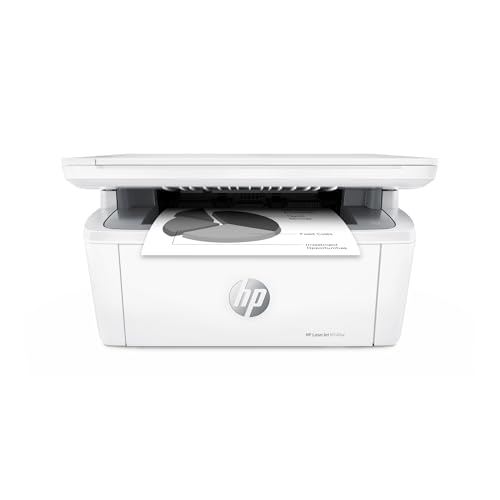
|
HP Laserjet MFP M140w Wireless Black & White Printer, Print, scan,... | Buy Now |
The HP Laserjet MFP M140w is a compact monochrome multifunction printer designed for small offices or home workspaces. It offers wireless connectivity, allowing you to print, scan, and copy easily from various devices including smartphones and laptops. This printer delivers professional black-and-white documents with speeds up to 21 pages per minute.
Its design is focused on space-saving without sacrificing functionality. The HP Smart app integration helps you manage printing tasks efficiently. While it supports manual duplexing, you will need to flip pages yourself for double-sided prints. The printer uses original HP cartridges to ensure consistent quality and security for your documents.
This multifunction laser printer suits 1-3 users who require reliable black-and-white printing in a compact format. It combines essential features with ease of use, making it a practical choice for environments with limited space.
Best for: Small offices or home users looking for a compact, wireless black-and-white multifunction printer with reliable performance.
Pros:
- Compact size ideal for limited workspace
- Wireless connectivity with HP Smart app support
- Fast printing speeds up to 21 ppm
- Multifunction capabilities: print, scan, and copy
Cons:
- Manual duplexing requires user intervention for double-sided printing
- Only supports monochrome printing
- Limited to original HP cartridges, which might restrict cartridge options
Important: This description is based solely on the provided product information without additional claims.
Brother FAX-2840 High Speed Mono Laser Fax Machine
| Preview | Product | Price | |
|---|---|---|---|

|
Brother FAX-2840 High Speed Mono Laser Fax Machine, Dark/Light Gray -... | Buy Now |
The Brother FAX-2840 is a reliable high-speed mono laser fax machine designed for fast black-and-white printing and faxing. It delivers sharp prints at up to 21 pages per minute with a resolution of 2400 x 600 dpi. Fax transmission is efficient, taking about 2.5 seconds per page, making it suitable for busy office environments.
This model features a 250-sheet adjustable paper tray and a 20-page automatic document feeder, enhancing workflow by allowing multiple documents to be processed quickly. Connectivity is straightforward with a USB 2.0 port, enabling easy connection to your PC. Its compact design fits well in small office spaces without sacrificing performance.
The machine supports up to 200 speed dial entries, streamlining frequent fax communications. Although it lacks automatic duplex printing and has a modest 16MB memory, it handles standard faxing needs effectively. The monochrome output is ideal for businesses focusing on black-and-white documents.
Best for: Small offices or home offices requiring fast, dependable monochrome faxing and printing with high-volume document handling.
Pros:
- High-speed laser printing and faxing at 21 ppm and 2.5 seconds per page.
- Large 250-sheet adjustable paper tray and 20-page auto document feeder.
- USB 2.0 connectivity for PC integration and 200 speed dial entries.
Cons:
- Automatic duplex printing may be absent for some users.
- Memory capacity of 16MB could limit very large fax jobs.
- Monochrome output only, without color printing options.
Important: This description is based solely on the provided product details without additional claims.
Factors to Consider When Choosing a Mono Printer
When choosing a mono printer, you’ll want to focus on print speed and how quickly it handles your workload. Consider the connectivity options available to guarantee it fits your setup, plus check if it supports duplex printing to save paper.
Don’t forget to evaluate print quality and media handling capacity to match your specific needs.
Print Speed Importance
How fast your mono printer can produce pages plays a crucial role in your overall efficiency. If you often face tight deadlines or handle large batches of reports, a printer with speeds of 30 pages per minute or higher can make a significant difference. Faster print speeds reduce wait times, helping you maintain productivity and avoid bottlenecks.
In busy offices or high-volume environments, this means you can process documents quickly and meet your goals without delay. However, if your workload is lighter, you might not need the fastest model available. Still, choosing a printer that matches your typical print volume ensures timely delivery and minimizes backlog.
Prioritize print speed based on how much you print daily to keep your workflow smooth and efficient.
Connectivity Options Variety
Print speed keeps your workflow moving, but connectivity options determine how easily you can integrate your mono printer into your workspace. You’ll want a printer with versatile connections like USB, Ethernet, and wireless to fit various setups. Wireless models let you print directly from smartphones, tablets, and laptops without cables, adding convenience.
Ethernet-enabled printers offer stable network access, perfect for shared office use where multiple users print simultaneously. Advanced wireless features such as dual-band Wi-Fi (2.4GHz/5GHz) ensure secure, reliable connections, reducing interruptions. Additionally, mobile printing apps and cloud integration streamline your workflow by letting you print from anywhere, enhancing efficiency.
Choosing a mono printer with diverse connectivity options ensures your device adapts to your needs and keeps your printing process smooth and flexible.
Print Quality Metrics
Although speed and connectivity are important, the sharpness and clarity of your documents ultimately depend on your printer’s quality metrics. When choosing a mono printer, pay close attention to its resolution, measured in dots per inch (dpi). Most monochrome printers offer between 600 and 1200 dpi; higher dpi means finer detail and crisper text, vital for professional documents.
Don’t overlook toner quality either—consistent, high-grade toner ensures sharp prints without smudges. To maintain this quality, keep your printer well-calibrated and clean. Proper maintenance prevents streaks, blurriness, and uneven toner distribution, preserving the integrity of every print.
Focusing on these factors guarantees you get clear, professional black-and-white prints every time.
Duplex Printing Capability
When you need to save both time and paper, choosing a mono printer with automatic duplex printing is a smart move. This feature lets you print on both sides of a sheet without flipping pages manually, cutting your paper use in half and reducing costs over time.
Although printers with duplex capability often cost more upfront, they pay off by lowering your ongoing expenses. Keep in mind that duplex printing speeds vary; some models handle double-sided jobs faster than manual methods, helping you finish tasks quickly.
Not all mono printers include automatic duplexing, so check this feature carefully. If you print regularly, investing in a duplex-capable printer helps you work more efficiently while supporting eco-friendly practices.
Media Handling Capacity
A printer’s media handling capacity plays a crucial role in how smoothly your printing tasks run. It determines how many sheets your printer can hold and process at once, directly impacting how often you’ll need to reload paper. Most mono printers handle standard sizes like letter or legal, with input trays holding anywhere from 50 to 250 sheets.
If you deal with large print jobs or have a busy office, opting for a printer with a larger media capacity helps minimize interruptions and keeps your workflow steady. Also, consider printers with manual feed slots if you want to print on specialty media such as envelopes or labels alongside regular sheets. This flexibility ensures you can handle varied printing needs without swapping out paper constantly.
Toner Cartridge Efficiency
How often you replace your toner cartridge can considerably affect your printing costs and efficiency. Choosing high-yield toner cartridges is smart since they print more pages and lower your cost per page. You’ll save money and reduce the hassle of frequent replacements.
Look for cartridges with advanced toner formulations—they produce sharper, clearer prints while minimizing smudging and toner waste. Always use cartridges compatible with your printer to avoid errors or damage that can disrupt your workflow. Keep an eye on toner levels and opt for higher-capacity cartridges to maintain smooth performance and reduce downtime.
Device Portability Features
Why should portability matter when choosing a mono printer? If you often move between work sites or need to print on the go, a compact, lightweight device is essential. Look for printers under 15 inches in size and weighing less than 10 pounds—they’re easy to carry and fit into tight spaces.
Wireless connectivity options like Wi-Fi, Bluetooth, and mobile printing support let you print directly from various devices without fussing over cables. Battery-powered models give you the freedom to print without searching for an outlet. Some even come with carrying cases or handles, making transport safer and more convenient.
Prioritizing these portability features guarantees your mono printer stays versatile and ready wherever your work takes you.
Warranty And Support
Portability keeps your mono printer ready wherever you go, but warranty and support guarantee it stays reliable over time. When choosing a mono printer, look for a warranty that covers hardware malfunctions and defects—these typically range from one year to several years. Check if the manufacturer offers extended warranties that include consumables and accidental damage for extra peace of mind.
Support services matter too: online chat, phone help, and on-site repairs can save you time when issues arise. Also, access to firmware updates and troubleshooting guides helps maintain peak performance. Don’t forget to read customer reviews about warranty and support experiences; these shed light on a brand’s commitment to post-sale service, ensuring you won’t be left stranded if problems occur.
Frequently Asked Questions
How Do Mono Printers Compare in Energy Efficiency to Color Printers?
Mono printers usually use less energy than color printers because they have simpler mechanisms and fewer cartridges. You’ll find they heat up faster and run more efficiently, saving power during your black-and-white printing tasks.
Can Mono Printers Handle Photo Printing Effectively?
Mono printers excel in sharp text, crisp documents, and clear graphics, but they can’t handle photo printing effectively. You’ll get excellent black-and-white prints, but for vivid, detailed photos, color printers are your best bet.
What Maintenance Is Required to Keep Mono Printers in Top Condition?
You’ll need to regularly clean the printer heads, replace toner cartridges promptly, and keep the paper path clear.
Also, update firmware and run diagnostic tests to make certain your mono printer stays in top condition and prints crisp.
Are There Eco-Friendly Toner Options for Mono Printers?
Yes, you can find eco-friendly toner options for mono printers. They use recycled materials and reduce waste. Choosing these helps lower your environmental impact while maintaining print quality,
so you’re supporting sustainability with every page.
How Do Mono Printers Perform With Different Paper Types?
Don’t worry about paper types; mono printers handle plain, glossy, and cardstock well, delivering sharp black-and-white prints every time.
Just choose the right paper for your project, and you’ll get crisp, professional results effortlessly.
Conclusion
Choosing the right mono printer can feel like hunting for a needle in a haystack, but with these top picks, you’re set for crisp, clear black-and-white prints every time.
Whether you need wireless convenience, speedy performance, or budget-friendly options, there’s a perfect match waiting for you.
Don’t settle for anything less than sharp text and reliable output—your printing game is about to reach legendary status with one of these outstanding mono printers.
In conclusion, these best mono printers combine efficiency, quality, and affordability to deliver crisp black-and-white prints that meet all your needs.
Investing in a high-quality mono printer ensures consistent, professional results, making it easier than ever to get the job done right.