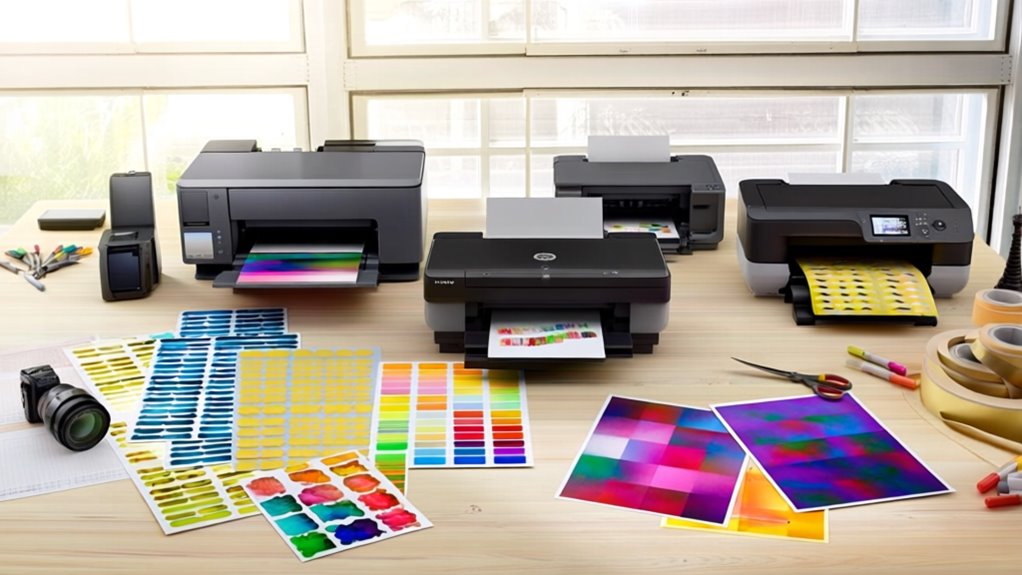
5 Best Printers for Stickers and Crafts in 2025 – Top Picks for Creative Projects
For vibrant, precise stickers and crafts in 2025, you’ll want printers like the Liene PixCut S1, which combines dye-sublimation color printing with AI-powered cutting, or the JD-23 Mini, perfect for quick, inkless thermal prints.
The PM290C and Print Pod Mini offer portable, Bluetooth-enabled convenience for on-the-go creativity.
These options deliver sharp details and durable results, tailored for various media sizes and designs.
Keep exploring to uncover smart features and tips for choosing the perfect printer for your projects.
| Image | Name | Editor's Rating | Price |
|---|---|---|---|

|
Liene PixCut S1 Color Sticker Printer & Cutting Machine - Al...
|
|
|
|
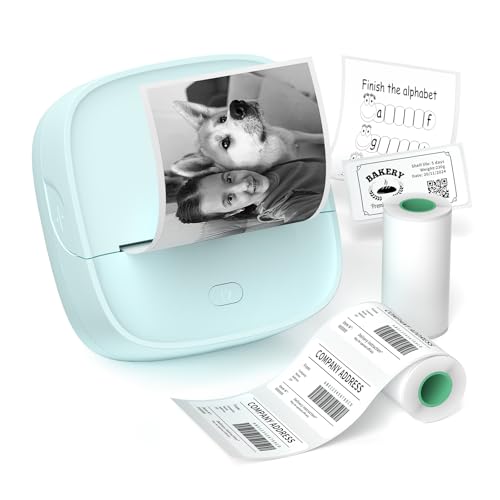
Gloryang JD-23 Sticker Printer, Mini Portable Thermal Printe...
|
|
|
|
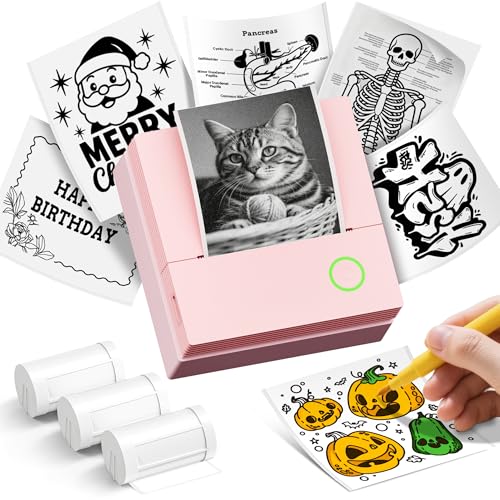
ETIKEZ Sticker Printer, PM290C Mini Printer with 3 Rolls Pap...
|
|
|

|
Sticker Printer Print Pod, Mini Portable Printers with 8 Rol...
|
|
Key Takeaways
- Liene PixCut S1 offers vibrant 300 DPI dye-sublimation printing with AI-powered precise cutting, ideal for high-quality sticker crafts.
- JD-23 Mini Portable Thermal Printer is lightweight, inkless, and Bluetooth-enabled, perfect for quick, convenient black-and-white sticker printing on the go.
- PM290C Mini Inkless Printer supports versatile customization via Labelnize app, delivering sharp thermal prints compatible with iOS and Android devices.
- Print Pod Mini uses thermal printing with customizable templates and includes various sticker papers and colored pens for creative crafting.
- Choose printers with durable, waterproof prints and support for multiple media sizes to ensure long-lasting, versatile sticker and craft projects.
Liene PixCut S1 Color Sticker Printer & Cutting Machine for DIY Crafts and Labels
| Preview | Product | Price | |
|---|---|---|---|
|
|
Liene PixCut S1 Color Sticker Printer & Cutting Machine - All-in-One... | $279.99 | Buy Now |
The Liene PixCut S1 Color Sticker Printer & Cutting Machine offers precise and fast crafting with its thermal dye-sublimation printing. It produces sharp 300 DPI prints featuring 16.7 million colors, ensuring vibrant and durable stickers. The built-in AI-powered cutter accurately aligns cuts, minimizing waste and saving time.
This compact device connects via Bluetooth to a user-friendly app, allowing sticker creation in under two minutes. Its four-layer lamination provides waterproof and fade-resistant protection, extending the life of your designs. The PixCut S1’s lightweight design fits neatly on any desk, making it ideal for small workspaces.
Best for: DIY enthusiasts and small business owners seeking a reliable all-in-one sticker printer and cutter.
Pros:
- Vibrant, durable prints with thermal dye-sublimation technology
- AI-driven auto-cutting for precise, waste-reducing cuts
- Quick and easy sticker creation through a Bluetooth app
Cons:
- Maximum media size may limit larger sticker designs
- Portability might be affected due to its weight
- User experiences vary, reflected in moderate average ratings
Liene PixCut S1 Color Sticker Printer & Cutting Machine for DIY Crafts and Custom Labels
| Preview | Product | Price | |
|---|---|---|---|
|
|
Liene PixCut S1 Color Sticker Printer & Cutting Machine - All-in-One... | $279.99 | Buy Now |
The Liene PixCut S1 Color Sticker Printer & Cutting Machine is designed for creating custom labels and stickers with ease. It uses 300 DPI thermal dye-sublimation printing combined with AI-powered auto-cutting to produce vibrant, waterproof, and durable stickers quickly. The compact device lets you edit, print, and cut through a Bluetooth app, making the creative process smooth and efficient.
Its AI image extraction feature allows turning any photo into a precisely cut sticker, reducing material waste. The PixCut S1’s lightweight design makes it suitable for personalized crafts that require accuracy and quality. This color sticker printer and cutter is ideal for detailed, small-scale projects.
Best for: DIY enthusiasts and small business owners seeking a compact, all-in-one solution for fast, high-quality custom stickers.
Pros:
- High-resolution thermal dye-sublimation printing combined with AI auto-cutting.
- Produces durable, waterproof, and fade-resistant stickers with advanced lamination.
- User-friendly Bluetooth app streamlines editing, printing, and cutting.
Cons:
- Maximum media size of 4×7 inches may limit larger projects.
- Printer weight around 6.2 pounds might affect portability for some.
- Pre-installed ink and paper supplies could require frequent replacement.
JD-23 Mini Portable Thermal Sticker Printer with Bluetooth and 2 Rolls of Sticker Paper
| Preview | Product | Price | |
|---|---|---|---|
|
|
Gloryang JD-23 Sticker Printer, Mini Portable Thermal Printer Print... | $25.99 | Buy Now |
The JD-23 Mini Portable Thermal Sticker Printer offers a compact and lightweight design ideal for on-the-go printing. This inkless thermal printer connects easily via Bluetooth, enabling you to print stickers, labels, photos, and QR codes without the need for ink cartridges. It supports media up to 2 inches wide and pairs with the Jadens Printer App for versatile printing options.
Weighing just 0.32 lbs, the printer is easy to carry and convenient for students, teachers, and planners. It includes two rolls of sticker paper and works well with various label types, making it suitable for study notes, to-do lists, and creative projects. The print resolution is 203 x 203 DPI, providing clear and readable output for everyday use.
Best for: Students, educators, and creative planners who want a portable, versatile sticker and label printer for quick, convenient printing.
Pros:
- Compact and lightweight for easy portability
- Inkless thermal technology eliminates ink cartridges
- Bluetooth connectivity with a versatile printing app
- Includes two rolls of sticker paper for immediate use
Cons:
- Media width limited to 2 inches, which may restrict some applications
- Print resolution might not suit highly detailed images
- Lacks dual-sided printing capability, which could limit some printing tasks
Sticker Printer PM290C Portable Mini Inkless Bluetooth Printer with Paper Rolls
| Preview | Product | Price | |
|---|---|---|---|
|
|
ETIKEZ Sticker Printer, PM290C Mini Printer with 3 Rolls Paper, Pink | $18.99 | Buy Now |
The PM290C Portable Mini Inkless Bluetooth Printer offers a compact and lightweight design ideal for on-the-go use. It prints sharp, black-and-white stickers using thermal paper, which means no ink is needed. This printer connects easily to iOS and Android devices through Bluetooth, allowing seamless wireless printing.
Using the Labelnize app, users can customize their prints with AI tools, OCR, and various templates. The one-button operation makes it simple and kid-friendly, perfect for DIY projects, labels, or personalized gifts. Its efficient thermal printing delivers clear, crisp results without any mess.
Best for: Students, teachers, and craft enthusiasts looking for a portable and easy-to-use sticker printing solution.
Pros:
- Compact and lightweight with simple one-button operation.
- Bluetooth connectivity compatible with iOS and Android devices.
- Uses thermal paper for inkless, sharp monochrome printing.
- Labelnize app includes AI tools, OCR, and templates for customization.
Cons:
- Prints only in black and white, limiting color options.
- Maximum media width of 54mm may restrict larger labels.
- Requires a compatible smartphone or tablet with app installation.
Sticker Printer Print Pod Mini Portable Inkless Bluetooth Sticker Maker
| Preview | Product | Price | |
|---|---|---|---|
|
|
Sticker Printer Print Pod, Mini Portable Printers with 8 Rolls Paper... | Buy Now |
The Sticker Printer Print Pod Mini is a compact and portable inkless printer that connects easily to iOS and Android devices via Bluetooth. It prints clear black-and-white images at 203 DPI, suitable for labels, photos, notes, and QR codes up to 2.24 inches wide. The thermal printing technology requires no ink, making it convenient for on-the-go use.
This mini printer includes various sticker papers, colored pens, and a USB-C cable, enhancing its versatility for crafts, journaling, and organization. It pairs with the Dolewa app, allowing users to customize templates and create unique designs quickly. Its lightweight design ensures easy portability for any creative project.
Best for: anyone needing a portable, inkless printer for quick labeling, creative crafts, and organizing tasks.
Pros:
- Portable and lightweight for easy mobility
- Inkless thermal printing eliminates cartridges and toner
- Bluetooth-compatible with iOS and Android devices
- Customizable templates available through the Dolewa app
Cons:
- Prints only in black and white, limiting color options
- 203 DPI resolution might not meet needs for detailed images
- User experience may vary, reflected in mixed customer feedback
Factors to Consider When Choosing a Printer for Stickers and Crafts
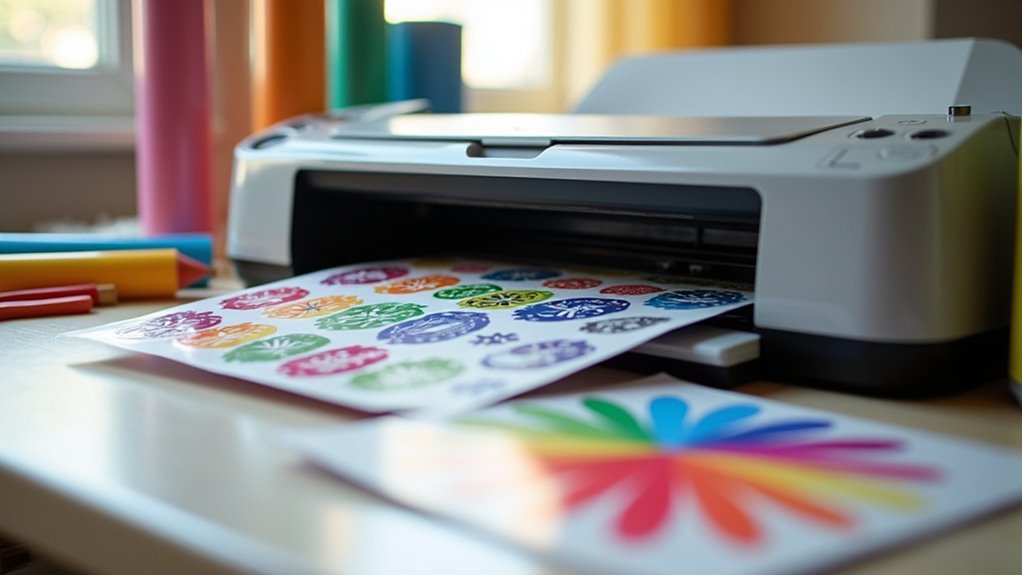
When choosing a printer for stickers and crafts, you’ll want to focus on print quality and resolution to guarantee sharp, vibrant designs. Consider the printing technology, cutting precision, and media size compatibility to match your project needs. Don’t forget to check connectivity options and app support for a smoother printing experience.
Print Quality and Resolution
Although many factors influence your printer choice, print quality and resolution stand out as essential for producing sharp, vibrant stickers and crafts. Resolution, measured in dots per inch (DPI), directly affects detail and sharpness; aiming for at least 300 DPI guarantees your prints look true to life. Color depth also matters—printers capable of up to 16.7 million colors deliver richer, more accurate hues.
Some printers use multi-layer printing to laminate stickers during production, boosting durability and scratch resistance. Don’t forget to check the maximum media size your printer supports, as it determines the size range for your projects. By prioritizing high resolution and rich color output, you’ll create stickers and crafts that stand out with professional quality and lasting appeal.
Printing Technology Type
Since the printing technology you choose directly impacts the quality and durability of your stickers and crafts, understanding the main options is essential. You’ll mainly encounter thermal and dye-sublimation printers. Thermal printers use heat to transfer ink and often don’t require cartridges, making them cost-effective and perfect for quick, monochrome labels.
However, they usually offer lower resolution, around 203 DPI, and prints may lack durability without extra protection. On the other hand, dye-sublimation printers excel at producing vibrant, full-color, photo-quality stickers with sharper images—up to 300 DPI or more. Plus, their prints resist water, fading, and scratching thanks to laminated layers.
Cutting Precision Features
If you want your stickers and crafts to stand out, you need a printer with precise cutting features that deliver clean, accurate edges every time. High-precision cutting systems minimize waste and enhance your project’s look by ensuring every cut is spot-on.
Look for printers with AI auto-cutting technology—it improves alignment and lets you create intricate shapes flawlessly without fiddling with manual settings. Intelligent cutting features save you time by reducing adjustments and corrections, streamlining your workflow.
Plus, the ability to recognize and extract images for cutting boosts your versatility, letting you craft custom shapes from photos or designs with ease. Opt for a machine with a well-designed cutting mechanism to maintain consistent quality across various media types and sizes.
Media Size Compatibility
When choosing a printer for your stickers and crafts, you’ll want to check its maximum media size to guarantee it fits the dimensions you need. For example, the Liene PixCut S1 handles media up to 4×7 inches, letting you create a variety of sticker sizes.
Smaller portable printers might only support media around 2 inches wide, which works well for labels but limits larger projects. Besides size, make sure the printer supports different sticker paper types, like continuous rolls and gap labels, to expand your creative options.
Knowing your printer’s media size compatibility helps you avoid buying one that falls short of your project demands, ensuring every sticker you make fits your vision perfectly.
Connectivity and App Support
Although many printers offer basic connectivity, choosing one with reliable Bluetooth support can make printing your stickers and crafts much more convenient. Look for models that pair seamlessly with both iOS and Android devices, so you can print directly from your phone or tablet without hassle.
Prioritize printers that come with dedicated apps featuring user-friendly interfaces, template libraries, and advanced tools like AI-assisted image printing and OCR text recognition. These features simplify editing, resizing, and designing your stickers, saving you time. Also, check if the printer supports various label formats, including continuous and gap labels, to match different craft projects.
With strong connectivity and versatile app support, you’ll enjoy a smooth, creative printing experience.
Durability and Waterproofing
Choosing the right printer for stickers and crafts means focusing on durability and waterproofing to guarantee your designs last. You’ll want a printer that uses thermal dye-sublimation technology, which delivers vibrant colors and high-resolution prints around 300 DPI, ensuring your stickers look sharp and true-to-life. Prioritize printers that produce waterproof and fade-resistant stickers, so moisture and sunlight won’t ruin your work.
Some models use four-layer technology that laminates stickers during printing, adding an extra shield against scratches and wear. Don’t forget the importance of high-quality sticker paper—it plays an essential role in preventing peeling and fading. By considering these factors, you’ll create stickers and crafts that stand the test of time, maintaining their visual appeal and durability through everyday use.
Ease of Use
Beyond durability and waterproofing, ease of use plays a major role in selecting the right printer for your sticker and craft projects. You’ll want a printer with a user-friendly app that simplifies editing and printing, making your workflow smoother. Bluetooth connectivity is a big plus, letting you print directly from your mobile device without hassle.
Speed matters too—some printers can produce a finished sticker in just two minutes, saving you time. Look for models with pre-installed parts and minimal setup to get started quickly. Features like AI auto-cutting and precise image extraction boost accuracy and reduce manual effort, so your stickers come out perfectly every time.
Choosing an easy-to-use printer means less frustration and more creative fun.
Included Accessories and Supplies
When you pick a printer for stickers and crafts, pay close attention to the accessories and supplies it includes. Look for printers that come with various paper rolls, such as adhesive thermal paper or colored sticker sheets, to boost your project options. Some models include USB Type-C cables and user manuals, making setup smoother.
Check if the printer provides enough sticker paper quantities, like multiple rolls, so you won’t run out mid-project. Also, consider if it offers different types of sticker paper, from continuous adhesive rolls to standard labels, enhancing versatility. Finally, see if the package includes special tools like colored pens or templates, which can expand your creative possibilities and save you extra trips to the store.
Frequently Asked Questions
Can These Printers Handle Waterproof Sticker Materials?
Yes, many of these printers can handle waterproof sticker materials, but you’ll need to check for compatibility with specific waterproof or synthetic sticker papers.
Look for printers that support pigment-based inks or have options for waterproof ink cartridges, as these guarantee durability and water resistance.
Also, make certain your chosen printer can handle thicker media to prevent jams.
What Is the Average Cost of Replacement Ink or Paper?
Did you know that ink cartridges can cost up to 30% more than the printer itself? On average, replacement ink for sticker printers ranges from $15 to $50 per cartridge, depending on brand and quality.
Sticker paper typically costs between $10 and $25 for a pack of 50 sheets. Keeping these costs in mind helps you budget effectively for your creative projects without surprises.
Are These Printers Compatible With Mac and Windows Systems?
Yes, most of these printers are compatible with both Mac and Windows systems. You won’t have trouble connecting them to your computer regardless of which operating system you use. Just make certain to download the latest drivers from the manufacturer’s website to guarantee smooth operation.
This compatibility makes it easy for you to switch between devices or share the printer among multiple users with different setups without any hassle.
How Long Do These Printers Typically Last With Regular Use?
These printers typically last around 3 to 5 years with regular use, depending on how well you maintain them. If you clean the print heads regularly and avoid overloading the machine, you can extend its lifespan. Using high-quality ink and paper also helps prevent wear and tear.
Keep in mind, heavy daily use might shorten their life, but with proper care, you’ll get plenty of creative projects out of your printer.
Can These Printers Create Stickers in Custom Shapes or Sizes?
You can create stickers in custom shapes and sizes with many modern craft printers, as over 75% of these devices support die-cutting or precision cutting features. These printers let you design unique shapes using compatible software or apps, giving you full creative control.
Just load the right sticker paper, design your shape, and the printer will cut it accurately, so your stickers stand out exactly how you want them.
Conclusion
If you want your sticker and craft projects to blow minds and turn heads, picking the right printer is an absolute game-changer. These top picks aren’t just printers—they’re your creative sidekicks, ready to rocket your DIY skills into another dimension.
Don’t settle for boring prints when you can release vibrant, flawless stickers with ease. Trust me, once you get your hands on one of these, your craft game will be so strong, even pros will be jealous!