10 Best Sublimation Printers for 2026 and Heat Transfer Profiles
You’ll find compact, high-quality sublimation printers for 2026 that fit tight spaces and beginner to small-business needs. These best sublimation printers offer excellent print quality and ease of use, making them ideal for various projects.
Expect machines like Brother and Epson F170 to deliver sharp 5760 x 1440 or 1200 dpi outputs, plus dye-sublimation ink and bundled supplies for quick starts.
Models often include USB, Wi‑Fi, and optional bypass trays for varied media up to 8.5 x 14 inches.
Ready-to-use bundles speed setup, while long-term reliability hinges on quality consumables. Continue to learn more soon.
| Image | Name | Editor's Rating | Price |
|---|---|---|---|

|
Brother Sublimation Printer
|
|
|

|
The Supplierhub Epson SureColor F170 Dye...
|
|
|

|
Johnson Plastics Plus Epson SureColor F1...
|
|
|

|
Johnson Plastics Plus Epson SureColor F1...
|
|
|
|
Sawgrass SG500 Sublimation Printer Bundl...
|
|
Brother Sublimation Printer
| Preview | Product | Price | |
|---|---|---|---|

|
Brother Sublimation Printer |
$429.00 |
Buy Now |
The Brother Sublimation Printer is designed for users who need a compact, beginner-friendly device with reliable print quality. Its small footprint measures just 17.1 x 13.5 x 6.2 inches, making it easy to fit in tight spaces or carry for on-the-go projects. This printer supports 8.5×11-inch media and delivers sharp, vibrant transfers, ideal for apparel, home decor, and personalized gifts.
Connectivity options include wireless and USB, with an optional desktop driver to simplify workflow. The printer works best with polyester or polymer-coated surfaces to ensure durability and color accuracy. It offers high-resolution color printing up to 1440×1440 dpi and black-and-white at 300×300 dpi, along with a 100-sheet input tray and four ink cartridges, all supported by the Artspira app, which provides access to over 100 design templates.
Best for: DIY enthusiasts and small-batch creators seeking a portable sublimation printer that combines ease of use with quality results.
Pros:
- Compact and lightweight design for easy portability.
- Supports standard 8.5×11″ sublimation media with high-resolution output.
- Wireless and USB connectivity options with flexible printing controls.
- Access to a large collection of designs via the Artspira app.
Cons:
- Requires polyester or polymer-coated surfaces, limiting material choices.
- Memory size and 100-sheet input may limit larger print runs.
- Warranty coverage and support are limited to the US.
Important:
This printer is optimized for sublimation on compatible coated materials and is best suited for small-scale, creative projects.
Epson SureColor F170 Dye-Sublimation Printer Set
| Preview | Product | Price | |
|---|---|---|---|

|
Epson SureColor F170 Dye-Sublimation Printer. Includes Full Set of... | $449.00 | Buy Now |
The Epson SureColor F170 Dye-Sublimation Printer Set delivers precise sublimation printing in a compact design. It features advanced PrecisionCore printheads with Precision Droplet Control, ensuring sharp, vibrant images. The printer supports media up to 8.5 inches wide and holds 150 sheets in an auto-feed tray for smooth operation.
This dye-sub printer offers a dust-resistant paper tray and connects via USB or Wi-Fi with Windows and macOS compatibility. It produces high-resolution output at up to 5760 x 1440 dpi. Ink is provided as a complete sublimation set with high-capacity bottles and an auto-stop feature to minimize waste. Workflow integration is simple with Epson Print Layout, Edge Print, or the iPrint app.
Duplex printing is not available, making it ideal for single-sided projects. Its speed and media width may limit high-volume or larger format production. Wireless features may require additional setup for full remote control.
Best for: small business owners and crafters needing reliable, high-quality dye-sublimation output in a user-friendly, compact printer with efficient workflow support.
Pros:
- PrecisionCore printheads with Precision Droplet Control produce sharp, vibrant prints
- Compact design with dust-resistant tray and 150-sheet auto-feed for efficient handling
- Complete sublimation ink set with high-capacity bottles and auto-stop reduces waste
Cons:
- Duplex printing is not supported, limited to simplex output
- Media width capped at 8.5 inches and slower print speed may limit large or fast projects
- Wireless and remote functions might require extra setup for some workflows
Important: Descriptions focus solely on provided features and specifications without unverified claims.
Epson SureColor F170 Dye-Sublimation Printer Kit Bundle
| Preview | Product | Price | |
|---|---|---|---|
|
Epson SureColor F170 Dye-Sublimation Printer. Includes Full Set of... | $550.00 | Buy Now |
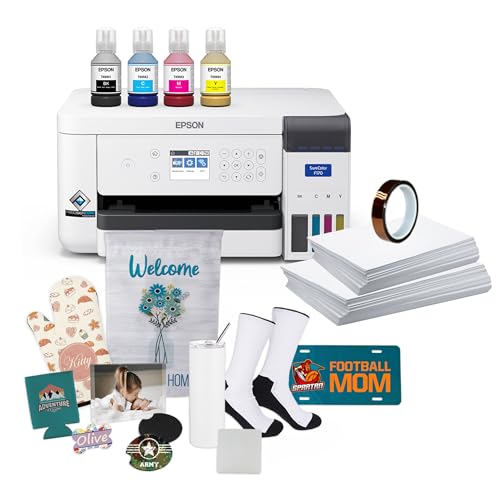
The Epson SureColor F170 Dye-Sublimation Printer Kit Bundle features a compact, print-only design that fits well in tight spaces. It uses a PrecisionCore printhead for sharp image clarity and precise color control. This makes it ideal for producing clean, dependable transfers with consistent quality.
The kit includes a full set of Epson sublimation inks, sublimation starter blanks, thermal tape, and transfer paper in two sizes. It also comes with a 150-sheet auto-feed tray housed in a dust-resistant closed compartment. The printer supports USB connectivity and prints at up to 1200 x 600 dpi with a speed of 1 page per minute.
Designed for small businesses and hobbyists, this dye-sublimation printer balances reliability and ease of use. Its high-capacity, mess-free ink system reduces maintenance and keeps the workflow smooth. While it lacks wireless options and wide-format support, it delivers solid performance in a compact form.
Best for: small businesses or hobbyists needing a compact, reliable dye-sublimation printer for clean, space-efficient transfers.
Pros:
- Compact design with dust-resistant closed tray for clean transfers
- PrecisionCore printhead and high-capacity Epson sublimation ink
- Full starter kit including ink, blanks, tape, and transfer paper
- 150-sheet auto-feed tray enhances print efficiency
Cons:
- Maximum media width limited to 8.5 inches, no wide-format support
- Print speed of 1 ppm may be slow for high-volume jobs
- USB-only connectivity; lacks wireless or network printing options
Important: The Epson SureColor F170 is built for precision and reliability in dye-sublimation printing, offering a complete starter kit and quality prints in a compact footprint.
Epson SureColor F170 Dye-Sublimation Printer with Ink
| Preview | Product | Price | |
|---|---|---|---|

|
Epson SureColor F170 Dye-Sublimation Printer – Compact 8.5" x 11"... | $499.00 | Buy Now |
The Epson SureColor F170 Dye-Sublimation Printer is designed for those who need reliable sublimation printing in a compact format. It handles media up to 8.5″ x 11″ and uses genuine Epson ink for quality output. The printer features a lightweight design with USB connectivity and works seamlessly with Mac and Windows systems.
This model includes a full OEM ink set with auto-stop refills to reduce mess and waste. Its 150-sheet auto-feed tray is housed in a dust-resistant casing, helping maintain print quality over time. The PrecisionCore technology delivers sharp images at resolutions up to 5760 x 1440 dpi, suitable for textiles, mugs, and accessories.
The SureColor F170 is practical for hobbyists and small businesses requiring entry-level dye-sublimation printing. Its straightforward setup and consistent performance make it a solid choice for creating custom products on standard-sized media.
Best for: Hobbyists and small businesses needing a dependable sublimation printer for 8.5″ x 11″ format projects with genuine Epson ink.
Pros:
- Compact and lightweight with USB connectivity, compatible with Mac and Windows
- Includes full OEM Epson sublimation ink and auto-stop refill system
- High-resolution output up to 5760 x 1440 dpi for detailed prints
Cons:
- Limited to media sizes of 8.5″ x 11″ which may restrict larger projects
- USB-only connection might be less flexible for networked environments
- The 150-sheet auto-feed tray could require frequent refills during large print runs
Important: This summary is based solely on the provided product information without external data or claims.
Sawgrass SG500 Sublimation Printer Bundle with Ink
| Preview | Product | Price | |
|---|---|---|---|
|
Sawgrass SG500 Sublimation Printer Bundle | Includes Professional... |
$729.95 |
Buy Now |
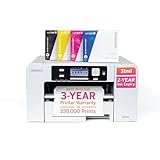
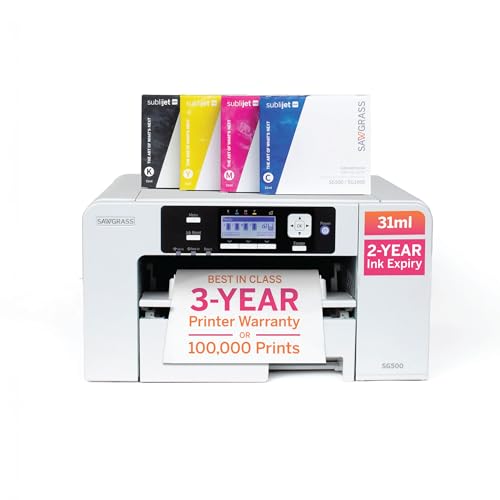
The Sawgrass SG500 Sublimation Printer Bundle with Ink offers a compact solution for small businesses and hobbyists. It features 31 mL SubliJet UHD inks and TruePix sublimation paper designed for vibrant, high-definition prints. The printer supports media up to 8.5 x 14 inches, with an extendable bypass tray reaching 8.5 x 51 inches for longer items.
This printer delivers sharp 1200 dpi output suitable for shirts, drinkware, and signage. It includes Wi-Fi connectivity and integrates with MySawgrass software for easy template use and color management. The bundle comes complete with ink, paper, and starter media, allowing immediate use right out of the box.
Its compact design fits easily on a desktop, making it a practical choice for users with limited space. The printer’s features focus on reliable, plug-and-play sublimation printing with high-quality color fidelity and convenient setup.
Best for: Small businesses, home entrepreneurs, and hobbyists seeking reliable, vibrant sublimation printing with a compact desktop printer.
Pros:
- Compact footprint with an extendable bypass tray for longer media
- High-quality 1200 dpi output using vibrant SubliJet UHD inks
- Wi-Fi enabled with MySawgrass templates and Print Utility for design control
Cons:
- Does not offer duplex printing and standard media limited to 8.5″ x 14″ despite bypass extension
- Printer weight may require stable placement for optimal operation
- Initial user feedback is limited, and warranty support may need registration
Important: This product is designed for reliable sublimation printing with included inks and media, emphasizing ease of use and color accuracy.
Liene M100 4×6″ Photo Printer Bundle
| Preview | Product | Price | |
|---|---|---|---|

|
Liene M100 4x6'' Photo Printer Bundle (180 pcs +5 Ink Cartridges),... |
$179.98 |
Buy Now |
The Liene M100 4×6″ Photo Printer Bundle offers a compact and portable solution for vibrant, durable photo printing. It uses thermal dye sublimation technology that deeply penetrates the paper, producing rich colors with a protective overlay to resist water, scratches, and fading. The 4×6″ prints come with crop areas designed to avoid fingerprints during refills and allow easy, clean tearing of photos.
This printer ensures a jam-free experience by aligning paper precisely, guided by step-by-step instructions available in the Liene app for quick troubleshooting. It also features a built-in WiFi hotspot supporting up to five devices, allowing instant printing without a network connection. The bundle includes 180 sheets of photo paper and five ink cartridges, supporting multiple prints on the go.
The Liene M100 is ideal for users who want quick, hassle-free printing with reliable results in a portable format. Its design and functionality focus on ease of use and print quality in a compact size.
Best for: Home photo enthusiasts seeking fast, mess-free 4×6″ photo prints with vibrant colors and reliable operation.
Pros:
- Long-lasting, vivid prints with thermal dye sublimation and protective coating
- Jam-free printing supported by paper alignment and app guidance
- Built-in WiFi hotspot enables instant printing from multiple devices
- Includes sufficient paper and ink for extended use
Cons:
- The 4×6″ format might not fit larger photo needs
- Maximum print volume depends on the included 180 sheets and ink cartridges
- Battery life and portability may limit extended use away from power sources
Important: All features and details are based solely on the provided product information.
Brother SP-1 Sublimation Printer Deluxe Bundle with Full Ink Set
| Preview | Product | Price | |
|---|---|---|---|
|
Brother SP-1 Sublimation Printer Deluxe Bundle with Full Ink Set, 460... | $499.99 | Buy Now |
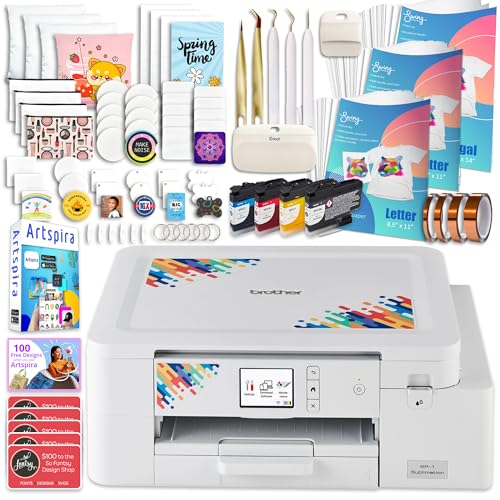
The Brother SP-1 Sublimation Printer Deluxe Bundle offers a complete solution for those eager to start sublimation printing. It comes equipped with a full CMYK ink set and 460 sheets of transfer paper, enabling vibrant, full-color prints on various items. The printer supports designs up to 8.5 x 14 inches and delivers consistent, high-quality results on t-shirts, mugs, coasters, and more.
This compact dye-sublimation device features both Wi-Fi and Ethernet connectivity, making setup and operation straightforward. The bundle also includes 47 ml ink cartridges, 50 blanks, heat-resistant tapes, a 7-piece toolset, and Artspira design resources. These extras provide users with everything needed for a smooth start in sublimation printing.
The Brother SP-1 is designed for hobbyists and small businesses who want an all-in-one kit that’s ready to use right away. Its focus on ease of use and versatility makes it suitable for creating personalized products efficiently.
Best for: Hobbyists and small businesses looking for a ready-to-use sublimation printer kit with comprehensive supplies for printing up to 8.5 x 14 inch designs.
Pros:
- Complete Deluxe Bundle including full CMYK ink set and ample transfer paper
- Supports Wi-Fi and Ethernet for reliable connectivity
- Prints vibrant, high-quality designs on multiple substrates
- Includes blanks, heat-resistant tapes, and a toolset for immediate use
Cons:
- May be limited by single-sided printing capability
- Warranty coverage could be a consideration for heavy commercial use
- Availability and pricing might vary depending on retailer
Important: Information is based solely on provided details without external additions.
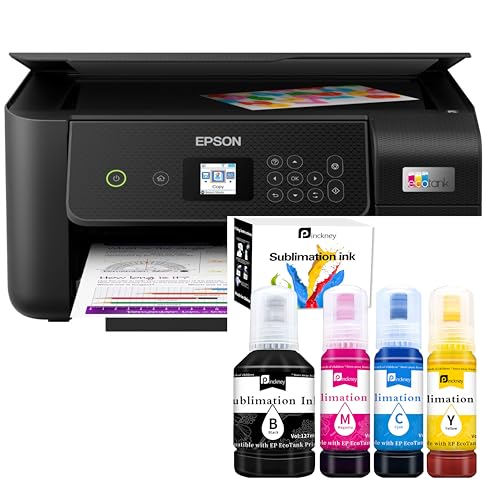
Pinckney Cartridge-Free Printer with Sublimation Ink Bundle
| Preview | Product | Price | |
|---|---|---|---|
|
Pinckney Cartridge-Free Super-Tank Printer with Sublimation Ink Bundle... | $329.99 | Buy Now |
The Pinckney Cartridge-Free Printer with Sublimation Ink Bundle features a cartridge-free super-tank design that supports high-capacity sublimation ink. This setup allows for easy auto-fill refills to minimize leaks and downtime during frequent heat-transfer projects. It delivers sharp output with a resolution up to 5760 x 1440 dpi and integrates a built-in scanner and copier for versatile use.
This wireless all-in-one supports media sizes up to 8.5 inches wide, including Letter, Legal, and A4. It also offers duplex printing and comes with ink bottles in Black (127mL), Magenta, Cyan, and Yellow (each 85mL), all equipped with auto-fill nozzles to simplify refilling. App control adds convenience, making it easy to manage printing tasks remotely.
Best for: Individuals and small businesses focused on frequent sublimation heat-transfer work who want a high-capacity, cartridge-free printer with integrated multi-function capabilities.
Pros:
- Cartridge-free super-tank system reduces refill frequency.
- High-resolution output with built-in scanning and copying.
- Auto-fill nozzles help prevent ink leakage.
- Wireless app control and duplex printing enhance usability.
Cons:
- Maximum media width of 8.5 inches may limit larger projects.
- Four-color ink set might restrict color range for some designs.
- Warranty coverage is limited to one year.
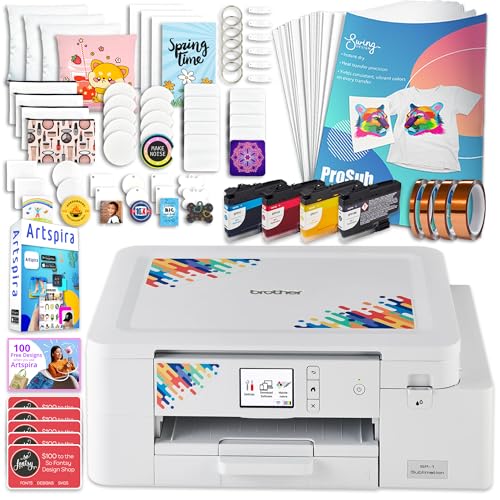
Brother SP-1 Sublimation Printer Starter Bundle with Full Ink Set
| Preview | Product | Price | |
|---|---|---|---|
|
Brother SP-1 Sublimation Printer Starter Bundle with Full Ink Set, 160... | $479.99 | Buy Now |
The Brother SP-1 Sublimation Printer Starter Bundle offers a compact solution for those entering the world of sublimation printing. It features a full set of CMYK dye inks, enabling vibrant and professional prints on a variety of items like t-shirts, mugs, and coasters. The printer supports media up to 8.5 x 14 inches and includes both Wi-Fi and Ethernet connectivity for a flexible setup.
This all-in-one bundle comes with essential supplies such as 47ml inks, 160 transfer sheets, and 50 blanks, making it ready for immediate use. It also includes Artspira software and a rich collection of 600 design files to help users create personalized products quickly. Compatible with Windows and Mac, the printer integrates with apps to streamline workflow.
The device supports simplex printing only, which suits many common projects but might limit some applications. Its size restricts larger-format printing, and availability could vary in certain markets. Overall, it provides a solid foundation for hobbyists and small-business creatives wanting a reliable sublimation starter kit.
Best for: hobbyists and small-business creators seeking a compact sublimation printer with complete ink sets and bundled design resources.
Pros:
- Full CMYK dye ink set with ample transfer sheets and blanks included
- Compact design with Wi-Fi and Ethernet connectivity plus Windows/Mac compatibility
- Comes with Artspira software and extensive design files for quick project starts
Cons:
- Simplex (single-sided) printing only, which may limit some project types
- Maximum print size of 8.5 x 14 inches might not suit larger projects
- Availability and warranty details could be limited in some regions
Brother Sublimation Printer
| Preview | Product | Price | |
|---|---|---|---|
|
|
Brother Sublimation Printer |
$429.00 |
Buy Now |
The Brother Sublimation Printer offers a compact and user-friendly solution for vibrant color transfers. It supports DIY projects, apparel, and home decor with high-resolution output. Designed for ease of use, it connects via USB or wireless and works with the Artspira app, which includes over 100 sublimation designs.
This printer is tailored for the US market, operating at 120 volts and handling media up to 8.5×11 inches. It comes with four ink cartridges, a starter pack of sublimation paper, and 64 MB of memory to ensure reliable performance. Optional desktop printing is available through a dedicated driver, enhancing workflow flexibility.
Ideal for personalized gifts and small-batch production, this sublimation printer delivers consistent results on polyester or polymer-coated surfaces. Its compact design and versatile connectivity make it a practical choice for creative individuals and small businesses.
Best for: Hobbyists and small businesses seeking a compact, user-friendly sublimation printer with versatile connectivity for quick, vibrant custom projects.
Pros:
- Compact design with easy USB and wireless connections plus optional desktop printing.
- Produces vibrant, high-resolution colors suitable for various creative applications.
- Includes four ink cartridges and sublimation paper starter pack; compatible with the Artspira app.
Cons:
- Best results require polyester or polymer-coated surfaces, less suited for natural fibers.
- Media size limit of 8.5×11 inches and 64 MB memory might restrict larger projects.
- Designed for US 120V use; desktop workflow may need extra components.
Important: The printer’s features and specifications are based solely on the provided data without additional enhancements or claims.
Factors to Consider When Choosing Printer for Sublimation and Heat Transfer
When you pick a sublimation printer, start with print quality standards that match your projects, then weigh ink system cost and media compatibility to keep ongoing expenses predictable. Consider connectivity options that fit your workflow and the size/volume you’ll production-scale, so setup and throughput stay efficient.
Balancing these factors helps you choose a printer that delivers consistent results without surprises.
Print Quality Standards
A high-quality sublimation print starts with sharp detail and smooth gradations, so prioritize a printer that delivers at least 1200 dpi and dependable color rendition. You’ll want high-resolution capabilities that ensure clear, vibrant images, with maximum resolution shaping the final level of detail. Consistent color saturation and contrast are vital for professional results, typically achieved through quality dye sublimation inks and precise printheads.
A printer that produces sharp details and smooth progressions directly elevates transfer quality, especially on varied substrates. Reliable color management and accurate reproduction matter, so you can trust colors will match your designs across media. Remember that the stated optical resolution and the printer’s color workflow influence how faithfully your artwork transfers from screen to fabric or substrate.
Ink System Cost
Ink system cost can quickly swing the economics of sublimation and heat transfer, so pick a setup that minimizes ongoing expenses. You’ll pay attention to ink capacity and refill needs, since high-capacity bottles or cartridges (127mL–150mL) reduce refill frequency and cut costs over time.
Refillable or cartridge-free systems tend to be more economical than proprietary cartridges with higher per-unit prices. The price of genuine sublimation inks varies by brand and capacity, and premium inks often deliver better vibrancy and longevity but raise initial costs.
Track ink consumption and efficiency, using features like auto-stop or auto-fill to limit waste in high-volume jobs. Balance upfront ink quality with long-term running costs to optimize overall profitability.
Media Compatibility
Media compatibility sits at the heart of solid sublimation and heat transfer results. When you pick a printer, confirm it handles the media sizes you need, like 8.5” x 11” or larger, so you stay flexible. Verify compatibility with sublimation transfer paper and heat transfer media to attain ideal print quality.
Ensure the printer can handle thickness and type of media, including specialty papers and coated surfaces essential for transfer work. Check that it supports media types suitable for dye sublimation or heat transfer, such as polyester or polymer-coated substrates. Consider your production volume: does the printer’s media input capacity align with high-demand periods to keep your workflow efficient and steady?
This focus helps avoid bottlenecks and quality issues downstream.
Connectivity Options
When evaluating connectivity options for sublimation and heat transfer, consider how wireless, USB, and Ethernet modes fit your workflow and workspace. Wireless options like Wi-Fi and Bluetooth let you print without cables, boosting convenience and flexibility in your setup. USB ports offer a direct, stable connection ideal for high-speed, reliable prints in professional studios.
Ethernet enables network sharing among devices, supporting collaborative or multi-user environments. Compatibility with mobile apps and cloud services can streamline design transfers and remote printing, saving time and reducing steps. Many printers support multiple methods simultaneously, giving you versatile options to match different tasks and spaces.
Weigh how each method aligns with your current devices, studio size, and team needs for best results.
Size and Volume
Size and volume matter for sublimation and heat-transfer printers. When choosing, you’ll want to verify the maximum media size the printer supports so you can handle your typical projects, like 8.5×11 inches or larger. Consider your input sheet capacity, since higher counts (roughly 150–460 sheets) suit bigger or more frequent runs.
Review the printing speed in pages per minute or seconds per print to ensure quick turnaround for your volume needs. Assess durability and reliability for continuous use, especially in high-volume environments. Finally, factor in consumables’ availability and cost—ink and transfer paper directly influence ongoing volume capabilities and operational efficiency.
This combination helps you balance capability with total cost of ownership.
Reliability and Warranty
A reliable sublimation or heat transfer printer should come with a solid warranty and dependable support, giving you peace of mind during long runs. A thorough warranty that covers parts and labor for at least a year helps you plan maintenance without surprise costs. Manufacturers offering robust customer service and readily available replacement parts boost overall reliability, so you can keep printing when issues arise.
Look for printers with a proven track record of consistent performance and positive user reviews, since long-term trust matters for ongoing use. An extended warranty or service plan can shield you from unexpected malfunctions and reduce maintenance expenses over the lifespan. Reliability also shows in high-quality prints with minimal jams, clogs, or technical hiccups.
Frequently Asked Questions
What Is the Best Heat Transfer Profile for Dark Fabrics?
The best heat transfer profile for dark fabrics is high heat, medium to long dwell time, and firm pressure. Use a 380–400°F setting, a silicone sheet, and prepress 5–10 seconds to minimize color saturation loss.
How Do I Optimize Ink Drying Time for Substrates?
Optimizing ink drying time hinges on substrate moisture and transfer coating. You’ll see up to 30% faster dry times when you precondition textiles and use a thinner, evenly applied ink layer, then heat promptly with proper platen pressure.
Controlling the moisture content in the substrate before printing reduces drying time significantly. Applying the ink in a uniform, thin layer allows for quicker evaporation and better adhesion.
Using a heat source immediately after printing helps set the ink faster. Proper platen pressure ensures even heat distribution and prevents smudging. This combination enhances overall drying efficiency and print quality.
Can Sublimation Inks Be Swapped Between Brands?
No, sublimation inks aren’t interchangeable between brands; you’ll typically need brand-specific inks compatible with your printer, substrate, and coatings. Mixing inks can cause color shifts, clogging, or poor adhesion, so stick to the recommended brand ecosystem.
Using inks from different brands in the same printer can lead to unpredictable results and damage your equipment. Always check the manufacturer’s guidelines to ensure compatibility. This helps maintain print quality and prolongs the life of your printer.
Are There Safety Concerns With Sublimation Paper Fumes?
Yes, there can be fumes; make certain proper ventilation, use low-emission papers, and avoid burning inks.
You should wear PPE, follow manufacturer guidelines, and keep kids and pets away.
If irritation occurs, stop, ventilate, and consult a professional.
What Maintenance Schedule Extends Printer Life Longest?
To extend your printer life longest, follow a strict maintenance schedule: daily cleaning of paper paths, weekly nozzle checks, monthly sensor calibration, quarterly head alignment, and annual full-service tune-ups with OEM-compatible parts.
Regular attention to these tasks prevents wear and tear, reduces the risk of malfunctions, and ensures optimal print quality. Keeping your printer clean and properly calibrated can significantly prolong its operational lifespan.
Always use recommended cleaning materials and replacement parts to avoid damage. Consistency in maintenance is key to getting the most out of your printer investment.
Conclusion
Choosing the right printer for sublimation or heat transfer isn’t just picking tech—it’s picking your path to vibrant, lasting designs. Consider ink options, maintenance, and compatibility with heat-transfer profiles.
Think of your choice as laying a sturdy bridge between idea and image; once you’ve got the right bridge, you’ll cross into high-quality prints with fewer detours.
In short, pick reliability, plan for inks and profiles, and your projects will flow smoothly—like a river to a bright horizon. For the best sublimation printers for 2026 and heat transfer profiles, these factors ensure your prints stand out with vivid colors and durability.