12 Best Scanners for Artwork in 2026
If you’re searching for the best scanners for artwork in 2026, choosing high-resolution models is key for premium results. Options like the Epson V19 II and Canon LiDE 400 deliver sharp 4800 dpi clarity and vibrant color fidelity, perfect for capturing every detail of your creations. These scanners ensure your artwork is reproduced with exceptional precision.
For larger artwork, consider the VIISAN 3120 or CZUR Aura Pro. They handle big formats smoothly and come equipped with smart AI features to enhance your scanning experience.
Portability, fast USB connectivity, and user-friendly software make these devices easy and efficient to use.
Keep reading to explore more scanner options and find the perfect match tailored to your artistic needs.
| Image | Name | Editor's Rating | Price |
|---|---|---|---|
|
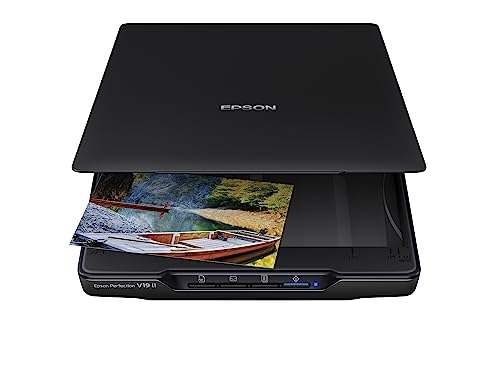
Epson Perfection V19 II Flatbed Photo Scanner 4800 dpi Optic...
|
|
|

|
Canon CanoScan LiDE 400 Slim Scanner, 7.7" x 14.5" x 0.4", D...
|
|
|

|
Epson Perfection V39 II Flatbed Photo Scanner 4800 dpi Optic...
|
|
|

|
VIISAN 3120 A3 Flatbed Scanner, 1200 DPI, CIS Sensor, Scan 1...
|
|
|
|
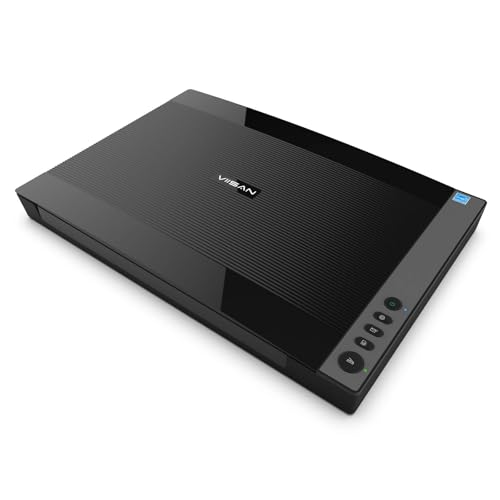
VIISAN 3120 A3 Flatbed Scanner – Professionally Refurbished....
|
|
Epson Perfection V19 II Flatbed Color Scanner
| Preview | Product | Price | |
|---|---|---|---|
|
|
Epson Perfection V19 II Flatbed Photo Scanner 4800 dpi Optical... | $67.99 | Buy Now |
The Epson Perfection V19 II flatbed color scanner offers a compact design with impressive 4800 dpi optical resolution. This allows for detailed scanning of photos and artwork. Its USB-powered setup keeps it lightweight and easy to carry.
The scanner features one-touch buttons for quick scanning to PDF or email. A built-in kickstand provides vertical storage to save space. The removable high-rise lid accommodates bulky items like photo albums with ease.
Epson’s ScanSmart software enhances functionality by allowing users to create searchable PDFs and restore faded colors. This combination makes the V19 II a practical tool for artists and hobbyists looking for reliable, high-resolution scanning.
Best for: artists, hobbyists, and home office users needing a portable scanner that delivers fine detail and handles bulky originals.
Pros:
- High 4800 dpi optical resolution for detailed image capture
- USB-powered for portability and easy storage
- Includes ScanSmart software with OCR and color restoration
Cons:
- USB-only power may limit use with some devices
- Scan speed of about 10 seconds might be slower than some models
- Compatible with Windows 7 and later, with limited macOS support
Important: The description is based solely on the provided product details without adding external information.
Canon CanoScan LiDE 400 Slim Document Scanner
| Preview | Product | Price | |
|---|---|---|---|
|
|
Canon CanoScan LiDE 400 Slim Scanner, 7.7" x 14.5" x 0.4", Document... |
$97.99 |
Buy Now |
The Canon CanoScan LiDE 400 is a slim, high-resolution document scanner designed for detailed image and document digitizing. It features a compact design measuring 7.7″ x 14.5″ x 0.4″ and weighs just 3.6 pounds, fitting easily into any workspace. The scanner uses a CIS sensor to deliver sharp scans at a resolution of 4800 x 4800 dpi.
This model connects via USB Type-C, drawing power from a single cable for convenience. It offers EZ Buttons and an auto scan mode that simplify operation and help create PDFs quickly. Additional features include color restoration and dust removal, enhancing the quality of scanned artwork or photos.
The scanner supports Windows 7 and newer versions, though users will need to download drivers online if their system lacks an optical drive for the included setup CD. It scans one sheet at a time, which might affect batch scanning speed for larger projects.
Best for: Artists, hobbyists, and professionals seeking a compact, high-resolution scanner for detailed document and photo digitizing.
Pros:
- Slim, lightweight design fits easily into any workspace
- High 4800 x 4800 dpi resolution with CIS sensor delivers sharp scans
- EZ Buttons and auto scan mode simplify operation and PDF creation
- USB Type-C connection powers scanner with one cable
Cons:
- Scans one sheet at a time, which may slow batch scanning
- Compatible only with Windows 7 and later versions
- Setup CD may be outdated for systems without optical drives; online driver download needed
Important:
This description reflects only the provided specifications and features without added claims or assumptions.
Epson Perfection V39 II Photo and Document Scanner
| Preview | Product | Price | |
|---|---|---|---|
|
|
Epson Perfection V39 II Flatbed Photo Scanner 4800 dpi Optical... |
$119.99 |
Buy Now |
The Epson Perfection V39 II Photo and Document Scanner offers high-resolution scanning with sharp detail and vibrant color accuracy. It features a 4800 dpi optical resolution and 48-bit color depth, ideal for capturing photos, artwork, and documents clearly. Its compact design includes a removable lid to accommodate thicker items and a kickstand for upright storage.
This scanner is USB-powered, making it easy to use with most computers. One-touch buttons paired with Epson ScanSmart software streamline the scanning process. The software supports OCR for text recognition, image stitching for combining scans, and Easy Photo Fix to enhance photo quality. Scanning is quick, with letter-sized documents processed in about 10 seconds.
Best for: users needing a portable, precise scanner for detailed photo and document digitization at home or in small office settings.
Pros:
- High 4800 dpi optical resolution with 48-bit color depth for vibrant, detailed scans
- Compact, lightweight design with removable lid and kickstand for convenience
- Epson ScanSmart software includes OCR, image stitching, and Easy Photo Fix features
Cons:
- Single-sheet capacity may limit batch scanning efficiency
- USB-powered only, which might restrict use with some devices
- Compatible with Windows 7 and later, potentially limiting use on other operating systems
Important:
– Description based solely on provided specifications and features
VIISAN 3120 A3 Flatbed Scanner, 1200 DPI
| Preview | Product | Price | |
|---|---|---|---|
|
|
VIISAN 3120 A3 Flatbed Scanner, 1200 DPI, CIS Sensor, Scan 11.7" x... | $339.99 | Buy Now |
The VIISAN 3120 A3 Flatbed Scanner offers precise digitization for large artworks and documents up to nearly 17 inches wide. It delivers sharp scans with a 1200 x 1200 dpi optical resolution and 48-bit color depth. The scanner’s frameless design makes it easy to handle thick or bound materials.
This model features four-panel buttons for quick scanning, emailing, printing, or PDF creation. It uses energy-efficient LED lighting to provide consistent illumination. Compatible with both Windows and Mac, the scanner supports various workflows with ease.
While it uses CIS sensor technology, it is best suited for flat materials rather than 3D objects. The WIA driver limits scanning to 600 dpi, but full 1200 dpi resolution is available through ViiScan software. Some users may experience occasional maintenance needs for scan quality.
Best for: Artists, designers, and professionals who require high-resolution scans of large, thick, or bound documents and artworks.
Pros:
- Large A3 scanning area with frameless design for bulky materials
- High 1200 x 1200 dpi optical resolution and 48-bit color depth
- Energy-efficient LED lighting and easy access scan, email, print, and PDF buttons
Cons:
- CIS sensor may not suit scanning 3D objects like clothes or CDs
- WIA driver limits resolution to 600 dpi without ViiScan software
- Some users might need occasional maintenance to avoid white lines in scans
Important:
This description is based solely on provided information without any added claims.
VIISAN 3120 A3 Flatbed Scanner Refurbished
| Preview | Product | Price | |
|---|---|---|---|
|
|
VIISAN 3120 A3 Flatbed Scanner – Professionally Refurbished... | $220.00 | Buy Now |
The VIISAN 3120 A3 Flatbed Scanner Refurbished offers a large scanning area of 11.7″ x 16.7″, perfect for oversized documents and artworks. It delivers sharp images with a 1200 DPI optical resolution and 48-bit color depth, ensuring vibrant and detailed scans. Its frameless design allows easy scanning of thick materials without hassle.
This scanner features an Auto-Scan function that begins scanning automatically when the lid closes, streamlining your workflow. The LED light source provides fast, consistent illumination without warm-up time. Compatible with both Windows and macOS, it suits users who need dependable, high-volume digitizing.
Professionally refurbished to meet original specifications, this unit maintains guaranteed functionality and includes the supplied VIISAN software for full performance. It connects via USB, which supports most computers but might limit compatibility with some newer devices.
Best for: artists, designers, archivists, libraries, schools, and offices requiring a reliable scanner for large-format documents and frequent use.
Pros:
- Large 11.7″ x 16.7″ scanning area for oversized materials
- High optical resolution of 1200 x 1200 DPI with 48-bit color depth
- Auto-Scan feature activates scanning instantly when lid closes
- LED light source enables quick scanning without warm-up
Cons:
- Refurbished unit may exhibit minor cosmetic blemishes
- Full 1200 DPI functionality requires supplied VIISAN software
- USB connection might limit compatibility with some modern devices
Important:
Use only the provided information and avoid unsupported claims.
Plustek OpticPro A320E A3 Flatbed Scanner
| Preview | Product | Price | |
|---|---|---|---|
|
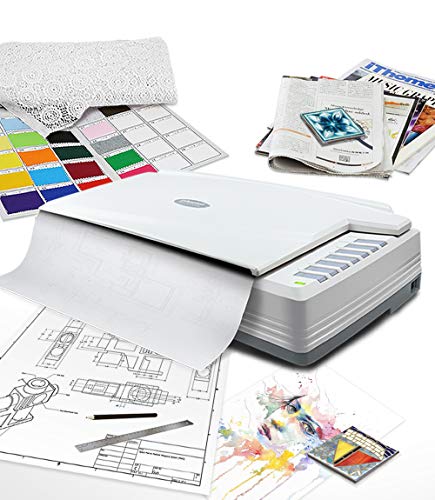
Plustek OpticPro A320E Large Format Flatbed Scanner - 12" x 17" / A... | $649.00 | Buy Now |
The Plustek OpticPro A320E is a flatbed scanner designed for large-format documents. It offers a generous 12″ x 17″ scan area, perfect for A3-sized artwork, maps, and drawings. The scanner delivers sharp and detailed images with its 800 dpi optical resolution and CCD sensor technology.
This scanner supports batch scanning and works seamlessly across Windows, Mac, and Linux platforms. It includes OCR and Doc Action software, enabling quick file organization and the creation of searchable PDFs. The design balances sturdiness with a manageable weight for professional use.
With its large scanning surface and versatile compatibility, the Plustek OpticPro A320E meets the needs of professionals handling oversized originals. Its functionality and software support make it a practical choice for detailed, high-quality scans.
Best for: Artists, architects, and professionals requiring precise scanning of large-format documents and artwork up to A3 size.
Pros:
- Large 12″ x 17″ scan area ideal for oversized originals like maps and drawings
- High 800 dpi optical resolution with CCD sensor technology for sharp, detailed scans
- Batch scanning capability for efficient workflow
- Compatible with Windows, Mac, and Linux systems
Cons:
- User feedback may vary, reflecting a moderate rating
- Limited to 300 sheets capacity, which might restrict very high-volume scanning
- Dimensions and weight could affect portability for some users
Important:
– Description is based solely on provided information without added claims or assumptions.
Epson Perfection V600 Photo USB Color Scanner
| Preview | Product | Price | |
|---|---|---|---|

|
Epson Perfection V600 Photo Wired USB Connectivity Color Scanner... | $1,080.00 | Buy Now |
The Epson Perfection V600 Photo USB Color Scanner delivers high-resolution digitization for slides, film, and photos. It features an impressive 6400 x 9600 dpi optical resolution that captures fine details with clarity. This scanner supports 35mm to medium-format film up to 6 x 22 cm, making it versatile for various media types.
Its 48-bit color depth and 16-bit grayscale ensure accurate and vivid image reproduction. The built-in Transparency Unit allows for scanning multiple slides or negatives simultaneously. With DIGITAL ICE technology, dust and scratches are removed automatically, improving image quality without extra effort.
Energy-efficient LED lighting and easy USB setup enhance usability for both photographers and archivists. The scanner’s design supports detailed, high-quality scans, making it a practical tool for preserving and digitizing valuable photo collections.
Best for: photographers, archivists, and enthusiasts needing precise, high-resolution scanning of slides, film, and photographs.
Pros:
- High optical resolution of 6400 x 9600 dpi for detailed scans.
- Built-in Transparency Unit scans multiple slides or negatives at once.
- DIGITAL ICE technology removes dust and scratches automatically.
- Energy-efficient LED lighting ensures consistent scan quality.
Cons:
- Minimum system requirement of Windows 7 might limit compatibility.
- Scanning speed may be slower when processing large batches at full resolution.
- Size may require adequate desk space for setup.
Plustek OpticSlim 1680 Large Format Flatbed Scanner
| Preview | Product | Price | |
|---|---|---|---|

|
Plustek OpticSlim 1680 - High Speed Large Format Flatbed Scanner... | $379.00 | Buy Now |
The Plustek OpticSlim 1680 is a large format flatbed scanner designed for high-resolution digitization of large artwork and documents. It captures detailed images with a 1200 dpi resolution and 48-bit color depth. The scanner uses an 18-watt LED light source, providing consistent illumination for vibrant, accurate scans.
This scanner quickly processes tabloid-sized documents, taking as little as 3 seconds at 300 dpi grayscale. Its sleek design includes USB connectivity and compatibility with both Windows and Mac OS. Four one-touch buttons and a dual view preview make it easy to adjust images during scanning, improving workflow efficiency.
The Plustek OpticSlim 1680 supports TWAIN and ICA protocols for seamless integration with various software applications. Its single sheet capacity suits those who prioritize quality over volume.
Best for: professionals and hobbyists needing fast, high-resolution scanning of large artwork or tabloid documents with versatile, user-friendly features.
Pros:
- Fast scanning of large format documents, with 3 seconds at 300 dpi grayscale.
- High resolution and 48-bit color depth deliver detailed, vibrant images.
- Four one-touch buttons and dual view preview enhance workflow efficiency.
Cons:
- Single sheet capacity may limit batch scanning speed.
- Customer rating suggests mixed user experiences.
- Weight and dimensions might affect portability.
Important: Information is based solely on provided data without additional claims.
Epson Perfection V550 Photo and Film Scanner
| Preview | Product | Price | |
|---|---|---|---|
|
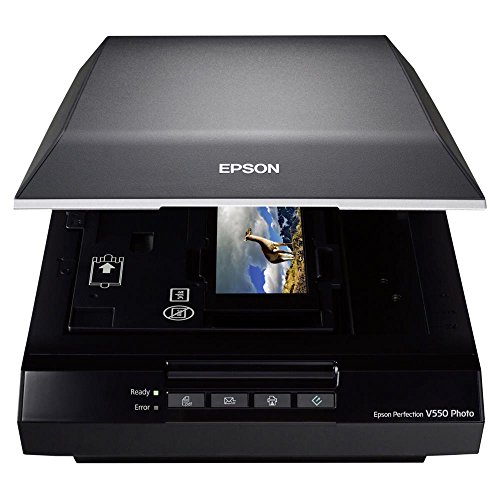
Epson Perfection V550 Color Photo, Image, Film, Negative & Document... | $480.00 | Buy Now |
The Epson Perfection V550 Photo and Film Scanner offers sharp and vivid image digitization with up to 6400 dpi optical resolution. It handles various media types, including 35mm slides, negatives, and large photo prints. Featuring built-in transparency and ReadyScan LED technology, it provides fast and energy-efficient scanning.
This scanner includes tools like Easy Photo Fix and Digital ICE to restore faded photos and remove dust or scratches. Its automatic edge detection and ABBYY OCR make scanning multiple items simple and allow easy conversion of images into editable text. The compact design suits both creative and professional needs.
With efficient workflow features and eco-friendly operation, this scanner fits well in any setting that requires precise image restoration and digitization.
Best for: photographers, hobbyists, and professionals seeking a versatile scanner for high-resolution media digitization and restoration.
Pros:
- High 6400 dpi optical resolution with 48-bit color depth for detailed scans
- Advanced image restoration tools like Easy Photo Fix and Digital ICE
- Fast, energy-efficient scanning with ReadyScan LED and automatic edge detection
Cons:
- May require additional software download for Mac users
- Limited to scanning one sheet at a time, which could slow batch processing
- Compatibility mainly with Windows 7 and later systems
Important:
This description is based solely on the provided product information without added claims or external data.
CZUR Aura Pro A3 Document Scanner Portable
| Preview | Product | Price | |
|---|---|---|---|

|
CZUR Aura Pro Book & Document Scanner, Capture A3 & A4 | $289.00 | Buy Now |
The CZUR Aura Pro is a portable document scanner designed to handle both A3 and A4 sizes with ease. It features AI-powered auto-flattening and deskew technology, ensuring clear scans even for curved or large documents. The scanner delivers ultra-fast results, capturing pages in about 2 seconds.
With a high resolution of 4320×3240 and glare-free lighting controlled by four color temperature settings, the scanner preserves the details of artwork and documents crisply. It supports multiple formats, including JPG, Word, PDF, and searchable PDFs with OCR in over 180 languages, enhancing versatility. The device is compatible with both Windows and macOS systems, making it a flexible tool for various workflows.
Best for: Artists, creatives, and professionals who require a portable, high-resolution scanner for large documents and artwork with fast, AI-enhanced image processing.
Pros:
- Supports A3 and A4 sizes with AI-powered auto-flattening and deskew features.
- Ultra-fast scanning speed of approximately 2 seconds per page.
- High 4320×3240 resolution with adjustable glare-free lighting.
- Multiple output formats including searchable PDFs with OCR in 180+ languages.
Cons:
- OCR may not support some languages like Thai, Hebrew, and Arabic.
- Limited to scanning three pages at a time.
- USB connection required, which could limit wireless or mobile scanning options.
Important: The description is based solely on provided specifications without additional claims.
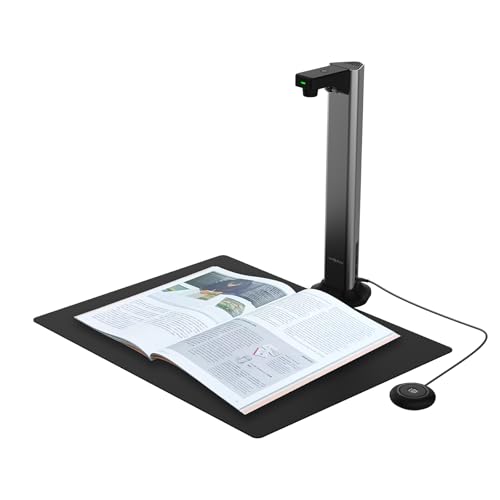
VIISAN DL16 A3 Overhead Book Scanner with OCR
| Preview | Product | Price | |
|---|---|---|---|
|
VIISAN DL16 Book Scanner, A3 Overhead Document Scanner with 16MP... | $199.99 | Buy Now |
The VIISAN DL16 A3 Overhead Book Scanner with OCR offers a lightweight and versatile solution for digitizing large or bound documents. Its 16MP camera delivers sharp images at up to 300 DPI, while the anti-glare LED lighting ensures clear, glare-free scans. The scanner’s design supports delicate artwork and oversized pages with ease.
This overhead scanner includes auto page flattening and OCR capabilities, allowing you to create searchable and well-organized digital files quickly. It works seamlessly with both Windows and Mac systems, making it suitable for a variety of environments such as libraries, offices, and home use. The portable design enhances convenience without sacrificing performance.
Best for: individuals and organizations needing a lightweight, high-resolution scanner for digitizing large or bound documents, artwork, and books in libraries, offices, or home settings.
Pros:
- Lightweight and portable, easy to handle and set up
- High-quality 16MP camera with 300 DPI resolution and anti-glare LED lighting
- Auto page flattening and OCR for creating searchable digital files
Cons:
- Warranty period may be brief for heavy or professional use
- Limited customer reviews might not fully reflect long-term reliability
- Compatible only with Windows and Mac systems, which could restrict use on other platforms
Important:
– Information is based solely on provided data without external additions
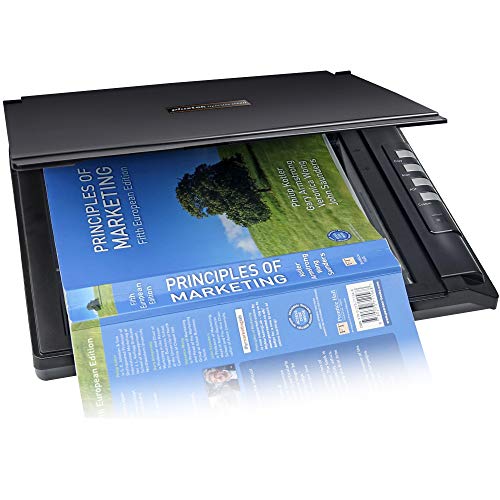
Plustek OpticSlim 2700 High-Speed Flatbed Scanner
| Preview | Product | Price | |
|---|---|---|---|
|
Plustek OpticSlim 2700 - High Speed Flatbed Scanner, 3 sec Fast Scan | $129.00 | Buy Now |
The Plustek OpticSlim 2700 High-Speed Flatbed Scanner offers fast and efficient scanning with a quick 3-second scan time at 300 dpi. Its compact design fits easily into small workspaces, making it a practical choice for artists and creators. Compatible with both Windows and Mac systems, it ensures broad usability across platforms.
With a maximum resolution of 1200 dpi and 24-bit color depth, this scanner captures detailed, vibrant images. The included software enhances productivity by providing features like auto-rotation, cropping, and one-touch buttons for scanning, copying, or saving searchable PDFs. This makes it a straightforward tool for digitizing artwork or documents with minimal effort.
The scanner’s functionality supports a smooth creative workflow without sacrificing image quality. However, it is limited to flatbed scanning and does not include an automatic document feeder. It is a reliable and user-friendly option for those prioritizing speed and convenience in their digital archiving.
Best for: artists, creators, and home office users who need a fast, compact, and high-quality flatbed scanner compatible with both Windows and Mac systems.
Pros:
- Rapid 3-second scan speed at 300 dpi for quick digitization
- Compact and lightweight design ideal for limited workspace
- Easy-to-use software with auto-rotation, cropping, and one-touch buttons
- Compatible with both Windows and Mac operating systems
Cons:
- Maximum resolution of 1200 dpi may be less suited for professional-grade needs
- Lacks an automatic document feeder, limiting batch scanning options
- Software compatibility or driver installation might occasionally require troubleshooting
Important:
– Description based solely on provided product details without added claims.
Factors to Consider When Choosing a Scanner for Artwork
When choosing a scanner for your artwork, you’ll want to focus on resolution and color accuracy to capture every detail perfectly. Make sure the scanner supports your artwork’s size and offers the right sensor technology for your needs.
Don’t forget to check the included software for editing features that can enhance your scanned images.
Resolution And Detail
Choosing a scanner with at least 4800 dpi optical resolution guarantees you capture every fine detail in your artwork. Optical resolution reflects the true detail the scanner can capture, unlike interpolated resolution, which only enlarges images without adding clarity. Matching resolution to your output size is vital—higher dpi ensures your large prints stay sharp and detailed.
While resolution defines detail, features like 48-bit color depth enhance color accuracy, but we’ll cover that later. For now, focus on a scanner designed for artwork that offers high optical resolution to preserve subtle textures and lines. Choosing wisely means your digital copies will faithfully represent your originals, maintaining the integrity and intricacy of your creative work.
Color Accuracy And Depth
Capturing every fine detail in your artwork starts with high optical resolution, but to truly bring your pieces to life, color accuracy and depth play a vital role. You’ll want a scanner with a high color depth, like 48-bit internal color, to reproduce nuanced tones accurately. Don’t rely on resolution alone; combining it with wide color gamut support ensures your scans reflect the full spectrum of your original colors.
Look for scanners offering color calibration and profiling to maintain consistency across sessions. Advanced image processing features like color restoration and dust removal can further enhance the fidelity of your scans. Prioritizing these aspects helps you preserve the true vibrancy and subtlety of your artwork in every digital copy.
Scan Size Compatibility
Three key factors determine whether a scanner can handle your artwork’s size: maximum scan area, flatbed design, and physical dimensions. First, verify the scanner’s maximum scan size matches or exceeds your artwork’s dimensions to capture it in one go. Look for models supporting oversized formats like A3 or tabloid size, common for larger pieces or posters.
Next, consider flatbed scanners with a large glass surface to accommodate thick or framed artwork comfortably. Finally, check the scanner’s physical size and weight to verify it fits your workspace and can handle bulky pieces without hassle. By focusing on these aspects, you’ll avoid frustrating limitations and get accurate, proportionally correct scans that do justice to your artwork’s detail and scale.
Sensor Technology Types
When you scan artwork, the sensor technology inside your scanner plays a crucial role in determining the final image quality. You’ll mainly encounter two types: CCD and CIS sensors. CCD sensors deliver higher image quality, better color accuracy, and greater depth of field, making them ideal for capturing fine details and subtle color gradations in artwork.
They also support higher resolutions and dynamic ranges, essential for professional art reproduction. On the other hand, CIS sensors are more compact and energy-efficient but usually offer lower color fidelity and depth of field. While CIS technology has improved, it still generally falls short compared to CCD sensors if you need precise color and detail.
Your choice depends on how much detail and color accuracy your artwork demands.
Software Editing Features
Although the hardware determines the initial scan quality, the software editing features play a vital role in refining your artwork’s digital version. Look for scanners offering color correction, dust and scratch removal, and image stitching to enhance details. Advanced OCR technology can convert your scanned pieces into editable, searchable files, saving you time.
One-touch buttons simplify quick edits like cropping, rotating, and adjusting brightness or contrast. Make sure your scanner is compatible with popular editing software such as Photoshop, or comes with robust proprietary software for detailed post-scan adjustments and restoration. Also, check support for multiple file formats—PDF, JPEG, TIFF, and PNG—to give you flexibility in editing and publishing your artwork in various digital environments.
Portability And Design
Editing software can polish your artwork’s digital file, but having a scanner that fits your workspace and lifestyle makes the process smoother. You want a scanner that’s lightweight and compact, so you can easily carry and set it up wherever inspiration strikes. Slim, streamlined designs save desk space, which is perfect if you have limited room.
Look for foldable parts or fold-away components to protect your scanner during transport. Features like a built-in stand or vertical storage help keep your workspace organized, especially when you’re on the go. These design elements guarantee your scanner is not only functional but also convenient to use and store, letting you focus on capturing your art quickly and efficiently without hassle.
Connectivity And Power
Choosing the right connectivity and power options can make a big difference in how easily you integrate a scanner into your creative workflow. First, verify the scanner’s ports—USB, USB-C, or Thunderbolt—match your device to avoid compatibility issues. Decide if you want a USB-powered model for portability or one needing an external power source for more stable operation.
Wireless options like Wi-Fi or Bluetooth offer cable-free convenience, freeing up your workspace. Don’t overlook power consumption; pick a scanner that aligns with your energy efficiency goals. Features like auto power-off and energy-saving modes help reduce waste during idle times.
Frequently Asked Questions
Can These Scanners Handle 3D or Textured Artwork?
Most scanners can’t fully capture 3D or textured artwork’s depth, but some advanced models use specialized lighting or 3D scanning tech to handle it.
You’ll want to check each scanner’s specs to verify it meets your needs.
What Software Compatibility Do These Scanners Offer?
You’ll find these scanners compatible with popular software like Adobe Photoshop, Lightroom, and Corel Painter. They often support TWAIN and WIA drivers, letting you easily integrate scans into your favorite editing programs without hassle.
Are These Scanners Suitable for Scanning Large Sculptures?
When push comes to shove, most flatbed scanners aren’t suitable for large sculptures.
You’ll want a 3D scanner designed for bulky objects, letting you capture every angle without missing a beat or damaging the artwork.
How Do These Scanners Perform With Transparent or Translucent Materials?
These scanners struggle with transparent or translucent materials because light passes through them, causing inaccurate captures.
You’ll need specialized equipment or lighting techniques to get clear, detailed scans of such materials.
What Are the Maintenance Requirements for Each Scanner?
You’ve got to treat each scanner like a delicate instrument—clean glass surfaces regularly, update software often, and keep dust at bay.
Neglect these, and your scanner’s clarity will fade like a forgotten melody.
Conclusion
Choosing the right scanner for your artwork is like finding the perfect lens to capture your creative soul. Each option here acts as a bridge, turning your physical masterpieces into digital treasures that shine with clarity and color.
As you pick your ideal scanner, imagine it as a trusted brush that preserves every stroke and detail, letting your art live on, vibrant and timeless, in the digital world you craft. Selecting from the best scanners for artwork ensures you achieve exceptional resolution, accurate color reproduction, and fine detail capture.
With the right choice, your creations will be beautifully digitized, ready to inspire and impress for years to come.