Can I Use a Cricut Heat Press for Sublimation
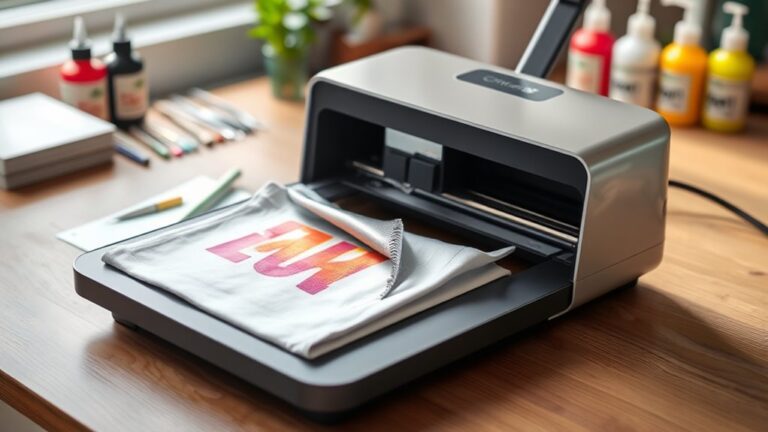
You can use a Cricut heat press for sublimation, but it requires careful attention to temperature, pressure, and material compatibility. Cricut heat presses reach the necessary heat levels for sublimation, making them a viable option for smaller projects.
However, the pressure may be uneven, and the smaller platen size can limit the size of your items.
To achieve the best results, use 100% polyester or substrates specifically designed for sublimation. Apply firm, even pressure and follow the recommended time and temperature guidelines closely.
If you want vibrant, professional-quality results and plan to expand your sublimation projects, it’s worth exploring the differences between Cricut heat presses and dedicated sublimation heat presses. This will help you choose the right tool for your creative needs.
Key Takeaways
- Cricut heat presses can be used for sublimation if they reach ~400°F and apply even, firm pressure suitable for transfer.
- Ensure using sublimation ink, paper, and compatible polyester or sublimation-friendly substrates for best results.
- Preheat substrates, mirror images before printing, and secure transfers with heat-resistant tape to avoid ghosting.
- Cricut presses perform well for small projects but may struggle with heat consistency and pressure on larger items.
- For frequent or larger sublimation projects, consider upgrading to a dedicated sublimation press for better quality and durability.
What Is Sublimation and How Does It Work
How does sublimation create vibrant, lasting designs? When you use sublimation, you’re working with a special ink that turns into gas when heated. This gas then bonds with polyester fibers or polymer-coated surfaces, embedding the design directly into the material.
Unlike traditional printing, the ink doesn’t just sit on top—it becomes part of the fabric or object. This means your designs won’t crack, peel, or fade easily, even after multiple washes.
To start, you print your design on sublimation paper using sublimation ink. Then, you apply heat and pressure, which triggers the transformation and transfer. That’s why sublimation is perfect for creating detailed, colorful, and durable prints on items like t-shirts, mugs, and more.
Can You Use a Cricut Heat Press for Sublimation?
You can use a Cricut Heat Press for sublimation, but it’s important to guarantee your model reaches the right temperature and pressure. Getting these settings right will help your designs transfer clearly and last longer.
With some simple adjustments, your Cricut heat press can handle sublimation projects effectively.
Heat Press Compatibility
Wondering if a Cricut heat press works for sublimation? The short answer is yes, but with some considerations. Your Cricut heat press can apply the necessary heat and pressure to transfer sublimation ink onto compatible materials.
However, compatibility largely depends on the temperature range and pressure settings your press offers. Sublimation generally requires higher temperatures (around 400°F) and firm, even pressure. Make sure your Cricut heat press can reach and maintain these conditions consistently.
Also, check if the platen size suits your project since sublimation often involves printing on various items. Keep in mind, using a Cricut heat press designed primarily for vinyl or iron-on transfers might limit your sublimation results if it can’t meet these specific heat and pressure demands.
Sublimation Process Tips
Since a Cricut heat press can handle sublimation when it meets temperature and pressure requirements, knowing the best practices will help you get the most out of your projects. Always preheat your substrate to remove moisture, use heat-resistant tape to secure your transfer, and apply even pressure for consistent results.
Avoid moving the transfer during pressing to prevent ghosting or blurry images.
| Tip | Reason |
|---|---|
| Preheat substrate | Removes moisture for clarity |
| Use heat-resistant tape | Keeps transfer in place |
| Apply even pressure | Ensures uniform ink transfer |
| Avoid shifting | Prevents blurry or double images |
Following these tips will help you create vibrant, professional sublimation designs with your Cricut heat press.
Key Differences Between Cricut Heat Press and Other Heat Presses
Although many heat presses share similar functions, the Cricut Heat Press stands out with its user-friendly design and specialized features tailored for sublimation. You’ll appreciate its compact size, making it perfect for small spaces and easy storage. Unlike bulkier models, the Cricut offers precise temperature and time controls, ensuring consistent results without guesswork.
Its even heat distribution prevents hot spots, which is essential for vibrant sublimation prints. Plus, the press heats up quickly, so you won’t waste time waiting. While other heat presses may require manual adjustments or additional accessories, the Cricut’s intuitive interface and built-in safety features let you work confidently.
If you want a reliable, hassle-free option specifically designed for crafting, the Cricut Heat Press is a smart choice.
Best Materials for Sublimation With a Cricut Heat Press
When using your Cricut heat press for sublimation, choosing the right materials is key to getting vibrant, lasting results. You’ll want to focus on fabrics like polyester and surfaces specially coated for sublimation.
Also, picking heat-resistant materials will help protect your projects during the pressing process.
Ideal Fabric Types
What fabrics work best with a Cricut heat press for sublimation? You’ll want to choose polyester or polyester-blend fabrics because sublimation inks bond perfectly with polyester fibers. The higher the polyester content—ideally 100%—the more vibrant and durable your designs will be.
Cotton and natural fabrics won’t hold sublimation ink well since it doesn’t chemically bond with them, resulting in faded or washed-out prints. For blends, aim for at least 65% polyester to get decent results. Light-colored fabrics work best because sublimation inks are transparent, so dark colors won’t show your design clearly.
When selecting your fabric, check the label and pick smooth, tightly woven polyester materials to guarantee crisp, sharp images every time you press with your Cricut heat press.
Sublimation-Friendly Surfaces
Since sublimation relies on polyester or polymer-coated surfaces to bond ink effectively, you’ll want to focus on materials designed for this process. Sublimation works best on items with at least 65% polyester content or surfaces specially coated for sublimation. White or light-colored fabrics offer the brightest results because sublimation inks are transparent and won’t show well on dark materials.
Besides fabrics, you can sublimate on hard surfaces like ceramic mugs, metal sheets, mousepads, and phone cases, provided they have a polymer coating. When choosing your surfaces, look for sublimation blanks labeled as such to guarantee ink adhesion and vibrant colors. Using these sublimation-friendly materials with your Cricut heat press will help you achieve sharp, lasting designs every time.
Heat-Resistant Material Choices
Choosing the right material goes beyond just being sublimation-friendly; it also needs to withstand the high temperatures and pressure from your Cricut heat press. You want materials like polyester fabrics, coated ceramics, and specially treated metals that won’t warp or discolor under heat.
Polyester is a top choice because it holds sublimation ink vibrantly and resists heat damage. For hard surfaces, look for sublimation blanks with polymer coatings designed to handle heat presses. Avoid materials like cotton or untreated wood, as they can scorch or fail to bond with the ink.
Always check product specifications for heat resistance and compatibility. Using the right heat-resistant materials guarantees your designs transfer cleanly and last long without damaging your Cricut heat press or project.
Preparing Your Design and Sublimation Paper for Cricut Sublimation
Before you start sublimating, you’ll want to finalize your design and prepare your sublimation paper carefully to guarantee vibrant, accurate transfers. First, create or select a high-resolution design with bright colors, as sublimation works best with detailed, colorful images. Make sure to mirror your design before printing because the image transfers in reverse onto your material.
Use sublimation-specific ink and compatible sublimation paper to ensure the ink bonds well during heat pressing. After printing, let the ink dry completely to avoid smudging. Trim excess paper closely around your design to prevent unwanted ink marks on your project.
Secure the sublimation paper onto your substrate with heat-resistant tape to keep it from shifting during pressing. This careful prep sets you up for crisp, vibrant results with your Cricut heat press.
Setting Temperature and Time for Cricut Sublimation
When you set the temperature and time for your Cricut sublimation, you guarantee your design transfers perfectly without damaging your material. Getting these settings right is crucial for vibrant colors and a lasting finish. Here’s how to approach it:
Setting the right temperature and time ensures flawless design transfer and protects your material during Cricut sublimation.
- Check Material Guidelines: Always start by reviewing the recommended temperature and time for your specific fabric or substrate.
- Set Temperature: Typically, 385°F (196°C) works well for polyester fabrics, the most common sublimation surface.
- Adjust Time: A duration of 45 to 60 seconds usually ensures proper ink transfer without scorching.
- Test First: Run a small test press to confirm settings before committing to your entire project.
Common Sublimation Mistakes to Avoid When Using a Cricut Heat Press
Although using a Cricut heat press for sublimation seems straightforward, many users make avoidable mistakes that can ruin their projects. Avoid these common errors to get the best results.
| Mistake | How to Avoid It |
|---|---|
| Incorrect Temperature | Follow recommended heat settings exactly. |
| Uneven Pressure | Apply firm, even pressure across the item. |
| Skipping Pre-Press | Pre-press your substrate to remove moisture. |
| Using Incompatible Items | Only sublimate on polyester or coated surfaces. |
Comparing Cricut Heat Press With Dedicated Sublimation Presses
While the Cricut heat press offers great convenience and versatility for sublimation projects, dedicated sublimation presses are specifically designed to deliver consistent heat distribution and pressure, which can considerably impact your final results. When comparing the two, consider these key factors:
- Heat Consistency: Dedicated presses maintain even heat, reducing the risk of uneven transfers.
- Pressure Control: They offer adjustable, uniform pressure essential for vibrant, durable prints.
- Size and Workspace: Sublimation presses often have larger plates, accommodating bigger designs.
- Durability and Longevity: Built for frequent use, they withstand extended workloads better than Cricut models.
If you want reliable, professional-grade sublimation results, dedicated presses generally outperform Cricut heat presses in these critical areas.
When to Upgrade From a Cricut Heat Press for Sublimation
Deciding to upgrade from your Cricut heat press for sublimation depends largely on the demands of your projects and the quality you want to achieve. If you find that your current press struggles with larger items or uneven heat distribution, it’s a clear sign to contemplate a dedicated sublimation press. You’ll also want to upgrade if you’re increasing production volume and need faster, more consistent results.
When color vibrancy and image clarity become critical, and the Cricut heat press can’t deliver, a professional-grade press will elevate your work. Additionally, if you want to expand into different materials or sizes that your Cricut can’t accommodate, upgrading makes sense. Ultimately, once your project needs outgrow your current setup, investing in a specialized heat press will save you time and improve quality.
Frequently Asked Questions
Can I Use Sublimation Ink With My Cricut Printer?
You can’t use sublimation ink with your Cricut printer because it’s not designed for that type.
You’ll need a specialized sublimation printer and compatible ink to get vibrant, lasting sublimation prints on polyester or coated surfaces.
How Do I Clean My Cricut Heat Press After Sublimation?
Think of your Cricut heat press like a chef’s knife—clean it after every use to keep it sharp. Wipe the plate with a damp cloth while warm, then use rubbing alcohol for stubborn residue.
Don’t soak it!
Is Cricut Heat Press Safe for Beginners?
Yes, the Cricut Heat Press is safe for beginners. You’ll find it easy to use with clear instructions and adjustable settings, so you can confidently create projects without worrying about complicated controls or safety issues.
Can I Sublimate on Dark Fabrics With a Cricut Heat Press?
You can’t sublimate directly on dark fabrics with a Cricut heat press because sublimation ink is transparent. Instead, use a white polyester base or special sublimation sheets designed for dark materials to achieve vibrant results.
These methods help the colors stand out and maintain their brightness. Without a suitable base, the design may appear faded or not show up at all. Always ensure your fabric is compatible with sublimation for the best outcome.
What Accessories Improve Cricut Heat Press Sublimation Results?
Like a knight’s trusty sword, a heat-resistant mat, Teflon sheets, and parchment paper improve your Cricut heat press sublimation results. These accessories protect your materials, guarantee even heat distribution, and prevent ink smudging for crisp designs.
They create a barrier that helps maintain consistent pressure and temperature. This ensures your designs transfer smoothly and last longer. Using these tools is essential for professional-quality results every time.
Conclusion
Using a Cricut heat press for sublimation can definitely work, especially if you’re just starting out. Did you know that 70% of crafters prefer versatile tools like Cricut presses for multiple projects? While it may not match dedicated sublimation presses in precision, it’s a great budget-friendly option.
Just remember to follow the right temperature settings and materials to avoid common mistakes. When you’re ready for higher volume or complex designs, consider upgrading for the best results. Using a Cricut heat press for sublimation is a practical choice, but investing in a dedicated sublimation heat press can enhance your crafting outcomes.