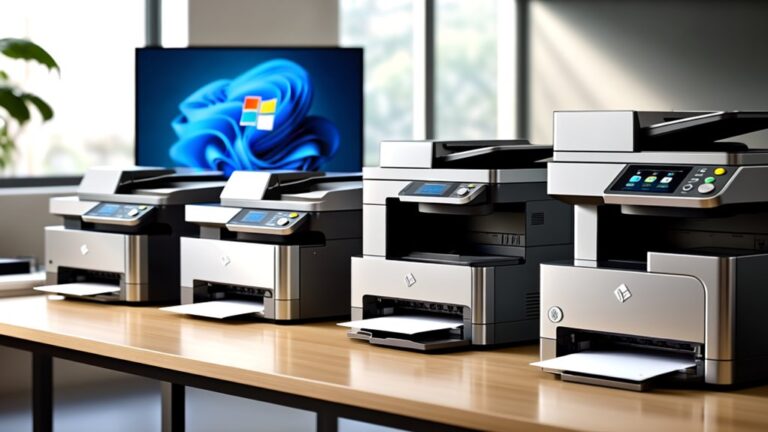
10 Best Color Sticker Printers for 2026
If you want vibrant, durable color stickers in 2026, choosing the best color sticker printers is essential. Look for printers featuring dye-sublimation or ZINK technology, which offer waterproof, smudge-proof prints at around 300 dpi. These technologies ensure your stickers remain bright and long-lasting.
Models like the Liene PixCut S1 and KODAK Step provide wireless Bluetooth or app connectivity, making printing convenient and accessible. Their portable designs are perfect for on-the-go use, allowing you to create anytime, anywhere.
Remember to check media size limits and battery life to match your specific project needs. Exploring key features and top picks will help you find the perfect printer to boost your creativity and productivity.
| Image | Name | Editor's Rating | Price |
|---|---|---|---|

|
Liene PixCut S1 Color Sticker Printer & Cutting Machine - Al...
|
|
|
|
Nelko PP01 Photo Printer, 2x3 Portable Photo Printer, Mini P...
|
|
|

|
Liene Pearl K100 2x3” Photo Printer, Mini Instant Portable C...
|
|
|
|
KODAK Step Instant Photo Printer, Zink 2x3” Color Sticky-Bac...
|
|
|

|
KODAK Step Instant Smartphone Photo Printer, Portable Mini C...
|
|
Liene PixCut S1 Color Sticker Printer & Cutter
| Preview | Product | Price | |
|---|---|---|---|
|
|
Liene PixCut S1 Color Sticker Printer & Cutting Machine - All-in-One... | $279.99 | Buy Now |
The Liene PixCut S1 Color Sticker Printer & Cutter offers a compact solution for creating high-quality stickers with precise cutting. It uses thermal dye-sublimation technology to produce vivid, waterproof stickers at 300 dpi resolution. The device connects via Bluetooth to an intuitive app available on Android and iOS, streamlining printing and cutting into a single step.
This sticker printer features AI-powered image extraction and edge detection, enabling professional-looking results without design expertise. Its compact design supports media sizes up to 4×7 inches, making it suitable for a variety of small projects. The PixCut S1 is ideal for home use, schools, or craft settings where space and efficiency are important.
Best for: individuals and small business owners who need an all-in-one device for efficient, high-quality sticker printing and cutting with mobile app control.
Pros:
- Combines printing and cutting in one seamless step via Bluetooth app.
- Produces durable, waterproof stickers using thermal dye-sublimation.
- AI-driven image extraction and edge detection enhance sticker quality.
- Compact design supports sheets up to 4×7 inches.
Cons:
- Media size limited to 4×7 inches, which could restrict larger projects.
- Input tray holds only 18 sheets, requiring frequent reloads for volume use.
- Single tray and simplex printing may limit multi-page or double-sided tasks.
Important:
– Description is based solely on the provided product details without additional claims.
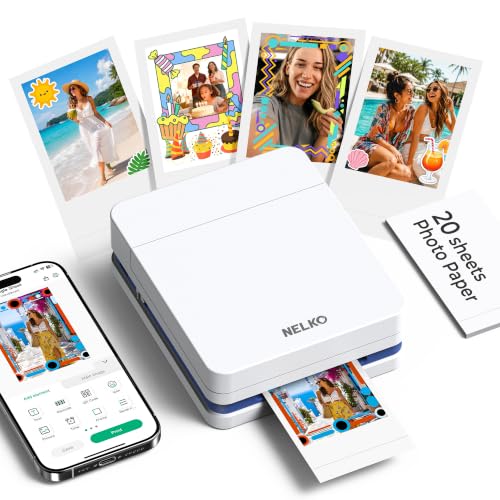
Nelko PP01 Portable Mini Photo Printer White
| Preview | Product | Price | |
|---|---|---|---|
|
|
Nelko PP01 Photo Printer, 2x3 Portable Photo Printer, Mini Printer... | $66.99 | Buy Now |
The Nelko PP01 Portable Mini Photo Printer White offers a compact solution for printing vibrant, full-color photos. It uses advanced inkjet technology to produce sharp 2×3-inch images on sticky-backed, water-resistant paper. This design ensures your prints are durable and easy to place anywhere.
Connecting the printer to your iOS or Android device is simple with Bluetooth. The Nelko app enhances functionality by allowing quick photo edits with filters, stickers, and text. Its rechargeable USB design supports portability, making it ideal for on-the-go use.
This portable photo printer is perfect for scrapbooking, DIY gifts, and event photography. It delivers fast, high-resolution prints that are tear-proof and water-resistant, meeting both personal and professional needs.
Best for: Individuals looking for an easy-to-use, portable photo printer to create vibrant, adhesive-backed prints for scrapbooking, events, and personalized projects.
Pros:
- Compact and lightweight for easy transport
- Produces high-resolution, water-resistant, tear-proof photos
- Bluetooth connectivity with a user-friendly app for editing and printing
Cons:
- Requires a 9V battery, which may need occasional replacement
- USB adapter for charging might need to be purchased separately
- Limited to 30 sheets and 2×3-inch print size
Important:
Only uses provided information; no additional claims or outside data included.
Liene Mini Portable Photo Printer with Bluetooth
| Preview | Product | Price | |
|---|---|---|---|
|
|
Liene Pearl K100 2x3” Photo Printer, Mini Instant Portable Color... | $99.99 | Buy Now |
The Liene Mini Portable Photo Printer with Bluetooth offers a compact design for easy printing on the go. It connects seamlessly via Bluetooth 5.0 to both iOS and Android devices, eliminating the need for Wi-Fi. This printer uses Zink inkless technology to produce vibrant, water- and dust-resistant 2×3” photos with up to 300 dpi resolution.
Its lightweight build makes it ideal for outdoor events and casual occasions. The printer handles one photo per run and supports manual duplex printing. It comes with 50 sheets of glossy, sticky-backed photo paper, allowing users to decorate or share photos easily. A dedicated app and blue calibration card help maintain print quality through cleaning.
Best for: Those who want a portable photo printer for quick, high-quality 2×3” prints directly from smartphones without relying on Wi-Fi.
Pros:
- Zink inkless technology delivers durable, vibrant prints up to 300 dpi
- Bluetooth 5.0 supports easy connection with iOS and Android devices
- Includes 50 sheets of glossy, sticky-backed photo paper for versatile use
- Maintenance features include a cleaning function with a calibration card
Cons:
- Prints one photo per run, which might slow down bulk printing
- Input tray capacity is limited to 10 sheets, requiring frequent reloads
- Requires the Liene app and a calibration card for cleaning, adding some complexity
Important:
This description is based solely on the provided product details without additional claims.
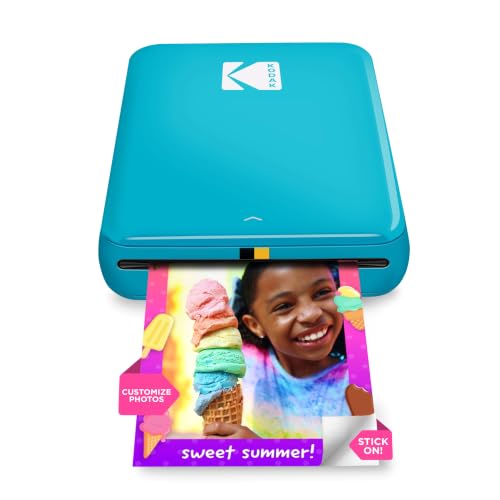
KODAK Step Instant Photo Printer with Bluetooth
| Preview | Product | Price | |
|---|---|---|---|
|
|
KODAK Step Instant Photo Printer, Zink 2x3” Color Sticky-Back... |
$79.99 |
Buy Now |
The KODAK Step Instant Photo Printer with Bluetooth offers a compact and lightweight design that fits easily in your bag for travel or events. It uses ZINK technology to print vibrant, smudge-proof 2×3-inch photos with a sticky-back adhesive, eliminating the need for ink. This printer connects quickly via Bluetooth or NFC to your iOS or Android device for seamless printing.
With the KODAK app, you can add filters, borders, and text before printing, allowing for creative customization on the go. The device includes a rechargeable battery that supports about 25 prints per charge, making it ideal for quick photo sharing in any location. Its portability and ease of use make it a practical choice for casual photo printing.
Best for: Individuals looking for a portable photo printer that delivers quick, colorful prints with simple editing features for on-the-go creativity.
Pros:
- Compact and lightweight for easy portability.
- Prints smudge-proof, ink-free photos with sticky-back adhesive.
- Bluetooth and NFC connectivity with an app offering editing tools.
- Rechargeable battery supports multiple prints per charge.
Cons:
- Prints only 2×3-inch photos, which may not fit all needs.
- Holds a maximum of 10 sheets, so frequent refills might be necessary.
- Print speed is about one page per minute, which could be slow for large batches.
KODAK Step Portable Instant Smartphone Photo Printer
| Preview | Product | Price | |
|---|---|---|---|
|
|
KODAK Step Instant Smartphone Photo Printer, Portable Mini Color... |
$79.99 |
Buy Now |
The KODAK Step Portable Instant Smartphone Photo Printer offers a compact way to print vibrant 2×3-inch photos directly from your smartphone. It connects easily via Bluetooth or NFC to iOS and Android devices. Using ZINK zero-ink technology, it produces sticky-back photos without the need for ink cartridges.
This mini printer weighs under a pound and prints up to 25 photos on a single battery charge. The KODAK app enhances your printing experience by allowing you to add filters, stickers, and text. Its portable design makes it convenient for quick photo printing wherever you go.
Ideal for travelers, social influencers, and scrapbookers, this wireless photo printer delivers durable, shareable prints on demand. Its ease of use and customization options help preserve your favorite moments with minimal effort.
Best for: individuals needing a lightweight and portable photo printer for instant, high-quality 2×3-inch prints.
Pros:
- Utilizes ZINK zero-ink technology, eliminating ink cartridges.
- Lightweight design with a rechargeable battery supporting up to 25 prints.
- Customizable printing via the KODAK app with filters, stickers, and text.
- Wireless connectivity through Bluetooth and NFC.
Cons:
- Prints only small 2×3-inch photos.
- Holds a maximum of 10 sheets, which may require frequent refills.
- Printing resolution is modest compared to larger printers.
Important:
This description is based solely on the provided product details without additional claims.
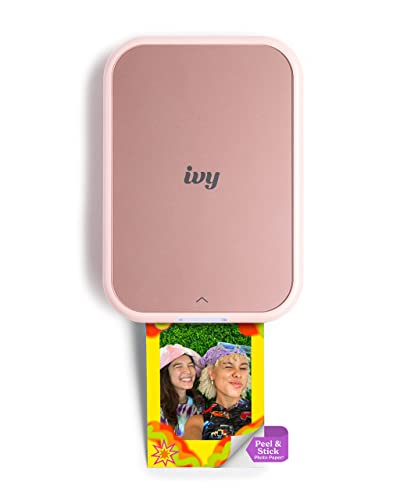
Canon Ivy 2 Mini Photo Printer Blush Pink
| Preview | Product | Price | |
|---|---|---|---|
|
Canon Ivy 2 Mini Photo Printer, Print from Compatible iOS & Android... | $99.99 | Buy Now |
The Canon Ivy 2 Mini Photo Printer in Blush Pink offers a compact and stylish solution for printing vibrant photos on the go. It uses ZINK technology to create sharp, colorful 2”x3” prints without the need for ink cartridges. This mini printer connects easily via Bluetooth 5.0 and works seamlessly with the Canon Mini Print App for quick customization.
Designed to fit in your pocket, the Ivy 2 is perfect for instant photo printing from both iOS and Android devices. Its peel-and-stick backing allows you to decorate your space or belongings with personalized photos anywhere. The printer supports simple single-sided printing, making it ideal for casual and creative use.
Best for: anyone wanting a portable and easy-to-use photo printer to produce vibrant, peel-and-stick prints directly from their smartphone.
Pros:
- Compact and highly portable for use anywhere
- Ink-free printing with ZINK technology for vibrant images
- Easy Bluetooth 5.0 connection and user-friendly app compatibility
- Peel-and-stick photos for versatile decorating options
Cons:
- Prints limited to 2”x3” size, which might be small for some needs
- Single-sided printing only, with a maximum media size of 3×5 inches
- Memory and input sheet capacity may limit larger print batches
Important: Text is based solely on provided product details without additional claims or information.
PM290C Portable Bluetooth Inkless Sticker Printer Pink
| Preview | Product | Price | |
|---|---|---|---|
|
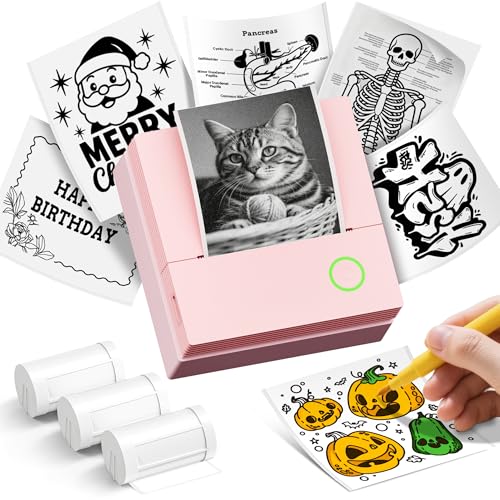
ETIKEZ Sticker Printer, PM290C Mini Printer with 3 Rolls Paper, Pink | $18.99 | Buy Now |
The PM290C Portable Bluetooth Inkless Sticker Printer Pink offers a compact and lightweight solution for quick, monochrome printing on the go. It connects easily via Bluetooth to iOS and Android devices through the Labelnize app. This printer uses thermal inkless technology, so no cartridges are needed, making maintenance simple.
Designed for convenience, it features one-button operation and prints sharp black-and-white labels, notes, and photos up to 54mm wide at 203 dpi. While it does not support color printing or computer connectivity, its practical design suits a variety of everyday tasks. The printer’s portability and ease of use make it a handy tool for students, professionals, and creative users.
Best for: individuals seeking a portable, easy-to-use monochrome sticker printer for labeling, notes, and DIY projects.
Pros:
- Compact, lightweight design enhances portability and ease of use
- Bluetooth connection with iOS and Android devices via the Labelnize app
- Inkless thermal printing reduces maintenance and eliminates cartridges
Cons:
- Prints only in black and white, without color or duplex options
- Limited to mobile app operation without computer connectivity
- Charging adapter not included and may not support fast charging adapters
Important:
– Description based solely on provided product specifications and features
Phomemo Bluetooth Thermal Label Printer 241BT Pink
| Preview | Product | Price | |
|---|---|---|---|

|
Phomemo Bluetooth Thermal Label Printer, 241BT 4X6 Shipping Label... | $69.97 | Buy Now |
The Phomemo Bluetooth Thermal Label Printer 241BT Pink offers a compact and efficient solution for printing shipping labels. It uses thermal direct technology, allowing you to print 4×6 labels without ink or toner. The printer supports black-and-white printing on standard labels and can also handle optional color thermal label paper.
This label printer connects effortlessly via Bluetooth or USB to multiple devices including iPhone, Android, PC, Mac, Chrome OS, and Linux. With a printing speed of 150 mm/s, it delivers fast results suitable for busy home offices or small businesses. Its broad compatibility extends to major e-commerce platforms like Amazon and Shopify, ensuring smooth integration with your workflow.
Designed for versatility and convenience, the Phomemo 241BT saves time and reduces operational costs. Its wireless setup and app support make printing labels straightforward. The compact design fits well in various workspaces, supporting efficient label management.
Best for: Small business owners and home office users needing a reliable, wireless shipping label printer with wide platform compatibility.
Pros:
- Wireless Bluetooth connection with easy setup via app or drivers for multiple operating systems
- Fast thermal direct printing at 150 mm/s without ink or toner
- Compatible with major e-commerce and shipping platforms, supporting 4×6 labels and optional color paper
- Works with various devices including iPhone, Android, PC, Mac, Chrome OS, and Linux
Cons:
- Printing is monochrome unless using separate thermal color label paper, which may add extra cost
- Input tray holds up to 72 labels, which might require frequent reloading for high-volume users
- Customer support hours could be limited for users outside EST business times
Important:
This description is based solely on provided product details, focusing on functionality and compatibility without adding external information.
PM290 Bluetooth Mini Sticker Printer with Paper Rolls
| Preview | Product | Price | |
|---|---|---|---|
|
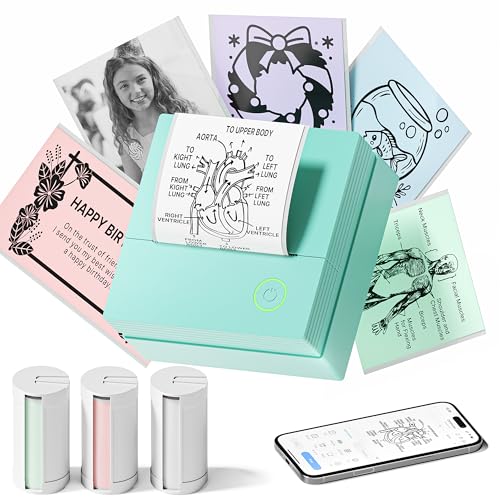
TYPONOS Mini Sticker Printer, PM290 Sticker Maker Machine with 3 Roll... | $18.99 | Buy Now |
The PM290 Bluetooth Mini Sticker Printer with Paper Rolls offers a compact and portable solution for printing personalized stickers and labels. It connects easily via Bluetooth to iOS and Android devices using the Labelnize app. The printer delivers sharp, monochrome prints on three included adhesive paper rolls in white, pink, and green.
This mini printer supports one-click printing and includes AI-powered features such as text-to-image conversion and OCR. Its lightweight design makes it ideal for use at home, school, or small businesses. The PM290 helps enhance creativity and organization wherever portable printing is needed.
Best for: students, small business owners, and DIY enthusiasts who need a portable, easy-to-use printer for creating personalized stickers, labels, and organizational tools.
Pros:
- Compact and lightweight for easy portability
- Includes three colorful adhesive paper rolls
- AI-enhanced app features improve customization
- Simple one-click printing process
Cons:
- Prints only in monochrome, limiting color variety
- May not support direct printing from computers or duplex printing
- Requires USB power but charger is not included
Important:
This description is based solely on the provided product details without additional claims or assumptions.
Phomemo T02 Mini Bluetooth Sticker Printer with Papers
| Preview | Product | Price | |
|---|---|---|---|
|
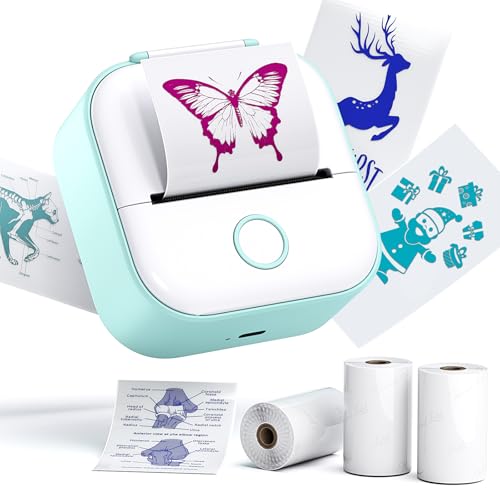
Phomemo Sticker Printer, Print Pods T02 with 3 Rolls Transparent Color |
$34.39 |
Buy Now |
The Phomemo T02 Mini Bluetooth Sticker Printer offers a compact and portable solution for printing study notes, labels, and photos. It uses thermal printing technology, which means no ink or cartridges are needed. This keeps printing clean and simple, without mess or extra costs.
Connecting the printer is easy via Bluetooth through the Phomemo app. Users can customize fonts, apply filters, and choose different themes. The device supports a variety of thermal papers, including colored and transparent options. It comes with three rolls of paper to start printing right away.
Its lightweight design makes it ideal for students and professionals who need clear, personalized stickers and notes on the go. The T02 is versatile and user-friendly, perfect for quick printing tasks without hassle.
Best for: Students and professionals seeking a portable, inkless printer for customizable notes, labels, and photos.
Pros:
- Inkless thermal printing for mess-free use and lower costs
- Fast Bluetooth connection with app-based customization
- Supports multiple types of thermal paper, including colored and transparent
- Compact, lightweight design for easy portability
Cons:
- Print longevity may be shorter compared to ink-based prints
- Print size and quality are limited by the mini printer’s design
- Stickers require manual cutting after printing
Important:
This description is based solely on provided product details and avoids unverified claims or exaggeration.
Factors to Consider When Choosing a Color Sticker Printer
When choosing a color sticker printer, you’ll want to take into account the printing technology and the print resolution to ensure vibrant, sharp results. Check if the printer supports the media sizes you need and offers the connectivity options that fit your setup. Don’t forget to evaluate the durability and finish of the stickers to match your project’s requirements.
Printing Technology Types
Four main printing technologies dominate the color sticker printer market: dye-sublimation, inkjet, ZINK, and thermal transfer. Dye-sublimation uses heat to transfer dye onto your stickers, producing vivid, fade-resistant colors ideal for long-lasting prints. Inkjet printers spray liquid dye-based ink, giving you precise control for detailed and customizable stickers.
If you want mess-free printing, ZINK technology uses special paper embedded with dye crystals, so you get smudge-proof, water-resistant images without cartridges. Thermal transfer printers apply heat to transfer wax or resin-based ink from a ribbon, creating highly durable stickers perfect for industrial use. Understanding these technologies helps you pick a printer that matches your sticker quality needs and intended application, whether for vibrant designs or tough, long-lasting labels.
Print Resolution Quality
Choosing the right print resolution plays a crucial role in achieving sharp, detailed color stickers that stand out. When selecting a color sticker printer, look for one offering at least 300 DPI (dots per inch), as this level ensures professional-quality prints with crisp lines and vibrant colors. Printers with lower resolutions, like 150 DPI, may produce pixelated or dull images, which can undermine your sticker’s impact.
It’s also important that the printer maintains consistent resolution across the entire print area to guarantee uniform color accuracy and clarity. Consider your design’s complexity—detailed artwork benefits from higher DPI, while simpler or decorative stickers can work well with lower settings. Matching resolution to your specific needs ensures you get the best print quality for your stickers.
Media Size Compatibility
Matching your printer’s media size compatibility with your sticker projects saves you time and frustration. First, verify the printer supports the specific sizes you need, like 4×6 inches or 2×3 inches. Check the maximum media size it can handle to avoid problems with larger or smaller sticker sheets.
You’ll also want to know if the media size is adjustable or fixed—choose adjustable if you plan on printing various sticker sizes. Consider whether the printer supports different media formats, such as standard sheets, rolls, or custom-cut sizes, depending on your workflow.
Finally, confirm that your most frequently used media size is compatible to maintain smooth, uninterrupted printing. Paying attention to these factors ensures your printer matches your sticker production needs perfectly.
Connectivity Options Available
When selecting a color sticker printer, you’ll want to take into account the connectivity options it offers to guarantee seamless integration with your devices. Most printers support Bluetooth, Wi-Fi, USB, and sometimes NFC, giving you versatile ways to print. Bluetooth lets you wirelessly print from smartphones or tablets within about 10 meters, perfect for quick, mobile use.
Wi-Fi models connect to your home or office network, allowing multiple devices to print without pairing each time. USB connections provide a stable, wired link, ideal if you handle large print jobs or need faster speeds. Some printers also feature NFC, making setup easier by enabling a simple tap-to-connect with compatible devices.
Choosing the right connectivity depends on how and where you plan to print.
Durability and Finish
Although many factors influence your choice of a color sticker printer, durability and finish should top your list if you want stickers that last. You need a printer that produces water-resistant, fade-resistant, and scratch-proof stickers to handle everyday wear and environmental exposure. The printing technology matters—dye-sublimation and ZINK each affect how resilient your stickers will be.
Look for printers that apply high-quality coatings or laminates to enhance durability. Also, consider the media material: vinyl or waterproof paper ensures a professional, long-lasting finish. Finally, your printer should deliver vibrant, accurate colors that don’t fade or peel over time.
Prioritizing these durability and finish factors guarantees your stickers maintain their look and functionality, no matter where you use them.
Software And App Features
Choosing the right software and app features can make or break your experience with a color sticker printer. You’ll want an app that supports easy image editing like cropping, stylizing, and background removal to customize your stickers effortlessly. Make certain it’s compatible with both iOS and Android devices for smooth connectivity.
AI-powered tools such as subject recognition and automatic image extraction can speed up your design process and improve output quality. Look for apps offering a variety of templates, filters, and design tools so you can get creative without needing graphic design skills.
Finally, verify the app supports Bluetooth, Wi-Fi, or USB connections to give you reliable control over your printer directly from your mobile device.
Frequently Asked Questions
Can These Printers Be Used for Commercial Bulk Printing?
Yes, you can use these printers for commercial bulk printing, but you’ll want to choose models designed for high volume. They handle large runs efficiently, saving time and costs while maintaining vibrant, professional-quality sticker output consistently.
Are Replacement Ink Cartridges Widely Available?
Yes, you’ll find replacement ink cartridges widely available for most color sticker printers. Manufacturers and third-party suppliers stock them, ensuring you won’t face downtime.
Just check compatibility before purchasing to keep your printing smooth and efficient.
Do These Printers Support Third-Party Sticker Paper?
Yes, many of these printers support third-party sticker paper, but you’ll want to check compatibility to avoid print quality issues or damage.
Using recommended paper guarantees the best results and prolongs your printer’s life.
What Is the Typical Battery Life on a Full Charge?
You’ll get around 4 to 6 hours of battery life on a full charge, letting you print stickers all day without plugging in.
Some models even offer quick charging, so you won’t have to wait long to get back to work.
Can These Printers Connect to Devices Without Bluetooth?
Yes, many sticker printers connect without Bluetooth using USB or Wi-Fi. You can plug them directly into your device or join a local network, giving you flexible options beyond just Bluetooth connectivity for printing your stickers.
Conclusion
Choosing the perfect color sticker printer is like picking the right brush for your masterpiece. Whether you want portability, Bluetooth features, or vibrant prints, these top 10 options have you covered. Trust your needs and preferences to guide you.
Soon you’ll be printing stickers that pop with personality. Immerse yourself, explore your choices, and let your creativity stick around with the best printer for you in 2026! Find the ideal color sticker printer that matches your style and printing needs.